Once I restart the daemon and mount -a, the share is shown in nautilus and I can even navigate and open files. Problem? The share is mounted in RO mode. I followed the docs and added the 'rw'. no errors on mounting are thrown.
For some reason the shared drive is mounted as root even though I used the server credentials for my user on that folder.
The question is why is it owned by root if I used my user creds to log into the NAS drive? Not sure I understand.
Also, would I have to reassign ownership every time I login? In windows or if I mount the drive through Nautilus I need not reassign ownership. Thanks for the help in understanding.
Is your partition in a windows format or is it ext4?
If it's in ext4 there is an option under Gparted to "take ownership", rather than it being owned by root.
If it's in windows format then that option is greyed out.
What I did was to copy all the data to a 128Gig thumb drive, reformat the partition as ext4, then copy everything back, then use the take ownership option and everything worked fine from there.
I tried all manner of things suggested here and elsewhere to fix the permissions first but none of them worked.
Once you successfully run those suggested commands, the changes will be permanent. No need to worry about reassigning ownership on each login/reboot. But if you change the mount point later to something different then you will need to use it again for this one.
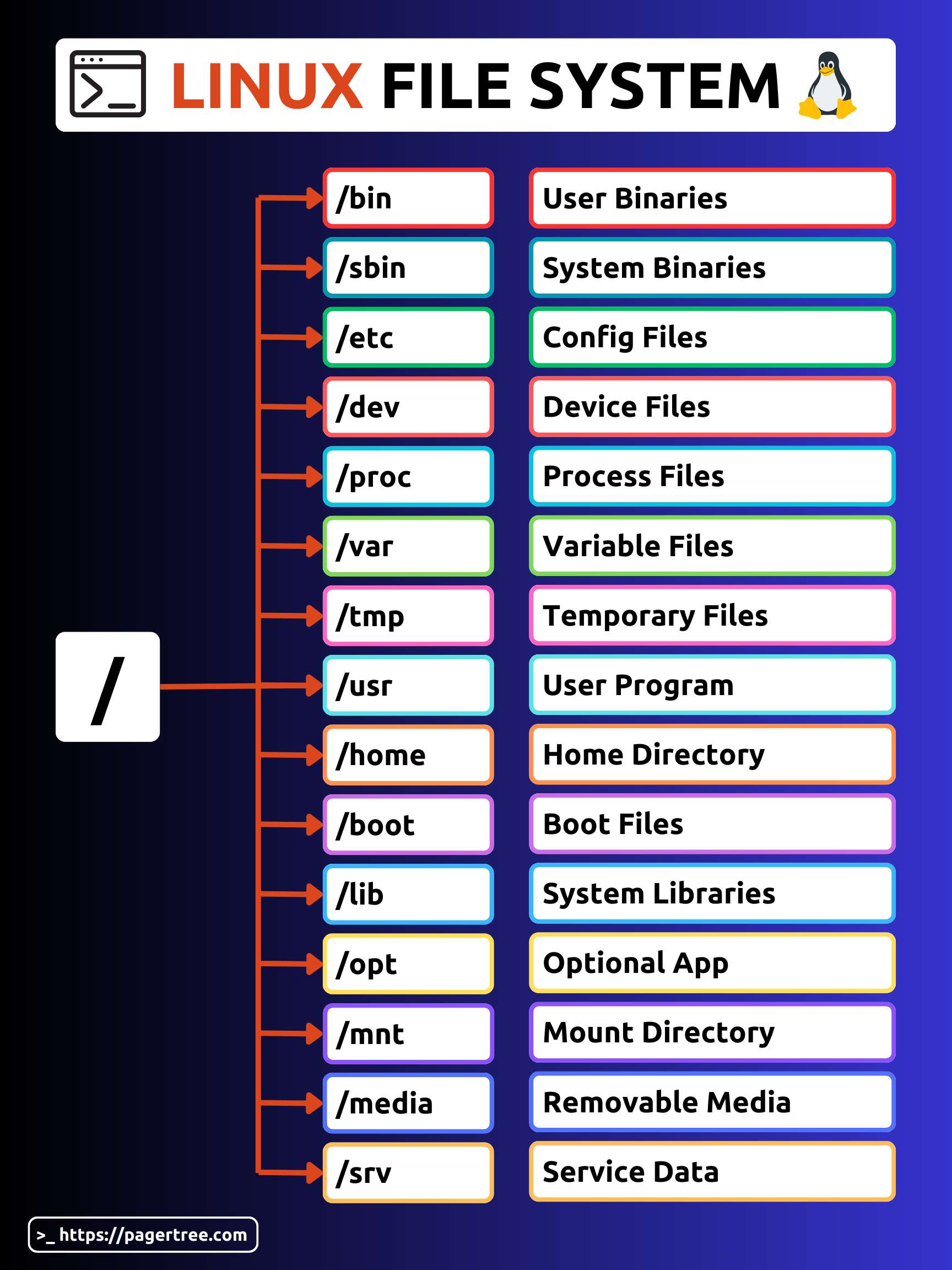
To understand this you have to first understand Linux File structure a little bit:
Anything outside your /home are mostly owned by root, and normal users (without root privileges) have restricted access to those. This is for a security measure you can say. So when you first mounted your nas drive under /media the mount point /media/nas_shared got created by the root thus it became the owner.