And I'm not talking even about running e.g. Affinity Designer 2 : )
I needed to remove password from a PDF... hahahaha... found some help, so pdftk... command line...
pdftk source password output
so I'm writing blah blah...
PDF NOT FOUND
wrote with absolute path!
PDF NOT FOUND
Does your filename contain spaces in it? That would confuse the inputs on the shell and you should quote that part:
pdftk "pdf with spaces.pdf" input_pw foopass output unsecured.pdf
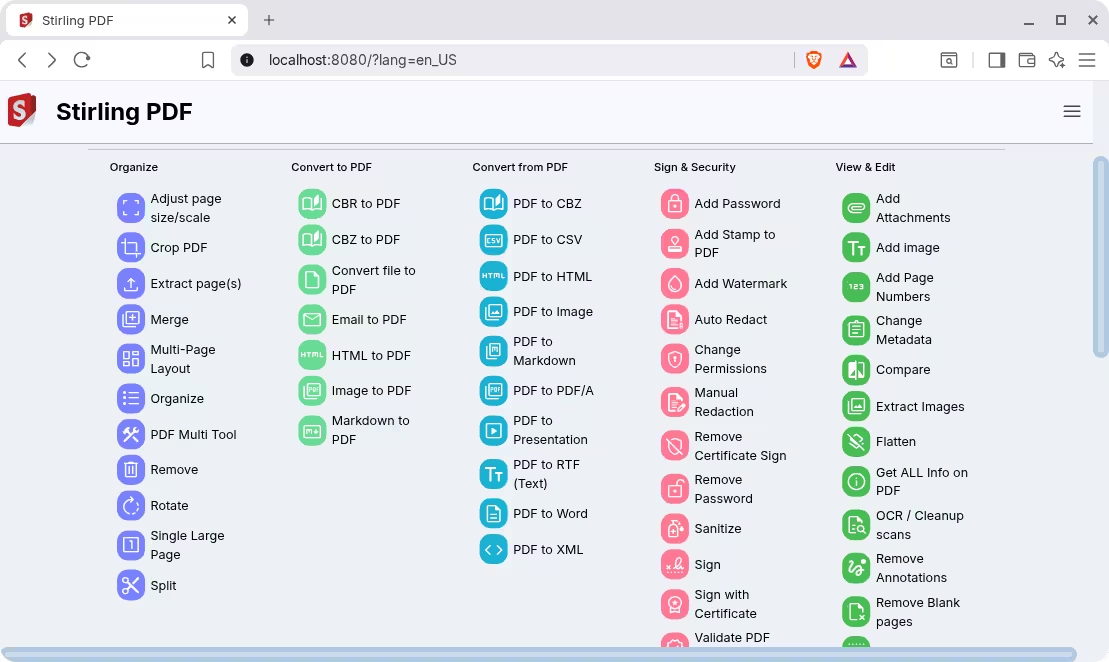
There's a tool called Stirling PDF that provides a lot of different utilities for working with PDFs, including password removal.
The instructions to install Stirling PDF are a little more involved because it's intended to be installed on a server, and accessed through the network, but you can install it locally as well (notice that in the screenshot above I'm using a browser and navigating to "localhost").
I recommend using the Docker installation which is easier to install. Just copy paste the instructions as follows:
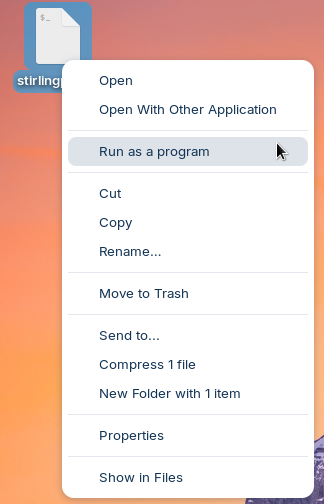
Instead of repeating step 3 and run this every time through the terminal, you can place it inside a text file with an extra line at the top (#!/bin/bash) as shown here:
First: Moderator Note: Don't be so rude. I can understand that it can be frustrating when something doesn't work but insulting doesn't help. I will delete Your last Sentence.
Now to Your Problem: So You want censor a Password what is as Content in a PDF File or is the PDF Password-protected?
The file was without spaces, lowercase, etc. I've used Linux before and I'm not that dumb... I give Linux a try every 2-3 years - remove it after a week of hell...
This is the essence of Linux.
Commands commands commands commands...
The best cases are "change something=2434 in line 124214 of file /lib/blahblah.lib" and then you go to /lib and there's no blahblah.lib
or there it is but it's not "something=2434" but "something_else=2111" and then no idea - change it? add it?
That's understandable, it just seems Linux is not for you, that's all.
When I first started using it, it took me years to get comfortable with Linux. Before that, I tried MacOS, which was also a great disappointment for me. I hated it just like I hated Linux, at the time.
Turns out, I was simply too used to Windows and I wanted things to be the same. Fast forward a few years, I'm clumsy as a drunken duck when it comes to Windows. I do use it still, but the roles have reversed compared to a few years ago: it pains me to have to jump through Microsoft's hoops when I know I can do the same thing in Linux in seconds.
Now, I'm too used to Linux. This doesn't mean that Windows is bad, or MacOS for that matter, it's just that is not the right tool for me.