Using Brave A.I. search engine via Mojeek gives (Zorin 18 is a fork of Ubuntu24.04):
" Fn key functionality on Lenovo ThinkPad X1 Carbon Gen 7 in Ubuntu 24.04 with kernel 6.17 is commonly affected by hardware-level handling of Fn combinations, where the keyboard controller (not the OS) processes Fn key inputs , meaning standard OS-level key remapping tools cannot directly bind custom actions to Fn + key combinations.
However, several solutions have proven effective for similar ThinkPad models:
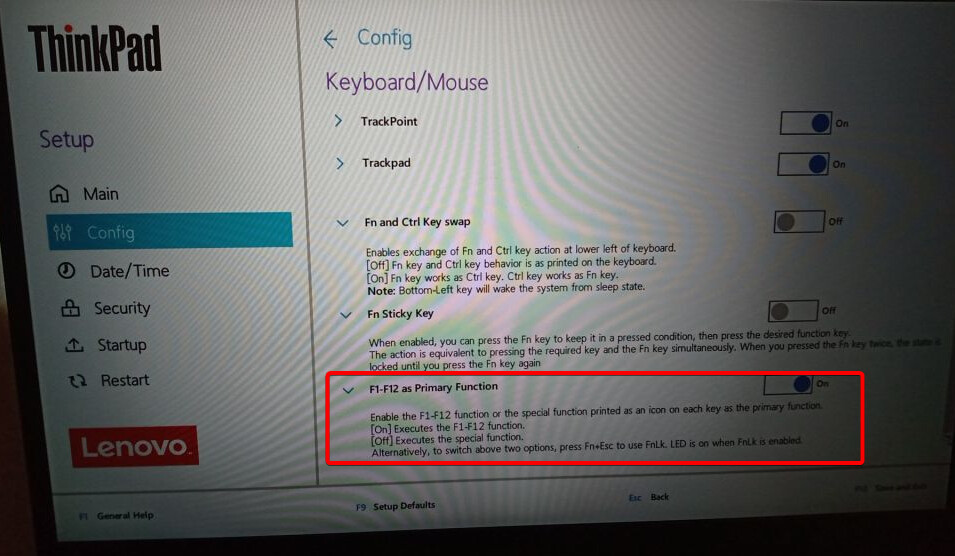
Check BIOS settings : Enter BIOS and look for "Fn Key Mode" (often labeled as "Function Key Behavior" or similar). Ensure it is set to "Normal" (or "Legacy") mode rather than "Smart" (or "Windows"). This is the most common fix for missing Fn key behavior.
Use rtcwake workaround (for KDE/Plasma) : A known workaround involves running rtcwake -m mem -s 2 at graphical session startup. Create a .desktop file in ~/.config/autostart/ (e.g., rtcwake.desktop ) with:
[Desktop Entry]
Name=rtcwake
Exec=/usr/bin/rtcwake -m mem -s 2
Type=Application
X-KDE-Autostart-enabled=true
This resets the keyboard controller state and restores Fn key functionality. This works best in KDE but may be adapted for other desktop environments.
Verify kernel modules : Ensure i2c-hid and i2c-hid-acpi modules are loaded:
sudo modprobe i2c-hid
sudo modprobe i2c-hid-acpi
To make persistent, add them to /etc/modules .
Test with xev or wev : Use xev (X11) or wev (Wayland) to monitor key events. If no output appears for Fn + key combinations , the OS is not receiving the key events — confirming the hardware-level limitation.
Note : The Fn key itself is not detected by the OS , so you cannot bind Fn + Space to open uLauncher via standard tools. The only workaround is to use the keyboard controller reset (rtcwake ) or rely on BIOS-level configuration.
Lastly, Zorin defaults to the Wayland protocol for drawing the screen. See if changing to xorg helps. At login, select your user name and a cog should appear lower right - click on that and change it to 'Zorin on xorg'.
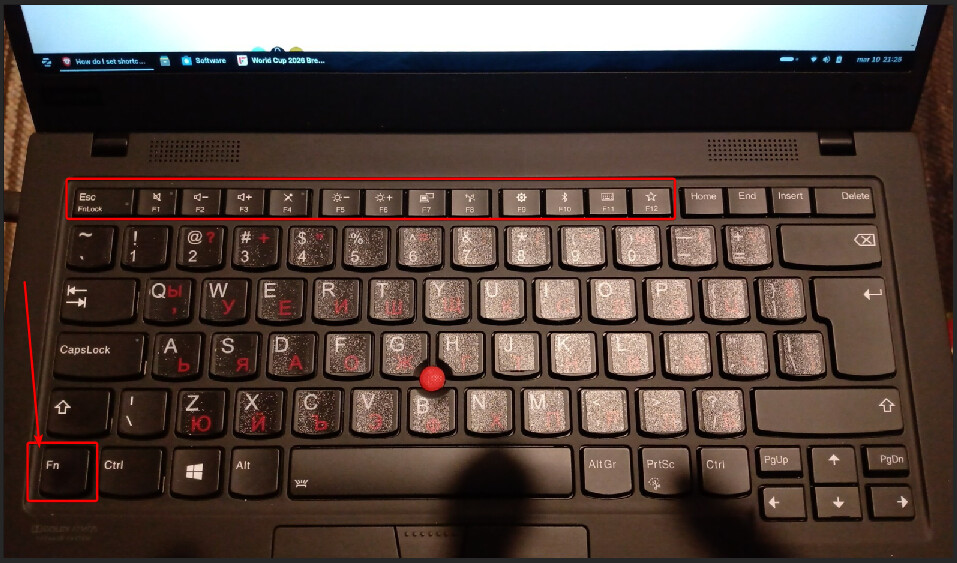
It wasn't active and yes, there is a LED which would indicate it. BTW if I press Fn+ESC the LED lights up, so which means the Fn key is working fine. Before installing Zorin, those functional keys were working fine on Windows.