Hi everyone!
So I am very knew to zorin-18 and Linux in general. I just switched from windows 10 like max. 3 weeks ago. I also just bought a new pc with complete new hardware and its a really good pc in general.
I haven't had any complaints with the things that run (when they run) BUT I started to notice that games via steam suddenly don't properly open. I have the compatibility setting activated and use the proton and it DID work until 2 days ago. Games include Baldur's Gate 3, Star Wars the old republic, Lords of the fallen, doom, and a few other games. NOTE, I have played these perfectly fine 2 or 3 days ago.
I saw that steam has a new proton type or smth, so is it maybe just a waiting game until everything is up-to-date in terms of compatibility...?
That and some of the apps I have downloaded (like signal, discord, Zen & Brave browser, etc.) take several minutes sometimes until they open.
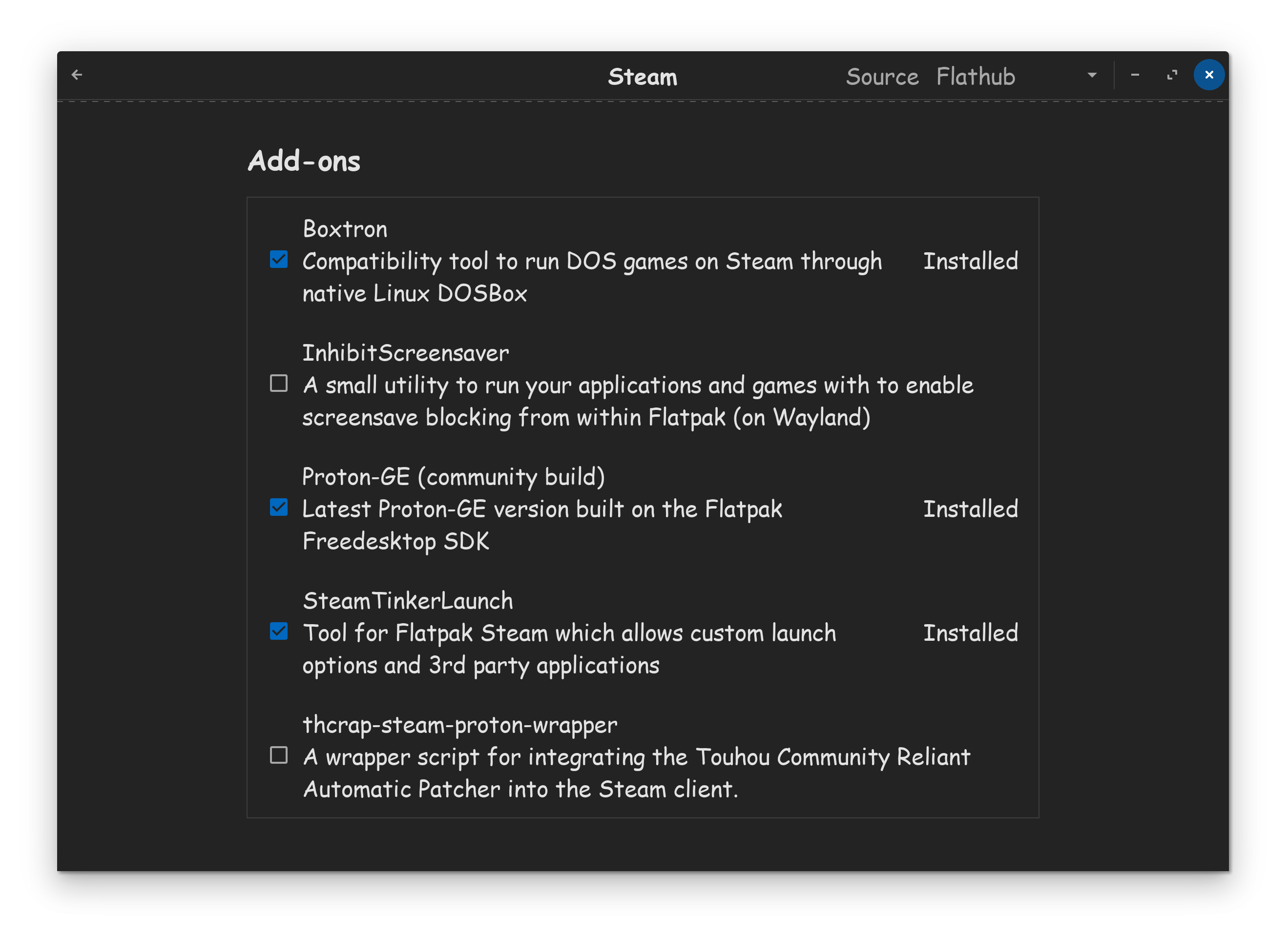
If you are using the flatpak version of Steam, you should find on the Software Store page for Steam, these clickable options bellow. Make sure you have checkedmarked Proton GE at the very least.
Once that has been installed and done, right click a game in your list, properties, compatibility, put check in force compatibility, then select Proton GE in the list. Again, make sure Steam has been restarted, if you did the install with Steam already running, otherwise you won't find GE in the list!
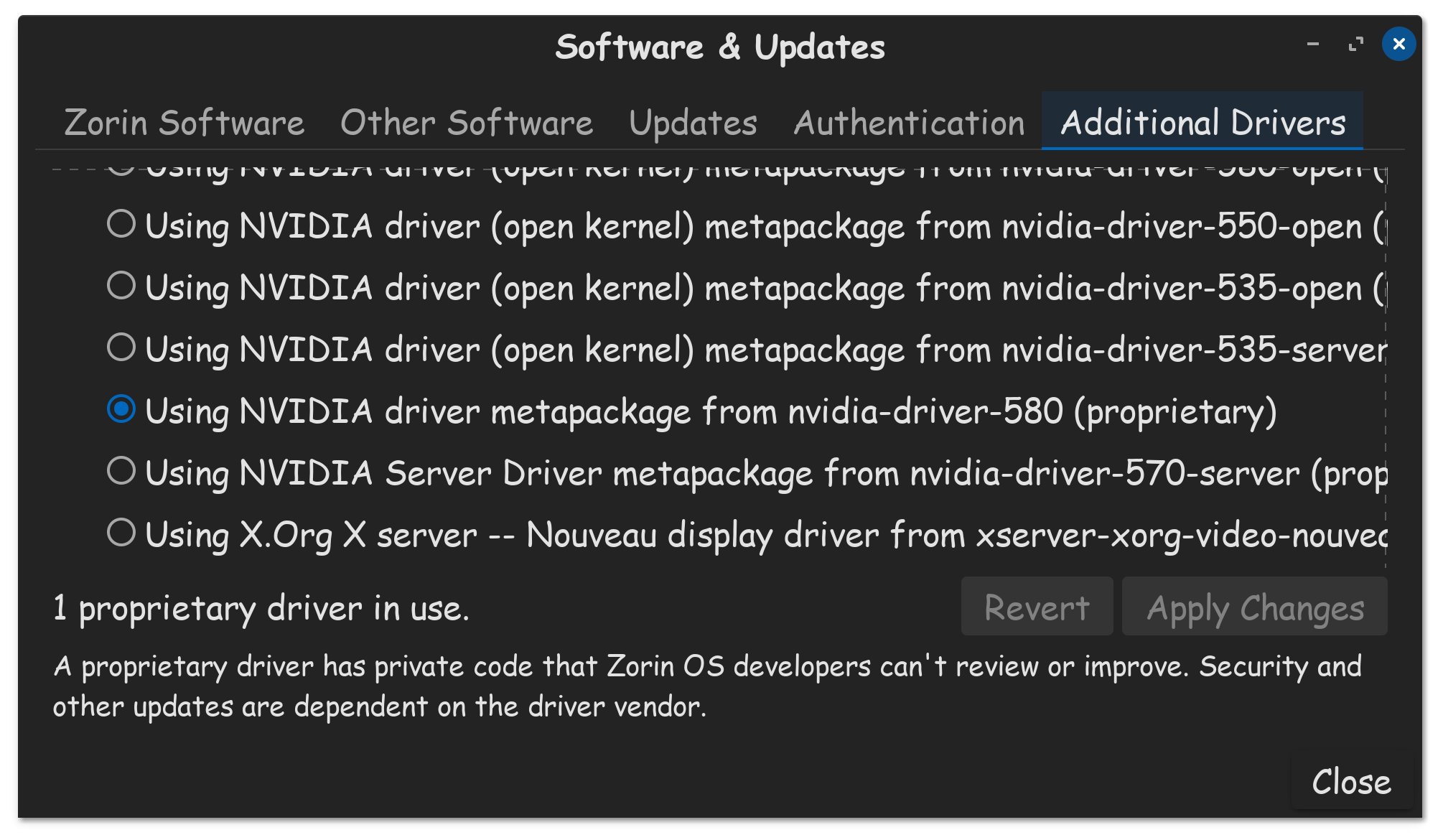
Make sure that Secure Boot is disabled in the BIOS. Make sure that your running in Xorg at login, not Wayland, use Zorin OS Desktop. If GPU is Nvidia, use your proprietary driver please.
Is Steam installed as Flatpak? If yes, I would suggest to try the .deb Version. You can install them from the Repo's or download it directly from Steam:
Corsair iCUE H150i Elite Capellix XT Liquid CPU Cooler
I currently have steam downloaded as Flatpak, yes. I did also try the Proton GE, which kinda worked? The game launched but I had some technical difficulties then and I hadn't had the time to figure out exactly what happened there lol.
However, I'll also try the .deb version probably in the next few days.
In terms of the other programs I have installed them all via the Software (Flatpak).
I use only the standard .deb package and none of the alternative Flatpak packages - and every single thing works.
In the meantime, all that you list are flatpaks.
Then, You have a Nvidia Card. Because of that, I would recommend to switch to Xorg if not already done. To do that, got to the Login Screen. Click on Your Profile so that the Password Field appears. When it is appeared, You should see a Gear Icon in the bottom right Corner. Click on it and choose the Option ''Zorin Desktop on Xorg'' and then log in.
Then, I would also recommend to try the .deb Version. Brave is already the default Brower and comes preinstalled as .deb Version. When You didn't have deleted the included Brave Repo, You can install Brave with the Command sudo apt install brave-browser