Gaming on MSI Laptop

I bought this laptop (msi Thin Gaming Laptop, 15.6" FHD 144Hz, Intel i5-13420H, RTX 3050, 16GB RAM, 512GB NVMe SSD, Windows 11 Home )

I’ve completely wiped off W11 and installed Zorin OS 18 and upgraded it to the .1 version. Every game I’ve downloaded I’ve had issues either with the game not launching, crashing, steam being stuck saying waiting, or when/if the game logs in it would lag/freezd. I used chat gpt and tried every single launch command and/or proton and it still had the same issues. Is there something in doing wrong or a way to fix this or to have someone log into teamviewer and check my laptop ?

  1. Let's check if the driver is corrctly installed.
    inxi -Ga

  2. As you are using a Nvidia card on Zorin, it's recommended that you are logged into xorg instead of Wayland.

  3. Check for each game if there's issues or fixes on ProtonDB

  4. Install ProtonPlus to set different Proton Engines for each games.

2 Likes

Are Secure Boot and Fast Boot in BIOS disabled? Is Steam installed as Flatpak or .deb/APT Package?

I’m already on xorg

I installed it as apt

What Nvidia Driver do You use?

Which games did you tried ?
Also, is steam a deb package or a flatpak ? To check it, go to the store, search for steam, and if it says "flatpak" (or "flathub") in it's page, uninstall it and use the official one on this link :

You just have to doube click the .deb file, like on windows, and follow the instructions.
If you tried playing games on another platform (gog, epic games, or just a .exe/.msi), let me know !

1 Like

Is already answered:

My badd I didn't saw

Some games refuse to work on linux (especially faceit, riot games, fortnite or battlefield), but the majority should work with proton yeah

2 Likes

Does Rogue Company work on Zorin OS?

By trusting protonDB (https://www.protondb.com/app/872200), it seems to work well on linux yeah

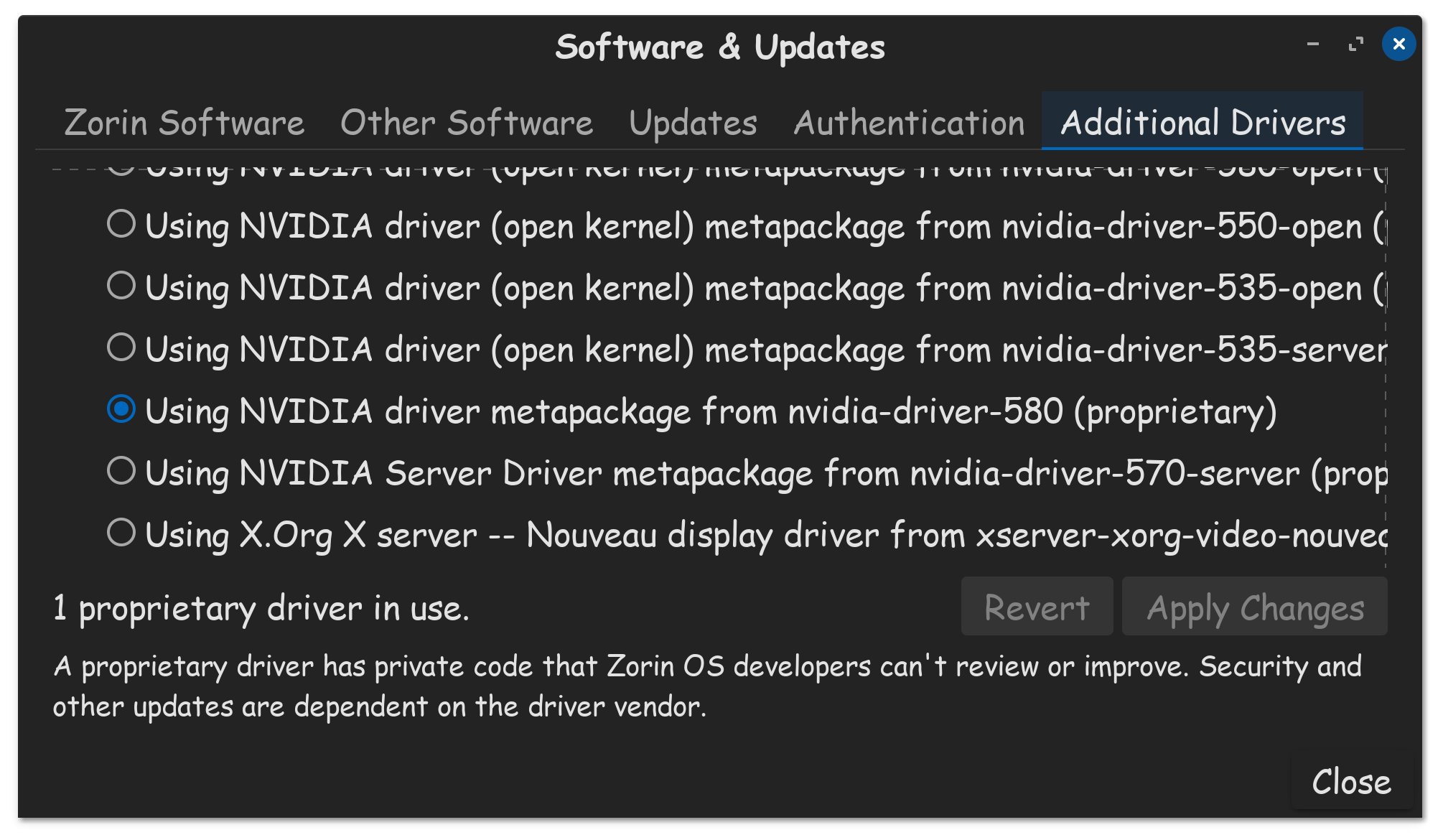
Make sure you are using the Nvidia proprietary driver.

Software & Updates, Additional Drivers tab...

Yes, its true, that no matter what, some games will never run on Linux. Most of those games, are online multi-player games, and games with heavy DRM and anti-cheat garbage. Having said that, I have had a few single player games not work, either cause their too old, or DRM gets in the way.

I will say, I have gotten quite a few games to run on Linux, through Steam, using Proton. Only most recently, am I having issues, with brand new released games. And since I had issues with 5 new games in a row, its beginning to make me wonder about my computer.

My computer is also an MSI machine, its an MSI GE-76 Raider. Mine is not thin and light, mine is an 6-pound gaming notebook. Intel 10th gen I7 10870H-CPU, Nvidia RTX 16GB 3080 GPU, and 32GB of RAM. So yeah, I have a capable machine, but like everything when it comes to gaming on Linux, sometimes games launch and play well, sometimes they don't.

I wanted to play Pragmata this month, but the game is loaded with so much DRM, it won't even launch on my PC, doesn't matter what Proton I use, and infact changing the Proton, adds as game activations. You get 5 of those available, change it more then 5 times, your locked out for 24-hours. All this DRM doesn't prevent copyright, it just hurts the users who pay for the games.

But anyways, yes, make sure your using your Nvidia driver, make sure your running in Xorg, which you reported that you are. And yes, make sure Secure Boot and Fast Boot are disabled in the BIOS. And if trying different Proton version, including the latest GE Proton doesn't make your game work, you might be out of luck for that game, just as I have been, with Pragmata.