Gaming, sound issue happening after few minutes of gaming/music/videos

i have a similar audio issue, bazzite, nobara, mint, zorin, when i play games, watching movies, listen to music, on ASUS TUF gaming A17 RTX4050 Ryzen 7000 series cpu, on boot up, sound works 100%, after a few minutes of gaming/music/movies i start to hear for lack of better word, crackling/distortion sound, every once in a while, but after it happens at first, it happen more often to a point i have to restart again, running windows now again, can't seem to fix the problem, i can get away with some of my games not working on linux, but that sound issue i can't live with, but I want to completely leave windows in the dust, but can't. I tried to install Cachy os seem's it's Arch bleeding tech, in hope that newer kernel etc. would fix it, but i can't even get Cachy to install, keeps on giving me an error.

now im stuck on windows :cry:

also on nobara i played Forza Horizon 5, had to go down all the way to medium graphic settings to have a complete smooth experience, where on windows i can run every detail on extra max settings and smooth as butter, but i read people getting more frames on max setting than on windows, complete opposite for me, how come, new asus tuf gaming laptop 2025?

i always select the nvidia iso from all the linux os'es i try

love mint the most, by yeah the sound issue.

have to say i am using bluetooth headsets, but on the normal laptop speakers, i have the same issue as described above.

Hope any one can help met to leave windows once and for all.

I also like Zorin os, for me it's between Zorin/Mint/Bazzite/Cachy (can't get to install Cachy thou)
Same old reason as always: money.

Hardware manufacturers don't have an incentive to spend resources to test their products as thoroughly (if at all) on platforms like Linux with a tiny market share. This means the community has to step up and create drivers on their own. And by "the community" I mean unpaid volunteers that do this on their own time, without any investors or technical consultants, Q&A, and so on.

Nvidia seems to have recently finally catch on to the fact that more and more people are not moving to Linux because of things like this, and are now starting to seem more approachable. But, still, the general rule of thumb here is that the newer the hardware, the lower the chances that someone has come up with a driver that works well all around.

Welcome to the Forum!

Do You have installed all of the Codecs?
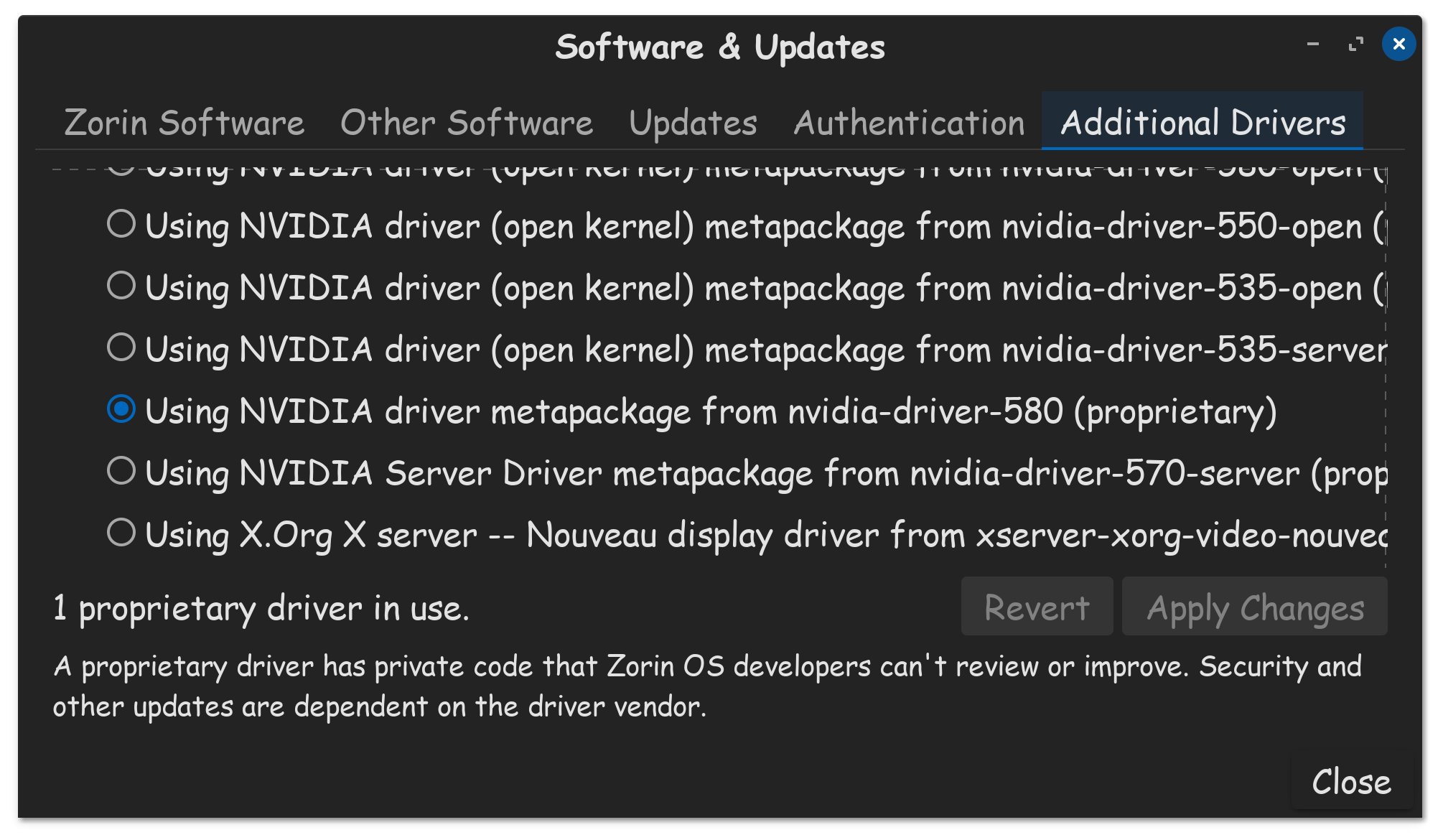
What Nvidia Drivers did You tried?
Did You checked the Additional Drivers Tab for offered Drivers for Your Bluetooth?

Hi thanx alot, I will give it a try, and no i did not, used like it was after install, i did however always select the option to install codes, but i understand that does not install all the codecs? never tried different drivers in the additional drivers tab

Thank you so much, that does help me understand what is going on, makes sense. still want to thank the hole team for still doing what they do, still a great os to replace windows. i am trying my best to leave windows, just the small hickups i must still sort. thank you

nvidia drivers was 5.80

Which driver are you using?
If unsure, you can check in Software & updates under the additional drivers tab.

that is purely a Windows Nvidia driver designation.

ok which meens? sorry still learning linux

We need to know the driver you are using on Zorin OS.

Can you please follow these steps to relay that information?

It don't have to. You can check some Places to be sure. First open Gnome Software and scroll on the Main Page to the End. There is a Button called ''Codecs''. Click on it and You get an Overview with Codec Packages. Install them.

Then we need the Terminal for additional Stuff for Codec Support. The first Package is ubuntu-restricted-extras which gives more Codec Support. But an Info to this: This Packages is a Bundle and includes Microsoft Fonts and when You install it, it will give You a Window with a Licence Agreement because of that. Navigate with the Tab Key to Ok and press Enter.

Then there are the ffmpeg and vlf Packages, who can offer more Codec Support, too. To combine that in one Command:

sudo apt install ubuntu-restricted-extras ffmpeg vlc

@Aravisian wants to see this, for confirmation, FYI...