We rolled out Zorin OS to all our students but we are facing a big problem. On our typewriter testing plattform (e. g. b. Typewriter - Online 10-Fingersystem lernen und üben) the 'ö' is not recognized. Nothing happens. The key works fine in the browser field and anywhere else.
Does anybody have a clue? Our kids @ school love Zorin and we are planning to roll out Zorin at school on a big scale - but this needs to be fixed.
Thanks
Benedikt
This is very likely the website, actually. Since the key input is recognized on the system, but not the site.
If the site assumes ASCII use (US kb dominance) and ö is not ASCII, it will not register the keypress properly or ignore it.
Have you reported it to the maintainer of the site?
We are in contact with the owner of the site, but it works fine on windows or mac. Also on another typewriter we have the problem with the 'Ö'. Is there any chance I can troubleshoot the issue? (logs, ...)
Edit.: Do clarify: It happens with the upper case "Ö" and it take the key if we press it twice. Lower case "ö" is fine.
An "Ö" only works by pressing the keys caps ö caps (one after another), it seems to be a bug or not adapted for German keyboards.
This input method for 'Ö' is shown in the guide for Swiss keyboards.
Windows is more permissive with keycode:
The deprecated keyCode is a numeric value originally defined in terms of Windows virtual key codes, and most older web code still uses it for detecting keys. keyCode does not reliably represent Unicode characters on non-US layouts.
Browsers would approximate keyCode values for non-ASCII layouts, leading to differences.
Browsers on Windows often fill in keyCode values in a way that makes legacy sites “work.”
This is true on Mac because Apple is expensive and has a relatable market share - It must work with Windows OS and anything that works with the dominant Windows.
While old here is a FireFox bug-report which documents what I am describing:
Here is the current standard:
As I was typing this, you added:
This helps a lot and narrows it down to a Modifier Event. Which possibly means my unicode description above is less applicable - but I am not sure, right now...)
When you press a key, that is an event. When you press a key along with a modifier, that is more than two events, on Linux. It is the two presses, plus the composition and emission of the output character.
On Windows/Mac, this event state is collapsed into one sequence - but on GnuLinux, the actual protocols (W3 link above) are adhered to strictly.
GnuLinux and Zorin OS are adhering to the W3 standards, even if Windows OS is a bit more lax (and can afford to be as a two trillion dollar company.)
This is fixable on the sites application.
I cannot see the sites javascript. But... if it uses something like this:
Legacy ASCII / US-layout assumption
if (event.keyCode === expectedKeyCode) { … }
or
if (shiftDown && keyCode === 186) { /* Ö */ }
then you will get a fail on the output as it is not w3 standards compliant.
If it uses
const input = document.getElementById("capture");

input.addEventListener("input", (e) => {
  const value = e.target.value;
  if (!value) return;

  const char = value.slice(-1);
  processCharacter(char);

  e.target.value = "";
});
That is W3 compliant.
I realize I threw some javascript in the post, but I hope this helps and clarifies how this is most likely website side.
Is ö the only one that doesn't work? I took a Look at the Site and on my Keyboard the ö, ä, ü, ß, +, # and ' didn't worked.
I also saw that You can choose between different Langauge Models:
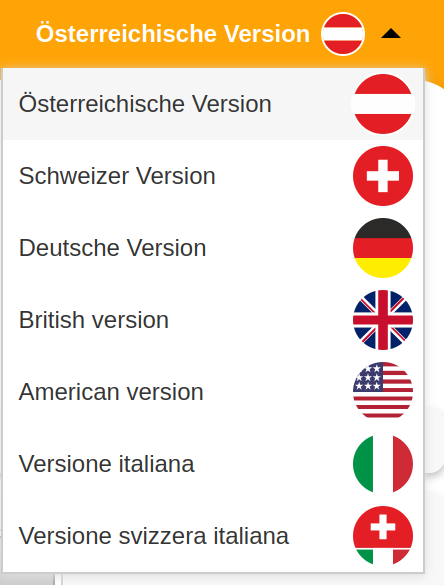
To understand better: what will you see, if you type: Österreich fördern ?
sterreich fördern
or in place of the Ö any other symbol?
Have you tried [Alt+0246 or Alt+148] = ö and [Alt+0214 or Alt+153] = Ö
Is it also at other typing testers, like https://typing-speed.net/ or others?
1 Like
To understand better: what will you see, if you type: Österreich fördern ?
Exactly, I will see sterreich fördern. The upper case "Ö" is not displayed and no other symbol instead.
I haven't tried the ASCII combinations, but I will give it a try and report back.
Edit: ASCII combinations does not work in the browser - keeps switching tabs instead.
We found the next weird thing: it works, if I hit the "Ö" twice oO
Hallo und herzlich willkommen.
Whilst working from home in lockdown using GNU/Linux for work I posted on the vi forum why could I not use Alt Codes for special characters (mainly Math symbols). It is not possible to use Alt Codes on any *nix system so I opted to use insert character function which will not be available in a Web App. *nix uses Unicode not ASCII which is why MathType cannot run on GNU/Linux versions of SoftMaker Office for Linux but their included MathType for Windows does.
" Compose Key is a primary alternative to Alt codes in Linux systems, including NixOS. It allows users to type special characters using intuitive key sequences. For example, pressing Compose followed by s and o produces the symbol § . This method is more mnemonic and efficient than using Shift + Ctrl + U with Unicode code points.
AltGr Key (Alternative Graphics) is another built-in Linux solution, especially useful for European keyboard layouts. When combined with the AltGr key (often mapped to the right Alt key), it enables access to additional characters. For instance, AltGr + a produces ä on a German layout. This functionality can be configured via the XKB system in NixOS using services.xserver.xkb.extraLayouts .
For users seeking a direct replacement for Windows-style Alt codes, WinCompose is a cross-platform tool that emulates Alt code behavior on Linux. It supports custom key sequences and can be installed via package managers or from its GitHub repository.
Additionally, text expansion tools like AutoKey or Espanso can automate the insertion of symbols by typing short abbreviations (e.g., typing :up: inserts ↑ ). These tools are highly customizable and work across most applications.
Finally, Unicode input via Ctrl + Shift + U remains a reliable fallback, though it requires pressing Enter after typing the code. For a more seamless experience, use U+ followed by the hex code and press Alt + X in applications like LibreOffice or Microsoft Word.
AI-generated answer. Please verify critical facts."
And try out @Forpli 's solution.
The principal question is "Will any of these solutions whilst possible in a local Text Processor work on a web app if it has been coded correctly?"
You could request the Web app author to consider this:
" Capital German umlauts (Ö, Ü, Ä) may not display correctly in a web application editor due to font or encoding issues .
- Font Limitation : The editor might use a font (like MrJeeves on GMBinder) that lacks proper support for capital umlauts. If the font doesn’t include these characters, they may render as incorrect symbols (e.g.,
e 9 ^0) or appear as missing glyphs. - Solution : Replace the problematic font with one that fully supports German umlauts, such as Arial , Times New Roman , or DejaVu Sans . Alternatively, use a workaround like overlaying a transparent image of the umlaut over the base letter using CSS positioning.
- Encoding Check : Ensure the web application and its content are encoded in UTF-8. Incorrect encoding (e.g., Windows-1252 or ISO-8859-1) can cause characters to display as garbled text like
öorÂ. - Editor Settings : If using a code editor (like VS Code), verify the file encoding is set to UTF-8 with BOM or Western (Windows 1252), as improper encoding is a common cause of display issues.
AI-generated answer. Please verify critical facts."
habs gerade getestet, scheint schon gefixt zu sein und es steht utf im header. und füllt das bitte mit sinnvollen sätzen, die armen kids haha
Du musst unter [Üben] eine der Lektionen >10 auswählen.
z.B.
achso, ok. hab da nur fix (mit konsole) reingeschaut um zu schauen ob da noch was gefixt werden muss. dann is ja alles super 
Es ist wirklich gefixed? Ich werde das heute mit dem Schülernotebook versuchen. Was bis jetzt noch komisch war ist, dass es mit dem Live Stick funktioniert hat, sobald man es aber installiert hat, hat es nicht mehr funktioniert. Was ist dabei technisch für ein Unterschied?
Interesting. When I tried it with the Zorin live session the Ö didn't work.
The main difference in live session is that it uses Xorg by default not Wayland (but you can change that). But I had tested Wayland and Xorg and it didn't work normal by pressing left shift key + ö.
Edit: Just tried again in live session today and it worked with Xorg but not with Wayland.
I tried it with our Lenovo ThinkBook 14 and it still does not work.
I need to type "Ö" twice, than it gets recognized correctly. On other distros it works (Cashy OS, Ubuntu, ....). And the weird thing for me, on the live stick it works also.
Edit:
I changed the displayserver to xorg and it works. It is a fix, but in the long run we want to stick with Wayland - any ideas to fix it?
Here it works fine, using Zorin 18, Wayland and Brave.
Have you cleared your browser-cache?
The diverse experiences in this thread have turned things unexpectedly weird.
1 Like
When I start brave-browser in the live-session of Zorin 18 from terminal with
brave-browser --ozone-platform=x11
the Ö also works when Wayland is set as session type.
1 Like
Is it only that page that shows this - or any page?
The error happens only when you make an exercise with the typewriter program which is opened within the website.
1 Like