If you try to view this, the app seems to struggle for a bit, then the canvas in the app just turns into a dark gray box. You can zoom in/out but it's not displaying the image.
After that, the app is "broken" - if you navigate to other images, if just displays the same blank canvas.
Digital cameras often have images way larger than this example, so this is not a good default experience for anyone with a camera.
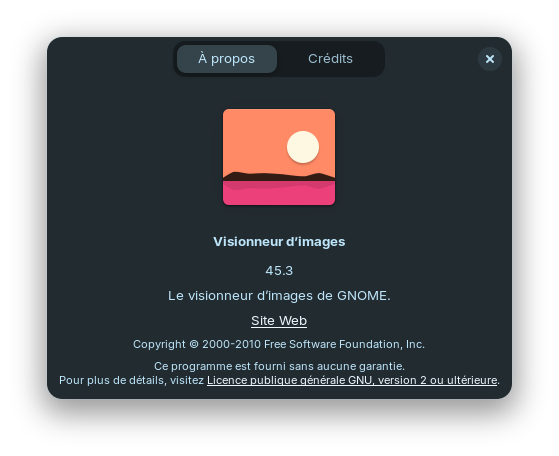
Since the version of GNOME Image Viewer that ships with Zorin 18 is two years out of date, I removed it, and located the official Flathub package from the GNOME package, version 49.1, and installed that.
Not only is this able to display images of any size - the app is way faster and way more responsive than the outdated app that ships with Zorin 18. Keyboard navigation between huge files is super snappy and no problem at all - even medium size files were a struggle for the older app.
I don't understand why Zorin 18, being brand new, and a major release, ships with so much outdated software?
If you're not going to update the built-in apps with a major release, when are you going to update them? Never?
I thought I knew what "LTS" meant, and I am fine with not getting daily updates of everything - but a brand new OS should ship with up-to-date software that isn't slow or buggy, should it not?
You're not wrong. When Zorin OS 17 was released, I bought the "pro" version without reservation and was taken aback from some of the bugs I encountered. I had to work my way through them and figure out multiple workarounds with the help of people here on this forum (and also from other sources online). It was a disappointment, but I persisted, and made Zorin OS 17 work for me. Am sorry to see that Zorin OS 18 is even worse with regard to the bugs. It has been an unmitigated disaster. And as someone who appreciates Linux, it is sad how so many people's introduction to Linux has been through Zorin 18 OS. Bug after bug. They installed Zorin OS to escape Windows only to run into a buggy OS release? That's gonna hurt Linux a little over the long run in terms of user adoption. If Linux is gonna make the best possible impression, distribution developers need to think about this kind of thing and commit more to Q&A. Thankfully, we have other options like MX Linux, Debian itself, and Linux Mint that can take up the reins and act as better introductions to Linux for these new users. I was a long-time supporter of Zorin (I even bought a Zorin OS t-shirt) until Zorin OS 18 came out, and that proved to be the last straw for me. I thought they'd learned a lesson, but nope. Your post is excellent and speaks to things that more and more people should be asking, like "you are on a delayed release schedule; you had all this time to comb through the particulars of the OS before release - why didn't you do bugfixes before release? Or did you just focus on slapping together the OS at the last minute with the few 'new' things that you did do for the OS, like web apps, and hope users wouldn't notice?" Hold them accountable. Don't buy the "pro" version. Call them out. Make them answer. Only then will true change happen.
Everything you describe in your post describes a graphics or Mesa rendering error.
The image decodes, but does not render. It remains in limbo as it tries repainting an invalid texture, but the rest of the system still works.
Where this gets more tricky is that Eye of Gnome was replaced by Gnome, I think around Gnome 45 with a new image viewer named Loupe - which the current version of is 49.1 as of the time of this post.
Loupe is new and has very fast paced development.
What I am seeing here is placing X before Y. That being stated in honesty; I do not see any way you couldn't.
I believe you are correct that this is a bug in the Gnome Default Viewer.
And the bug was likely fixed in a newer version (My suspect is hardware acceleration, but i have not followed the rabbit far enough down the hole to confirm it.)
For clarity:
Critical bugs (Generally, security related) are backported to LTS versions.
So using an LTS version should mean that even the older but stable version would be patched for edge cases.
This is an important impetus in choosing Rolling Release vs Long Term Support. You have your pros and cons.
With rolling release, you might have your bug fixes on known bugs.
But you also can experience new ones that are still in the report stage with no fix on the horizon.
This is the first time I have seen this particular reported behavior on the Zorin Forum and I needed to go through the Gnome bug reports to find it there.
Even then, while documented, it is not a common one, seeming to require just the right mix of graphics drivers, hardware and package version to all come together.
This is completely correct.
Being dismissive, making excuses for another (often by use of inventive logic) both perpetuate an issue, but are not the same as benefit of the doubt.
Care must be taken to not jump to conclusions, either.
I do not use Gnome, nor Eye Of Gnome, nor Loupe. I have never experienced this bug not by random chance, but by experience of learning to avoid buggy stacks.
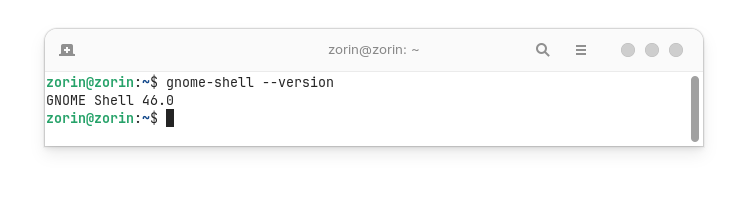
Zorin 18 is new released, yes. BUT: Zorin 18 uses as Base Ubuntu 24.04 LTS - and so the Software what comes through this Repo's. And that means: Zorin 18 uses Gnome 46 - and with it the Gnome 46 Software Stand plus all the other available Software.
Because of the bugs, complete and utter disasters, & upgrader still in testing stage, I'm going to continue holding out, and staying on OS 16. I have not been impressed with the release of OS 18, just too many issues for me to take a chance on.
I've learned through my own personal experience that, one single mistake, can turn a perfectly working OS, into a dash blinker on a non-booting black screen. So, I will wait until I am satisfied, that the OS and bugs has been fixed, and I won't be installing an unmitigated disaster.
In regards to the SOP in which the Zorin brothers operate, to quote Harry Carry...
Life can sometimes turn your greatest successes, into your most crushing defeats. Linda Ham, now I'm hungry to make a ham sandwich.
Wanted to come back here and suggest that you can also always download a new image viewer. That's what I did before. I used gThumb, then Ristretto. Either one will be fine for your needs (although I use Ristretto exclusively in MX Linux).
EDIT: Or just switch entirely to MX Linux, too ...
What I like about Zorin 18 and the main reason I chose it, is the polished, Windows-like desktop, and the fact that it doesn't crash all the time.
I've tried other distros, and I've never found anything else that got as close as Zorin 18 has to becoming my "daily driver' instead of Windows. I've been dual booting for a couple of weeks, and already find myself booting Zorin more than Windows.
Getting that Windows-like experience on Ubuntu or another GNOME based LInux is fairly easy - I have my settings set aside here:
It's easy enough to apply, so I'm not that concerned about switching to something else, but... it's never been stable. One or more of those, or some unlucky combination, leads to a desktop OS that crashes or freezes or randomly closes apps, every time, which is not something I can abide.
By contrast, Zorin 18 has been very stable. It's crashes once in two weeks, and that was while I was mucking about with a third-party GNOME extension, so...
I dunno, I suppose you could install Zorin's GNOME extensions on a different OS, couldn't you? They just seem a lot more reliable that clobbing together third-party extensions, I guess because they're all designed to work together?
I do think the Zorin team has done an exceptional job here.
I'd honestly much rather see Zorin fixed than return to endless distro hopping. I already know nothing is going to work for me. I think most Linux users are way more forgiving of bugs, crashes, freezes, apps closing, and spending hours or days learning how to change the color of the mouse cursor.
I am genuinely sick and tired of Windows - but it is stable at least. Consistently bad, if you will. The devil you know.
If it's not going to be Zorin, I'm not sure I can see myself switching to Linux, honestly. I might just put up with Windows forever.
You can install Zorin Extensions on other distributions, yes.
They are open source. Your only concern is that they are compatible to your gnome shell version.
I looked again at other distros and don't see this being any better anywhere else - every distro has it's own problems.
So I did some thinking and I am sticking with Zorin 18.
It's GNOME 49, according to the version displayed in Software.
TBH as Linux distros go, I think perhaps this one of the most well mitigated disasters I've seen thus far.
But I mean, it's basically two guys building this OS, right? On the foundations of software will thousands of contributors, of course - but the desktop is their effort, and regardless of the problems I've run into thus far, it's still the best Linux desktop experience I've ever had. By far.
I think I over reacted, honestly, to the outdated software.
So I did some thinking and considered other distros, and yes, Zorin 18 ships with a few outdated apps - I went through the entire list in Software, and it's not actually too bad!
The apps that are outdated are easy to uninstall and then get the newer Snap/Flat instead - for the most part, a newer version is directly available to switch to in Software, without having to find/add any repos, so. NDB, really.
I do think they should fix that, of course. I mean, it doesn't make sense. Why is the OS shipping with outdated, buggy apps, when newer versions are already available in the repos that are already preconfigured in the OS?
That makes no kind of sense, and they should fix that.
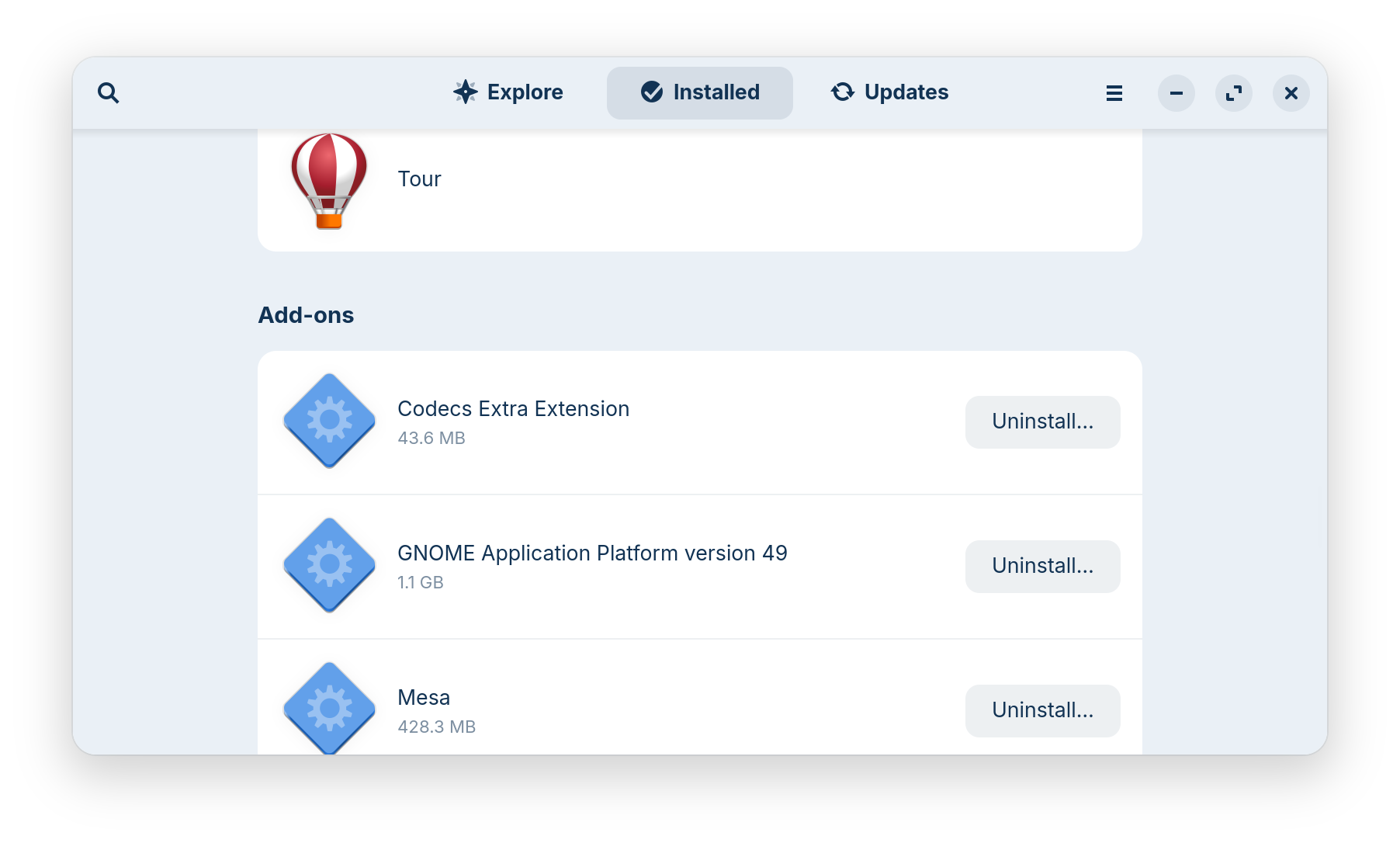
Huh, so that means different packages may be using different versions of GNOME? So you end up with multiple versions of GNOME installed and running at the same time?
The fact that's even possible is kind of wild.
I can see why that would be bad in terms of resource usage though.
OTOH I guess this is "less bad" than the average Windows app which nowadays ships with an entire browser and uses about 4 GB of RAM, right?
This is just a runtime, not another Gnome Shell version.
If low resource usage is important to you, then flatpaks and snaps are not the best option. They require significantly more storage space and also more RAM than native packages.
That's fine, I'm on a 32 GB workstation. Everything runs way faster and resource usage is nothing compared to Windows 11. If more resource usage gives me smooth, fast, working apps, then so be it.