Hi. I need help to uninstall DotNet Framework from my Zorin.
A long time ago, I managed a seemingly impossible feat: I ran GOG Galaxy on my Linux. The program downloaded from Good Old Games itself,itself, not via Steam and not Heroic. Definitely not Lutris, that's only given me headaches and no games running.
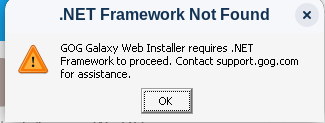
I recalled today that I used the DotNet 4.x framework, which is not installed:
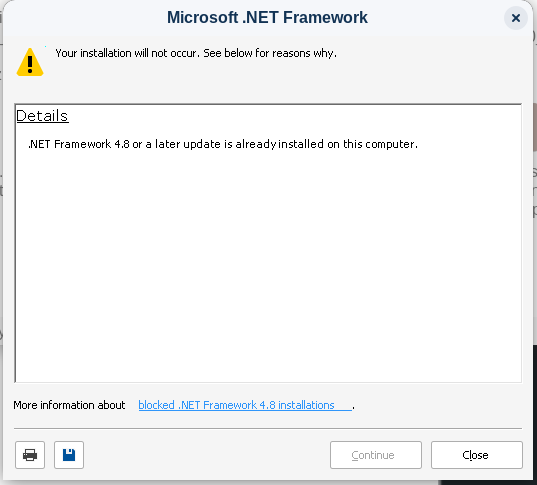
And it cannot install, because I installed DotNet framework 8/9/10 recently. DotNet has been programmed to refuse installing if a newer version is already installed:
I'm slowly getting the hang of installing software via the Terminal, but I'm still uneducated as to how one uninstalls.
I'm completely Wine illiterate, and never really had much good luck with it, perhaps another person can help you, like @Ponce-De-Leon
I do have however, a recommendation for you. I would highly recommend, that you both purchase, and run games, using Steam, as well as, the Proton compatibility layer. That is the best way to play games on Linux.
2 Likes
I never used WINE, too. I try to get Things done with Linux Versions. But to be fair: I don't play Games on PC. I play on Console.
The only Advice I could give here would be using Steam. Or wait until GOG Galaxy will come for Linux. As far as I heard they work on a Linux Version.
2 Likes
That is some very good news, if true.
Myself, I grew up with PC and console, I just like KBM more than the Controller.
1 Like
How to Play GOG Games on Linux Maybe some help here?
Id try the bottles way first
Did install GOG Galaxy in a separate bottle with Lutris. Was a bit tricky to link the games document and applocal folders into the Galaxy bottle. But that does the trick, Galaxy can now change language or patch the games.
Normally i prefer the static GOG version, as noone can destroy mod setups with micro patches 
Hanselinux
1 Like