Using Brave A.I. search engine via Mojeek gives (I used Ubuntu 24.04 in search criteria as Zorin 18 is a fork of same):
"Google Drive access issue in Ubuntu 24.04
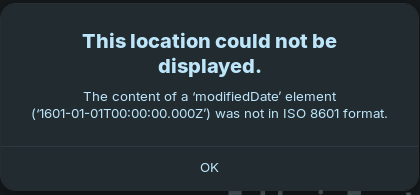
The error "This location could not be displayed. The content of a 'modifiedDate' element ('1601-01-01T00:00:00.000Z') was not in ISO 8601 format" typically occurs when one or more files in your Google Drive have an invalid or corrupted modified date , specifically set to January 1, 1601 — a known Windows epoch value that conflicts with Unix/Linux systems.
Root Cause
Files with a modifiedDate of 1601-01-01T00:00:00.000Z are not valid in ISO 8601 format for Unix-based systems.
This often happens when files are copied from systems like Windows (using tools like Rclone or legacy sync tools) and retain incorrect timestamps.
The issue is not with the Google Drive web app directly, but with the local filesystem metadata managed by GNOME Online Accounts (GOA) via GVFS.
Solution
Check for problematic files in your Google Drive mount:
Open a terminal and navigate to the mounted Google Drive folder:
ls -l /run/user/1000/gvfs/google-drive:host=gmail.com,user=(your-email)/(My Drive)
Look for files with suspicious timestamps (e.g., Jan 1 1601 ).
2. Fix or remove the files :
Rename or delete the files with the invalid modifiedDate .
Example:
mv "problematic-file.txt" "renamed-file.txt"
This often resolves the error immediately.
Prevention :
Avoid using tools like rclone to mount Google Drive in the same directory as your GOA-mounted Drive.
Use rclone in a separate directory (e.g., ~/Gdrive ) to prevent conflicts.
Note : This issue is not unique to Ubuntu 24.04 — it has been reported in Arch Linux and Debian with GNOME 47. The fix is consistent across distributions: clean up files with invalid timestamps .
If the problem persists, consider switching to a FUSE-based tool like google-drive-ocamlfuse or using rclone with a dedicated mount point instead of relying on GNOME Online Accounts.
I accessed my Google Drive using a web browser and ordered the files by Date modified, and I found the file with the year 1600. In my case, it isn't an important file, so I just deleted it, and everything is now working as expected.
I tried to apply the command you described, but it didn't work in my terminal. But your information about the modified date helped me to analyse in the web browser. Thank you.
 Note : This issue is not unique to Ubuntu 24.04 — it has been reported in Arch Linux and Debian with GNOME 47. The fix is consistent across distributions: clean up files with invalid timestamps .