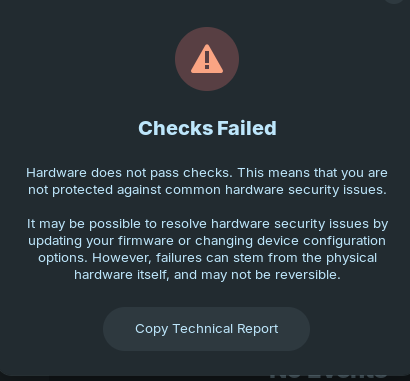
I installed Zorin Core 18 last year but didn't use it until yesterday. There was software to update and also updates & upgrades in the Terminal. I didn't notice any errors but I was not looking.
ABOUT:
System Details Report
Report details
- Date generated: 2026-01-22 11:38:55
Hardware Information:
- Hardware Model: HP HP Laptop 15-bw0xx
- Memory: 4,0 GiB
- Processor: AMD A6-9220 RADEON R4, 5 COMPUTE CORES 2C+3G × 2
- Graphics: AMD Radeon™ R4 Graphics
- Disk Capacity: 1,0 TB
Software Information:
- Firmware Version: F.13
- OS Name: Zorin OS 18 Core
- OS Build: (null)
- OS Type: 64-bit
- Windowing System: Wayland
- Kernel Version: Linux 6.14.0-37-generic
Device Security Report
Report details
Date generated: 2026-01-22 11:27:35
fwupd version: 1.9.31
System details
Hardware model: HP HP Laptop 15-bw0xx
Processor: AMD A6-9220 RADEON R4, 5 COMPUTE CORES 2C+3G
OS: Zorin OS 18
Security level: HSI:0! (v1.9.31)
HSI-1 Tests
UEFI Platform Key: Pass (Valid)
UEFI Bootservice Variables: Pass (Locked)
TPM v2.0: ! Fail (Not Found)
BIOS Firmware Updates: Pass (Enabled)
UEFI Secure Boot: ! Fail (Not Enabled)
HSI-2 Tests
IOMMU Protection: ! Fail (Not Found)
HSI-3 Tests
Suspend To RAM: ! Fail (Enabled)
Pre-boot DMA Protection: ! Fail (Not Enabled)
Control-flow Enforcement Technology: ! Fail (Not Supported)
Suspend To Idle: ! Fail (Not Enabled)
HSI-4 Tests
Encrypted RAM: ! Fail (Not Supported)
Supervisor Mode Access Prevention: ! Fail (Not Supported)
Runtime Tests
Firmware Updater Verification: Pass (Not Tainted)
Linux Swap: ! Fail (Not Encrypted)
Linux Kernel Lockdown: ! Fail (Not Enabled)
Linux Kernel Verification: Pass (Not Tainted)
Host security events
For information on the contents of this report, see Redirecting to https://fwupd.github.io/libfwupdplugin/hsi.html
I am not a technical person, so I don't know if I have to do anything to fix the problems. Thank you to anyone who can give advice.