Health ssd and nvme?

I've been using gsmartcontrol to check the health and temperature of my SSD and HDD. But the NVMe SSD is shown as "unknown model" and a screen appears with "Show output" and "OK". I click on the first option and it shows the data, and at the end of this text there is the following description:

"=== START OF SMART DATA SECTION ===
SMART overall-health self-assessment test result: PASSED".

Should I rely solely on this line or is there more to it?
1 Like

Hi, done a search and there are nvme-cli commands that can be used.

You could also run S.M.A.R.T. tests in Disks.

2 Likes

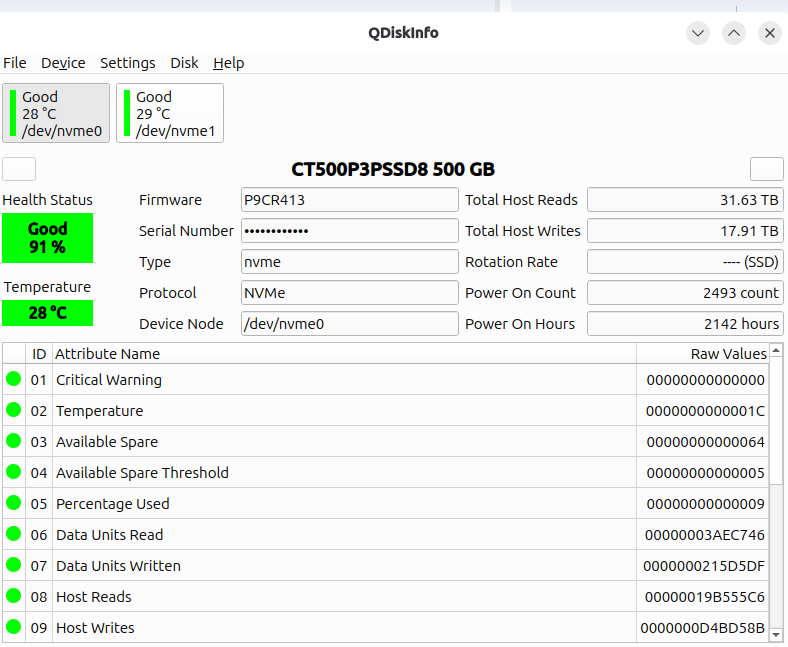
Qdiskinfo may be what your looking for

sudo add-apt-repository ppa:ubuntuhandbook1/qdiskinfo
sudo apt update
sudo apt install qdiskinfo


I use it....works well

4 Likes

This is exactly what I was looking for! An equivalent to CrystalDiskInfo for Windows! What a miracle someone made this! Thank you wesoliv429!

3 Likes

Hi @vit,
Have you heard of https://alternativeto.net/?
It might come in handy for another search in the future.
I searched for “CrystalDiskInfo” just for fun.
Interesting result:
https://alternativeto.net/software/crystaldiskinfo/?platform=linux
:slightly_smiling_face:

1 Like