Hello there,
two days ago I downloaded Zorin OS because I wanted to switch away from Windows. Everything went smothly in the installation procces, but I am unable to connect to the Intenet. I would try updating everything in the hopes that it fixes the issue, but I cannot.
I am an average Windows user, so while I think I tried a lot I don't know if I am the problem or if my system doesn't work. Last thing I tried is using apt-offline, which is set up, but I cannot get the package names that need updates.
$ sudo apt-offline set --update --upgrade apt-offline.sig
I am at my wits end. If anybody can help, I really really apreciate it.
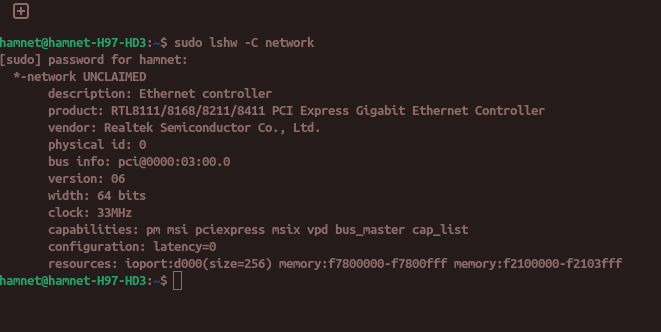
Can you please enter in terminal the following commands and post the output here
sudo lshw -C network
and
rfkill list
Also disable fast boot and secure boot in your BIOS during Linux use (or create a MOK key) and if you have a Dualboot with Windows also disable fast startup in the energy settings of Windows.
To have internet connection now and to be able to update the system connect your phone via cable with your computer and enable usb tethering.
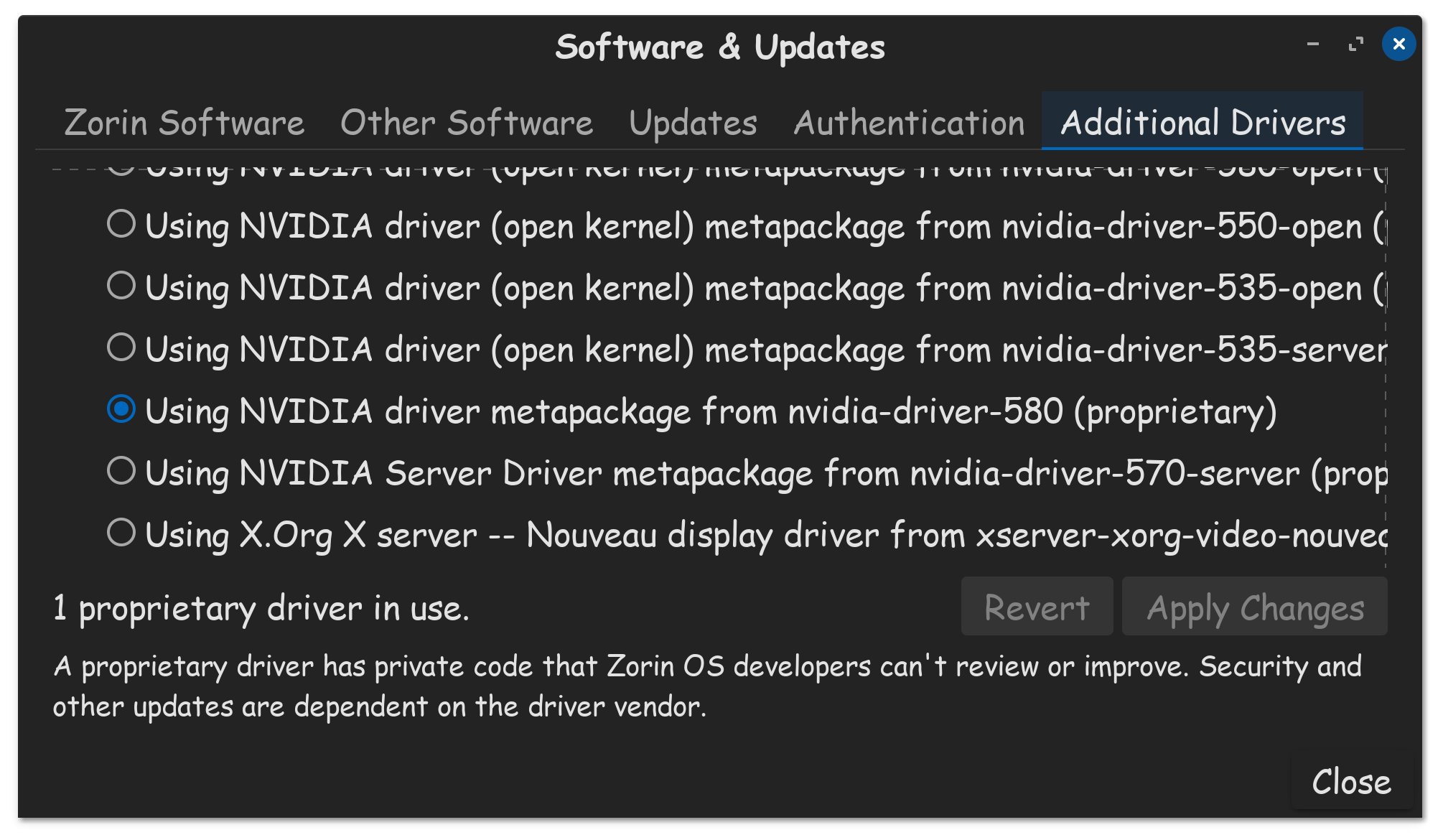
After updating the system take a look at Software&Updates >Additional drivers if there is offered an ethernet driver.
Have you tried directly connecting an ethernet cable, between your computer, and into the ISP modem? If you do so, and reboot the computer, you should have an internet connection, but you might have to power cycle the modem as well, so that the modem can supply your computer, with a new IP.
Wait, let me make a list what i have unsucsefully tried:
plugging in ethernet
plugging in a wifi adapter to the desktop
manually installing all updates through apt-offline
deleting and reinstalling the driver
typing in the details of the interntet conection into advanced network settings
uninstalling and reinstaing zorin OS from a bootable usb, also tried switching installation type
While I am not that great with tec, my partner is pretty good so I know these steps have been executed correctly. Is there something else we might not have thought of, that could be helpfull?
So, I don't knwo if this is a hint, but as long as I just try Zorin from the live instalation medium internet is working, everything is perfect.
As soon as i hit install, it does not find most of anything, no wifi, no eathernet, not the second screen, not most usb ports,... Just baerly what it needs to be opeatable. Also it steals the interface packages from my partners EndeavourOS distro setup. It is very confusing.
This sounds driver or kernel related to me. Please go to "Additional Drivers" and see if there is an ethernet driver for your notebook in the list. If there is one such labeled in there, click on its bubble to install it. Once completed, restart the computer.
So, I could not select a different driver, because it couldn't find any. We decided that the best way forward is to run up and down between two OS and install every single update we could find maually using apt-offline, ending at a python 3 file that was missing and now it runs smoth. Thanks tho for the help