Been playing the same game Fishing Planet on Steam since 2022 never use cheats but suddenly this game will not load and tells me to wait 24 hrs. .... this is just !@#$%^&* .... I am playing the Halloween Chronicles Of The Haunted Fleet and there is a time limit to complete all the challenges .... it ends on the 31 st of Oct and won't come back till next year ....
Anyone familiar with this type of BS .... anything I can do ....
Have you tried different proton versions for the game today or were there proton updates? I read that each time you switch to a different proton version Denuvo counts it as new device and you have only 5 activations a day.
But I'm no gamer, so I'm not sure if that might be the reason here.
Is that screenshot of Mint? Is it based on Ubuntu 24.04 like Zorin 18?
This is what came back with Brave A.I.
The failure of Halloween Chronicles Of The Haunted Fleet on Ubuntu 24.04 is most likely caused by AppArmor restrictions blocking the game from accessing necessary directories, or the use of the restricted Snap version of Steam.
To resolve this, follow these steps:
Switch to the .deb Version : The Snap package is heavily sandboxed and often breaks game launches. Uninstall the Snap version (sudo snap remove steam ) and install the official .deb package from the Steam website or via sudo apt install steam-installer .
Fix AppArmor Permissions : If games still fail to start, AppArmor may be blocking access. Rename the existing profile and create a new one:
Rename /etc/apparmor.d/steam to /etc/apparmor.d/steam_OLD .
Create a new file /etc/apparmor.d/steam with the following content:
#BEGINNING OF FILE
# Allow execution of all games
/usr/games/** rmix,
/usr/lib/games/** rmix,
# Allow access to libraries required by Steam
/usr/lib/** r,
/usr/lib32/** r,
/usr/lib64/** r,
# Access to Steam's home and application data
/home/** rw,
/tmp/** rw,
#END OF FILE
Reload the profile: sudo apparmor_parser -Tr /etc/apparmor.d/steam .
Check Drive Formats : Ensure your game library is not on an NTFS or exFAT partition, as these file systems often lack the necessary Linux permissions for Wine/Proton prefixes. Move games to an ext4 partition if necessary.
Verify Proton Version : Right-click the game in Steam, go to Properties > Compatibility , and try forcing a different Proton version (e.g., Proton Experimental or a specific older version).
If the issue persists, launch Steam from the terminal (steam ) to check for specific error logs, or verify the integrity of the game files within Steam's settings.
That may very well be the problem because I couldn't get the game to load so I tried various Proton settings and I'm sure I tried at least a dozen different configurations with no solution ....
Thanks Forpli we'll see what happens when I get to sign back in to the game tomorrow ....
I am running the deb version of Steam .... like I said in my post above I have tried bunches of different configurations of Steam today .... actually I find it rather strange that I have been playing this game since 2022 with no changes to any Proton settings until now ....
Thanks swarf I'll look into the other suggestions in your post to hopefully fund a solution .... I think the version of Mint I'm running is almost the same ...... also I have been playing the Halloween game for about 10 days with out many problems until 2 days ago when I couldn't get the game to load correctly without timing out ....
Restarting several times would normally fix the problem but I am having problems with the ISP it keeps shutting down and then I have to restart everything ...
The technician just left but the problem still exists .... while I was typing this it went down 3-4 times .... it only stays down for like 5 mins just long enough to screw everything up and then may run for several hours .....
OS: Linux Mint 22.3 x86_64 .... Kernel: 6.8.0-147-generic .....
Sorry for the long delay but it has been quite a journey in solving this problem .... although the problem is not totally solved I can at least play the game ....
First of all we had another tech come out and he changed the router which I suggested the first time .... different tech .... now my ISP is not dropping out periodically .... so that solved one problem ....
Then I discovered after a whole bunch of different Proton combinations that I can use Proton-GE Latest and Proton Hotfix to be used alternatively to open the game .... none of the other 15 games are effected they open just fine with their default version of Proton ... if the power goes out for any reason I just switch to the other Proton and the game will run .... each day I start up this game I simply switch to the other version of Proton .... I'm surprised that even Proton Experimental doesn't work but for some reason it doesn't ....
Thanks to everybody for your help and support ....
if that shows up again I found this something with the firewall just read it tells you want to do
seems it can only be activated so many times in a 24hr period if it still has troubles you may have to copy paste what it needs into the box at bottom of screen or wait 24 hrs also just for this one game you may have to turn off the firewall for abit till its reactivated then turn the firewall back on
To do that search firewall your menu then open it you should see a button to turn it off then wait for game then after turn it back on
Thanks .... appreciate that if I get that warning again I will shut off the firewall ..... also waiting till this special month long Halloween Challenge is done and see if it goes back to normal ....
Problem solved it ended up being a combination of several things ....
Steam log showed that Steam was not being shut down correctly .... not surprised as I had to hard shut down each time when the program quit loading .... it wouldn't shut down any other way except to hold the power button down ....
ISP modem bad and kept shuting down my connection ..... Globe Tech replaced modem .....
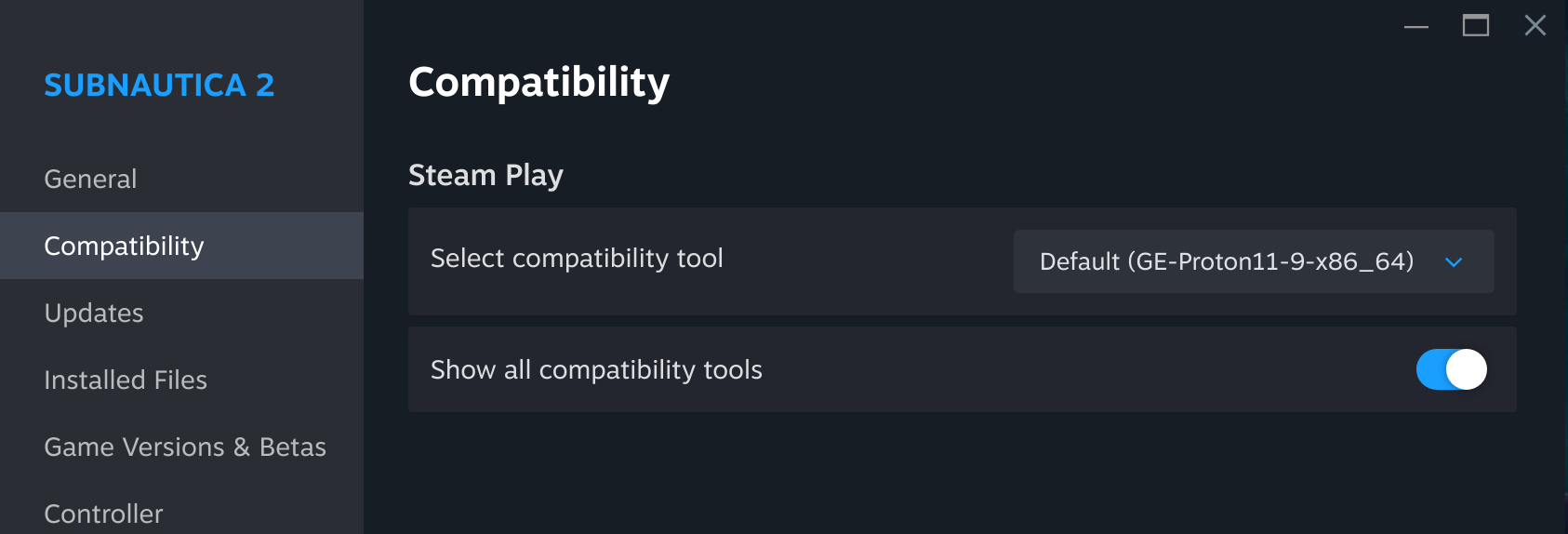
This one was an eye opener for me .... in the photo below you will see that Steam Compatibility Default is Runtime 1.0 .... I tried every Proton combination possible but the game would start but not load it would lock-up ..... I have now started and shut down .... the correct way .... Fishing Planet 8 times with no problems .....
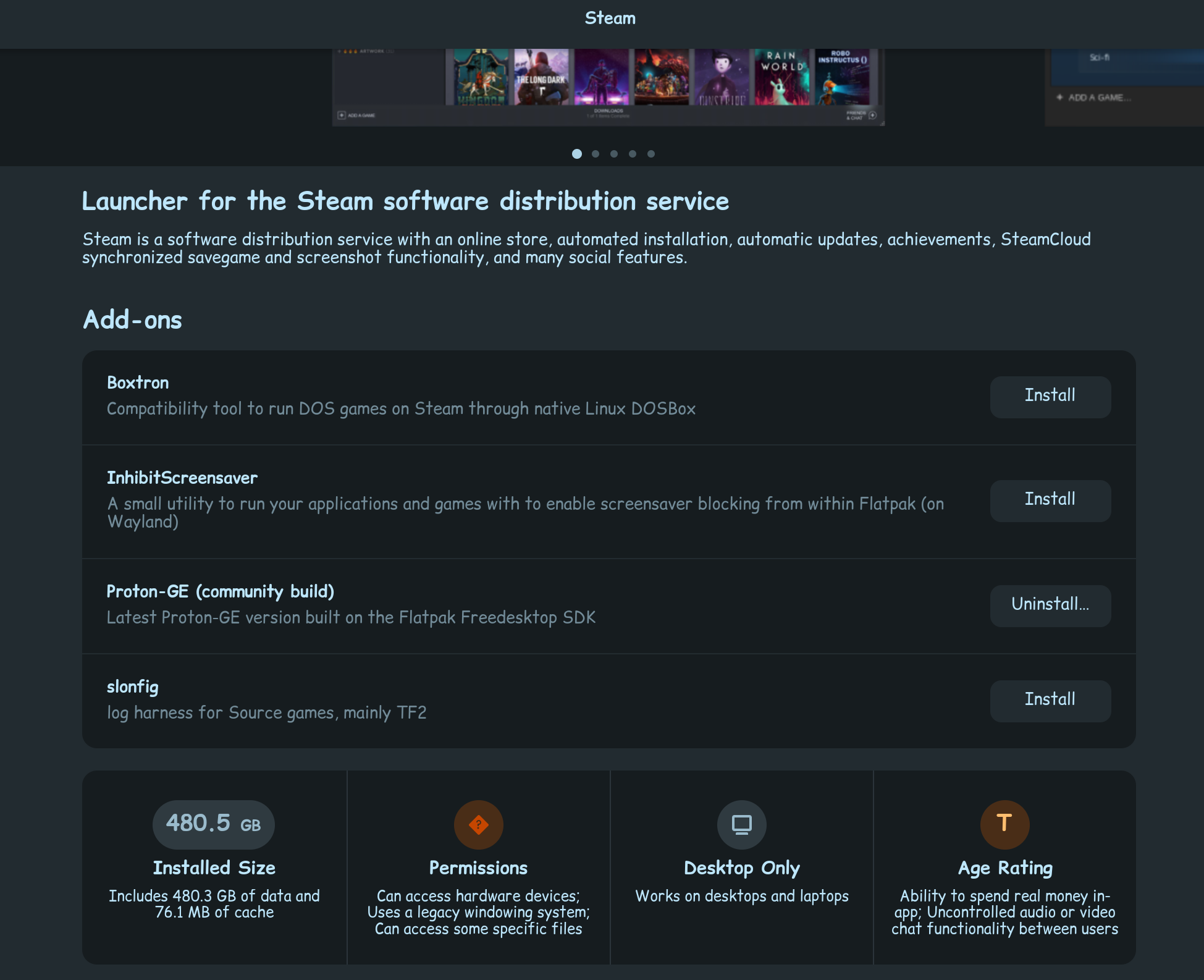
Have you considered Proton GE? You can install it easy way from the software store, under the Steam APP. Once there, scroll down, click install Proton-GE.
I did see a you tube vid a few days ago about Anti Cheat coming to linux soon. It is in the works right now and that will help folks play games on linux that will need that. Also i saw another one with an app that will allow any windows program to easly be installed and used as well. I belive both will be coming sometime in 2027