Hello!
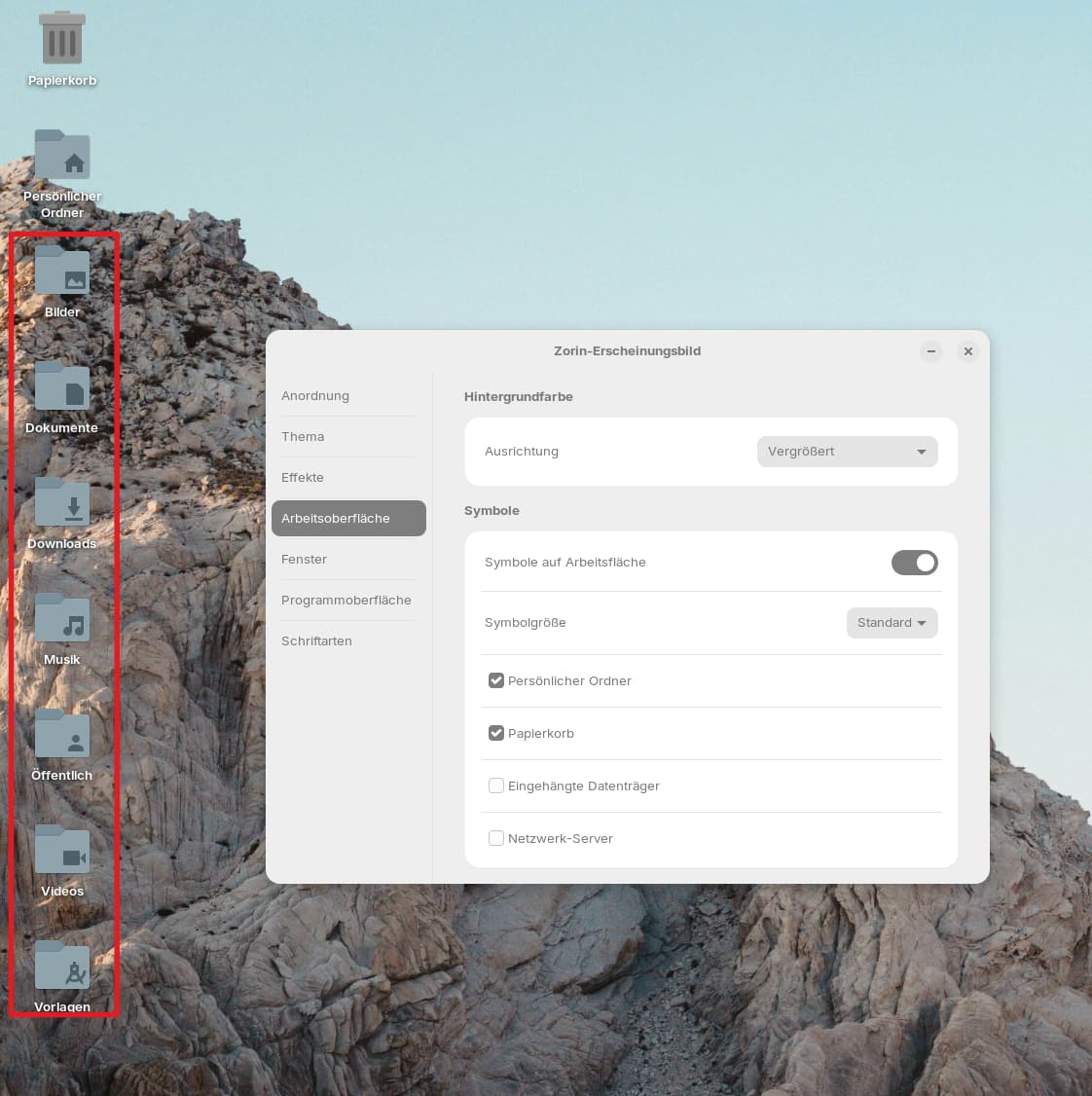
Hello! I installed Zorin 18 and I don't know how to hide the highlighted icons. Could someone please give me a tip? Thanks!
Hello!
Hello! I installed Zorin 18 and I don't know how to hide the highlighted icons. Could someone please give me a tip? Thanks!
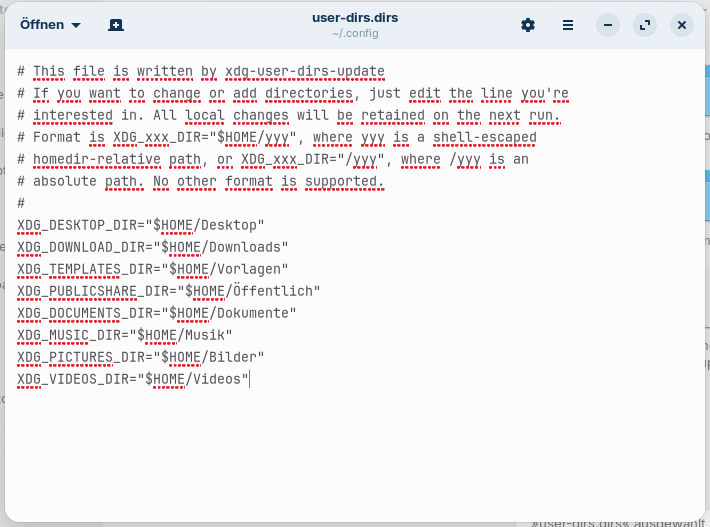
Can you post a screenshot of your ~/.config/user-dirs.dirs file please?
Press ctrl+h to show the hidden files in your file manager.
The file should look like this:
Check the line which begins with XDG_DESKTOP_DIR=
and make sure that it is identical with the line shown here in the screenshot.
It should be:
XDG_DESKTOP_DIR="$HOME/Schreibtisch"
Safe the file after you have edited it and then reboot.
Edit: Don´t use "Desktop" in German, but "Schreibtisch". I made a mistake when I wrote you earlier.
Thank you so much for your help. I added "Schreibtisch" and saved it, but after a reboot it looks the same as before.
Sorry, was a mistake with the translator.
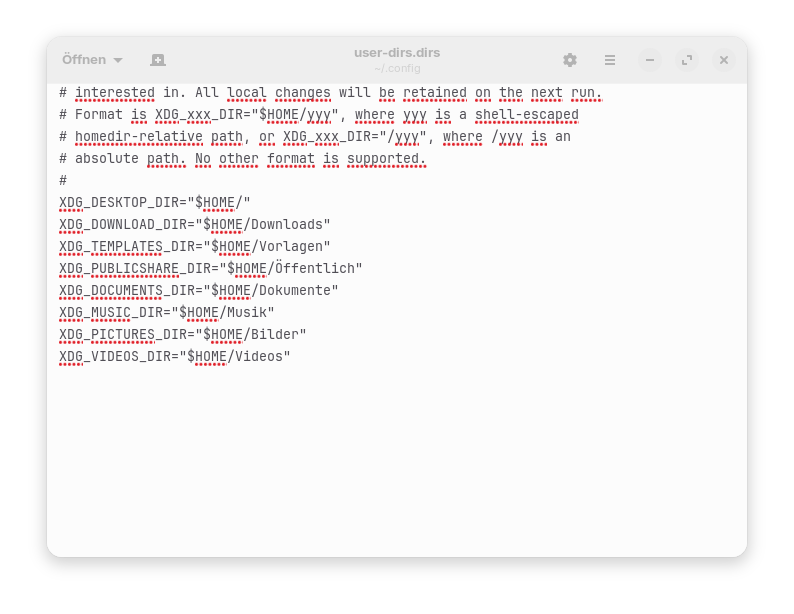
I don´t have installed Zorin 18 on my system, because of this I'm not really sure how the file has to look, if to use "Schreibtisch" or "Desktop". In distrosea Zorin 18 and German language it looks like this:
You can try both. So if you have added Desktop now, try it with Schreibtisch, save the file and reboot.
Sorry, that was a translator error. Is it normal for my changes to disappear after a restart? It doesn't matter whether I use the Schreibtisch or the desktop. And yes, I checked after saving 
No, that's not normal. Unfortunately I don't know how to solve that.
When you open your file manager and go to the home folder, do you have a Desktop (Schreibtisch) folder there on the right side beside Dokumente, Videos, Downloads, Musik...?
That's exactly what I was going to write; for some inexplicable reason, the "Schreibtisch" folder was missing. I created it, and after a restart, everything is working again. Thank you so much for your help.
This topic was automatically closed 90 days after the last reply. New replies are no longer allowed.