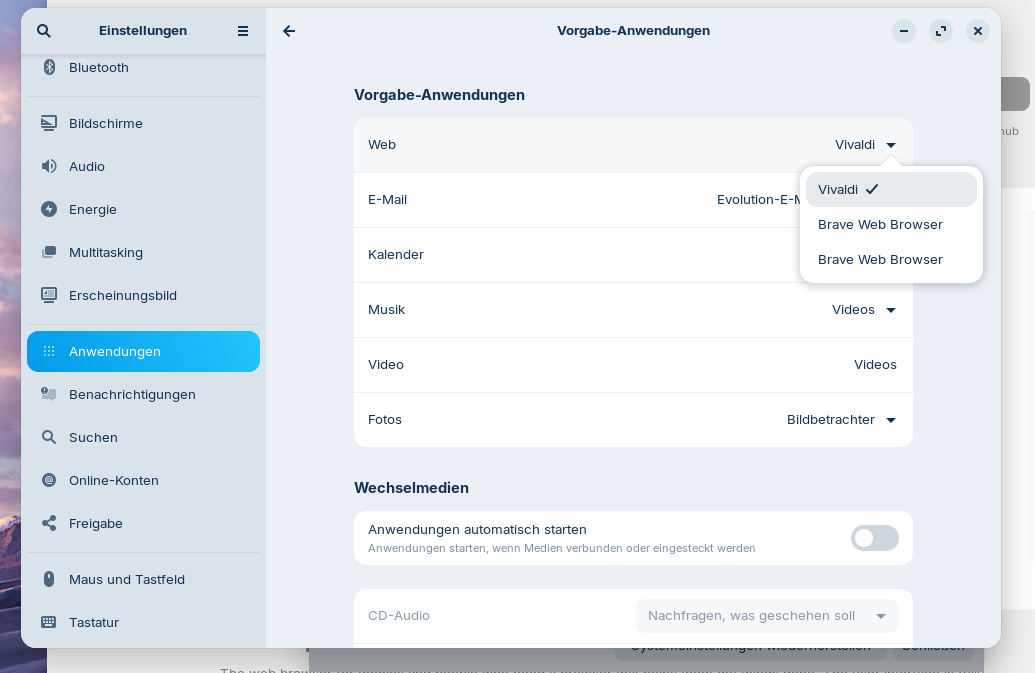
A week ago Zorin stopped opening internet links in Vivaldi, and started opening them in Waterfox instead. I did not make this change. I've found the Default Apps section in Settings > Apps but have no option to set Vivaldi as default again. There is no dropdown menu at all in the Web section despite having Vivaldi and Waterfox installed.
Vivaldi was installed via the Software app, Flatpak option.
Any help greatly appreciated. I'm new to Linux and appreciate your patience while I figure it all out.
Can you please open main menu (= enter alacarte in the search field of Zorin menu or right-click on the Zorin start menu icon and select edit menu) and at category internet search for the vivaldi browser and then click on properties for the launcher and post what is set as command there?
Hm, I thought, the %U may be missing, but it is there, but I tested it also on my system, and Vivaldi is not in the list to select it as default application.
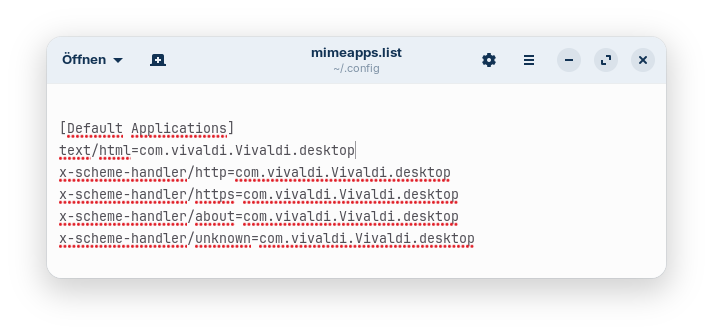
This command has worked for me to set Vivaldi as default browser:
xdg-settings set default-web-browser com.vivaldi.Vivaldi.desktop
I'm not sure if it is the best solution, but now Vivaldi is shown in the applications list:
I think this is yet another issue around using Flatpaks. Flatpaks are 'sandboxed' and don't talk to the system, hence the need for the rigmarole you have had to undertake to get to this solution. A .deb package would not have required this amount of work.
Sometimes .deb packages also make difficulties setting them as default applications. Usually that happens when the command of the app doesn't have a %U, %u, %f or %F at the end. Then the app is not shown in the list of the apps you can select in the right-click menu > open with. I experienced this with the .deb packages of ksnip and indiPDF.
But with the .deb package of vivaldi, vivaldi is shown in the list for the default browsers after the installation.