Hey guys, yesterday I installed Zorin and I had A LOT of trouble getting it installed, and in the end the partition it created is really small. And I can't increase the storage space for Zorin.
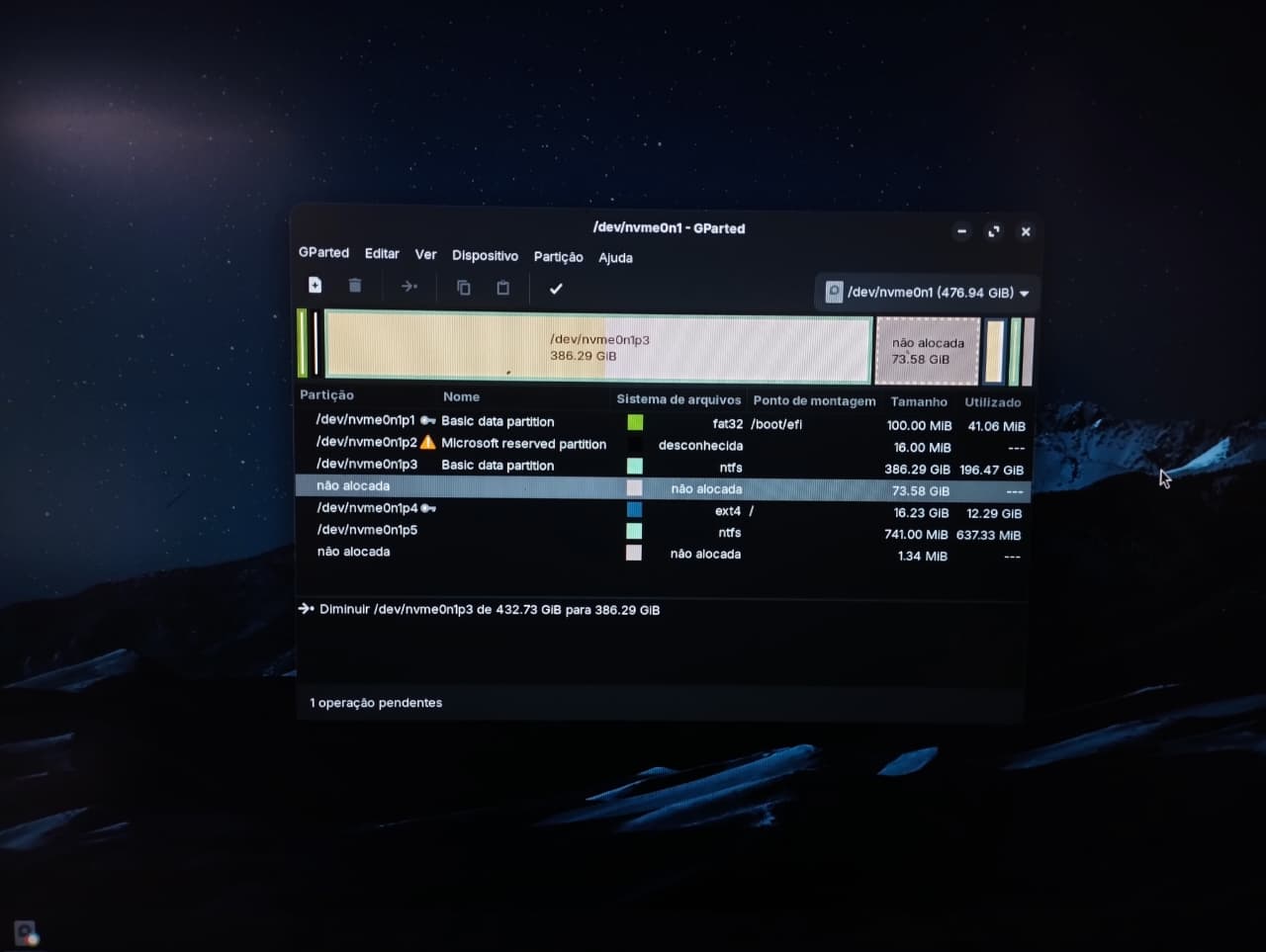
Save your datas and make a backup before making changes.
Is Zorin on partition 4?
Then right-click on the partition and select resize/move.
Then enter the space you want to give (e.g. 73.58 GiB = 73580 MiB) at free space preceding.
Then click on apply  in the topbar.
You need to run gparted from a Zorin usb bootstick so that the drive is not mounted.
Edit: I see one operation is pending. First shrink partition 3 and then klick on . Then Resize/move partition 4.
1 Like
So, You want add the 73.58GB to Your 16.23GB from /dev/nvme0n1p4 right?
I've already tried to do that, but the 16GB Zorin partition isn't moddable, I can't touch it. Anyway, I deleted Zorin from my laptop, I'm going to reinstall it and try to do it the right way.
As long as a lock symbol is displayed in gparted, it will not work. The partition must not be mounted.
Yeah! Exactly, but I deleted Zorin from the laptop to do it the right way, since I got a bit frustrated that this happened.
ah yes, got it, thanks for the help, I’ll try reinstalling and increasing the partition, and if anything comes up I’ll reply here again 
You need to run gparted from a Live USB session not a running Zorin installation.
1 Like
Yes, it is not possible to modify the partition that you are running while you are running it. You should do "Try Zorin OS" from your boot USB again and run gparted in that live session.
This topic was automatically closed 90 days after the last reply. New replies are no longer allowed.