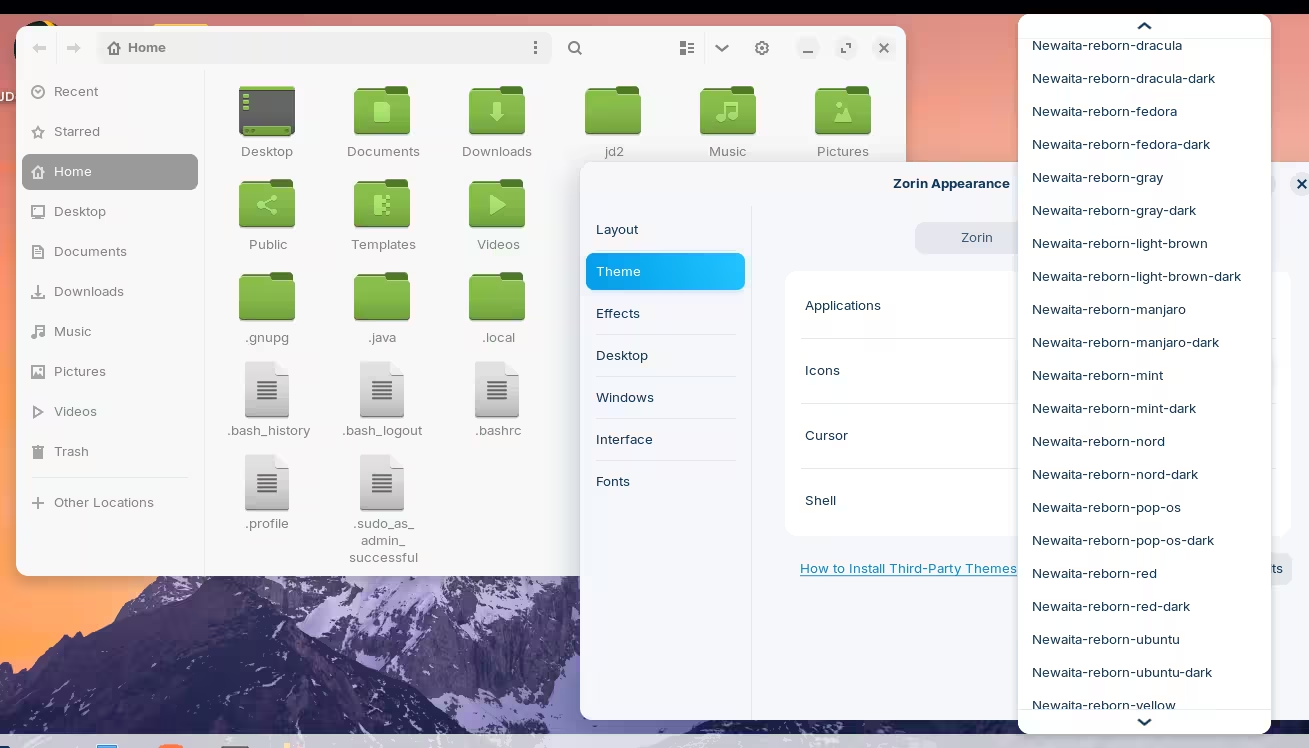
Does anyone have luck installing third party themes using the instructions on the Zorin website, because this doesn't work for me literally 100% of the time.
I don't think I'm doing anything wrong, but I'm simply not able to change the theme when following these instructions. All I want to do is have the option to change the folder color in Zorin to something normal, like a standard yellowish beige color. I don't know why Zorin doesn't give this as an option by default. Any thoughts?
I looked at those instructions, I don't know why it says to place themes in .local - > share folder. Place themes inside /home/yourUsername/.themes and icons inside /home/yourUsername/.icons.
If these folders don't exist, create them, and **don't ** forget the dot before the name. After this you should see the installed themes either in Zorin Appearance or Gnome Tweaks.
There are a few standard locations that are used by different applications, including desktop environments, to look for configuration files.
In particular, ~/.local/share is used for things like icons, themes, fonts, application launchers, and so on.
But there are several other locations that are checked as well. I believe the order goes something like this:
~/.local/share/themes
~/.themes
/usr/share/themes
The tilde (~) is a shorthand for a user's home directory.
@joelandsonja if you don't mind sharing the theme you're trying to install, maybe we can test it on our end as well? Maybe there's something wrong with it.
Despite the ZorinGroup's claim that using a .libadwaita file will activate a patch to prevent LibAdwaita from restyling applications; It is not working on Zorin OS 18, even with full GTK4 themes.
GTK4 no longer contains many widget elements. Gnome separated them out and placed them in LibAdwaita - which hides the .css completely and gives no access to it.
It injects its own .css into the styling, overriding the user specifications or user chosen theme.
Applications are then handed LibAdwaita as a dependency from this bait and switch, because Gnome moved the widgets out of the toolkit and into LibAdwaita under lock and key - they depend on LibAdwaita for the missing widgets.
With these actions, Zorin OS emulates Windows even more closely than before, controlling you, overriding your choices and re-taking dominance over the machine you paid for.
Do you know why a standard manilla style folder and grey accent doesn't come standard with Zorin (or even gives you the option)? I'm also trying to find a way to just change the folder color and window color to something half decent, but all of the options in Zorin are hideous and I can't find a basic theme like that.
This one is about installing themes, and the other is about finding a normal looking theme. I thought they were different enough to warrant two threads.
I should note that I still haven't been able to install any themes using the suggested instructions. Not sure why it isn't working.
How you can install other themes was covered initially above, but what you ask about after is the same question as the other thread.
If you download a theme from the suggested hosting website, you usually need to extract it from its compressed state.
Then place it in the ~.themes directory.
If you want it to apply system-wide, you must elevate to root and move it to /usr/share/themes
Some themes are Theme Packs - and simply extracting is not enough since it contains multiple themes. These, you must ensure that each theme is individually placed in the themes folder.
The way themes work in Zorin feels like trying to solve the equation for the speed of light or the theory of relativity. It’s needlessly complicated!
I really do appreciate all the help I’ve received, but so far I haven’t been able to replicate any of the information I’ve been given. Honestly, Zorin should make their theme instructions much clearer. The documentation makes very little sense and doesn’t seem to match how things actually work, which isn’t helpful to new users.
Also, does anyone know why Zorin doesn’t even offer a simple option to change folder colors? It’s like they’re intentionally making it difficult for users to customize their themes. Even Linux Mint offers far more flexibility and options.
Don't get me wrong, I still prefer Zorin OS as my daily driver. It’s a great system overall, but dealing with themes or anything related to appearance settings can be incredibly frustrating. I really hope they will fix this in future releases.
Mint does not use Gnome. And yes, Gnome has deeply complicated styling, icons and theming.
What I think you are facing is the "lack of familiarity" outside of your element.
I am an Icon theme and system theme creator, so for me, this is in my element and seems easy to me.
Well... the freedesktop standards seem easy. What Gnome is doing is Not So Easy.
What you can do: Relate the Familiar.
If you have ever vetted and edited your vacation photos in a directory; that action is familiar to you.
Changing the Folder Icon Images is very much the same.
It would take a certain commitment from you to allot time and do the work, but it would benefit you in getting what you want, your way, and help the unfamiliar become familiar, making daily use of the machine easier.
I do understand the need to familiarise myself more with Linux in order to solve a lot of these issues, but I'm starting to get a bit annoyed by these constant problems that require massive amounts of my time to overcome. Normally that's to be expected when customizing your PC, but let's be honest, this theme option should come standard with Zorin. One of the first things that someone says to me when I show them my Linux setup is "why are the folders such weird colors?" ... and I'm always forced to say "yah, I know, but you can change it by installing a different theme". The problem of course is that installing a new theme is anything but straightforward, and honestly shouldn't even be required if the operating system has a decent standard theme (which Zorin doesn't have).
This is why standardized themes are a complete fallacy. Then add in accessibility, visual and tactile as well as workflow... We are too diverse, too different to standardize a system theme.
What most people do is follow an age old tactic that has served thousands of generations: Give up.
They accept what they are given.
On Microsoft, in life, on GnuLinux... They play the cards they are dealt.
For some of us, that's not good enough. I won't cheat at cards, but I am not adverse to making my own cards.
I understand your frustration since we are both in that boat. The only difference is that I got on that boat a little bit earlier than you did - and at the time, I had more free time to explore the open seas, my way.
If I had the free time now, I would make you an icon set that you could install with a quick .deb package and you would be all done.
I do not. I barely have time to write posts like this.
What you have before you is a choice: Accept your fate is your own. Choose where your priorities are.
And if after that you choose, we can walk Step-by-step through the process of customizing your machine your way.
Gnome may interfere and LibAdwaita Does Recolor Icons that Gnome Wants to - fortunately, they are mostly action icons, not folder icons...
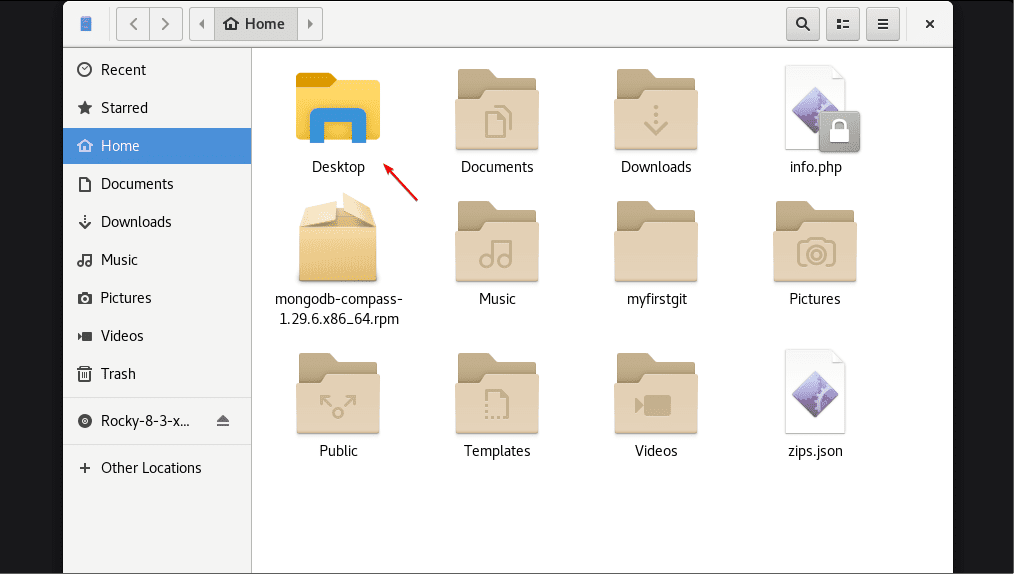
I appreciate the thoughtful response. I get that everyone is different, but I don't think I'm asking much. I literally had this setup in Zorin 17 (see image below).
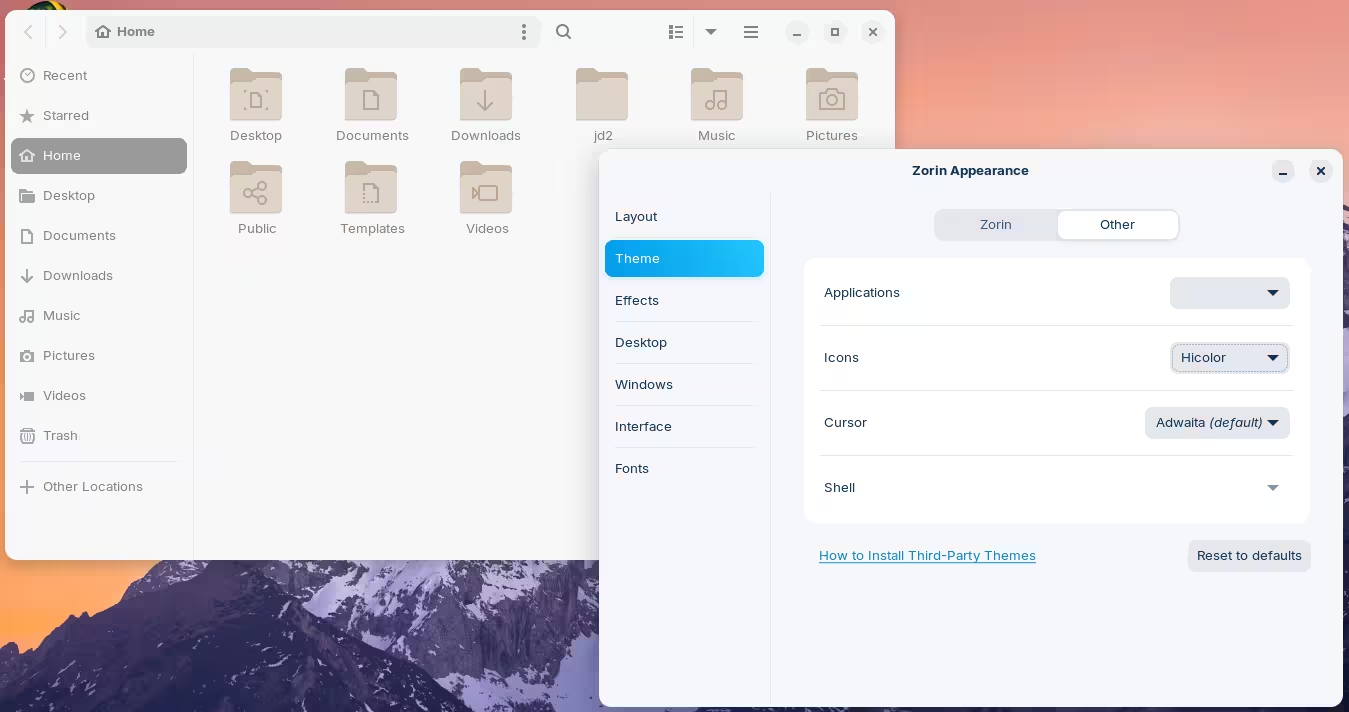
I think that's one of Gnome's old themes. If you go into Zorin Appearance → Themes → Other, and select the icon set to "hicolor", it will select that theme:
Do note that this will change the icons for applications as well, not just the folders. That's just the thing about themes... they style everything.
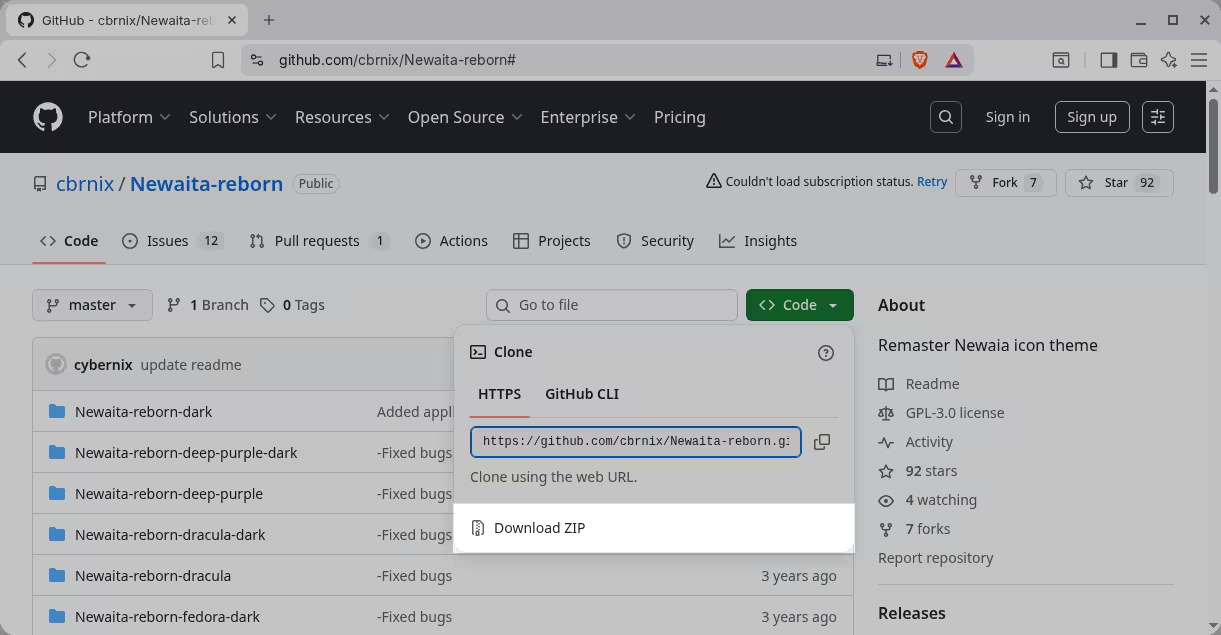
Here's an example using a custom theme that I've downloaded called Newaita Reborn:
Download the .zip file containing all the themes by clicking the green button that says "Code" → Download ZIP. It's a pretty chunky download (~60 MB) because there are quite a few variations:
Right-click on that .zip file and "Extract Here". This will create a new folder with all the themes in it (actually there's another folder and that has all the themes, but whatever.
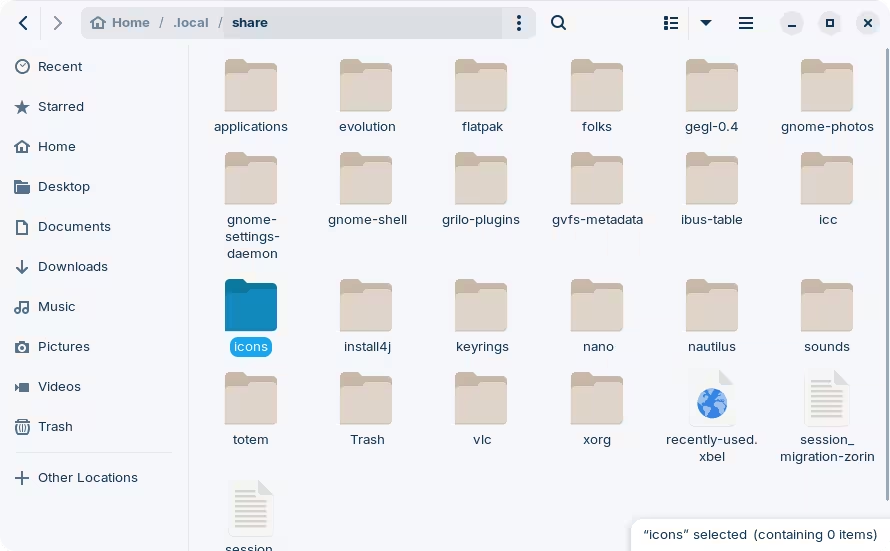
At the same time, open the file manager and toggle "Show hidden files" from the hamburger menu, or by pressing Ctrl+H.
Navigate to .local/share and create a new folder called "icons":
Thank you so much for the info! I was finally able to get the themes to work, but I don't see the folder color I was looking for. The closest one I saw was light brown (which looked decent), but not the typical manilla looking folder that I need.
I think I can live with that one though ... thanks again!
Yeah, that you will have to try and find somewhere else I'm afraid... the quest for the perfect icon set is a noble one indeed. I try not to get fixated with these things because otherwise I spend days looking and trying and I'm never satisfied
Very true. I'm pretty sure I can live with the light brown one. It looks pretty good actually. I only wish Zorin would produce more theme options (like Mint).