Whenever im playing games i always have low fps, it wasnt like this before my DGPU was 90% - 98% in the taskbar when using Windows, now its 20% - 50%
It started when i had my old HDD replaced with an SDD, my laptop was now faster but gaming performace was horrible for some reason, also at that time i had my battery removed now my laptop is powered using the adapter.
I've tried reinstalling my GPU drivers and it did improved a abit but still now ideal for most games. I also tried setting my GPU as main in Nvidia Control Panel on Windows 10 which did nothing.
Because You have a Nvidia Graphics, You should check if Zorin runs in Wayland or X11. You can do that in Settings>About. When it runs in Wayland, switch to Xor11/Xorg.
to do that, go to the Login Screen, not the Lock Screen. Simply reboot for that. On the Login Screen, click on Your Profile so that the Password Field appears. When it is appeared, You should see a Gear Icon in the bottom right Corner. Click on it and choose the Option ''Zorin Desktop on Xorg'' and then log in.
Another Point: check in Settings>Energy what Profile is chosen. There You can have depending of Your Hardware Energy Saving, Balanced and Performance. Choose Performance if posible.
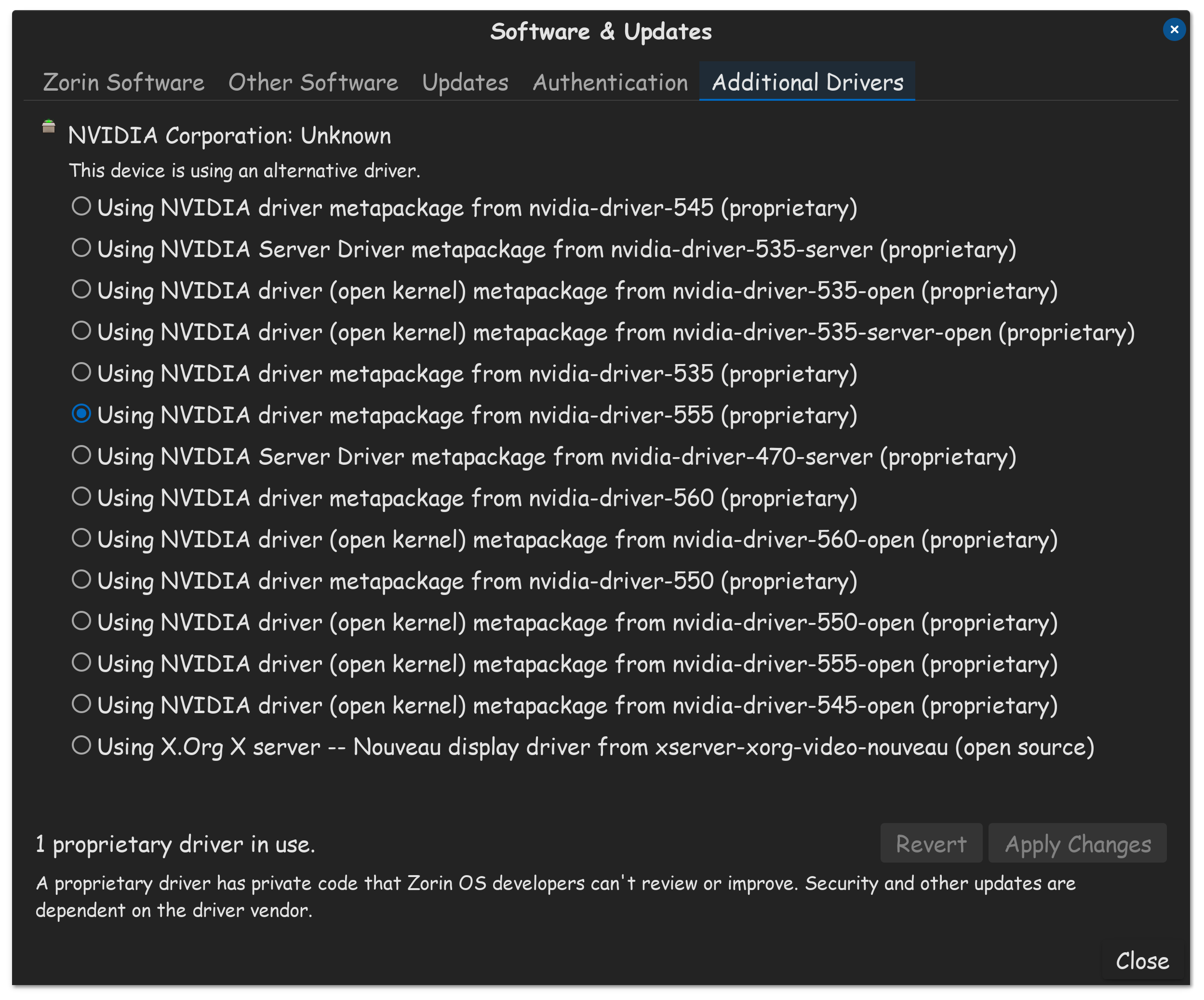
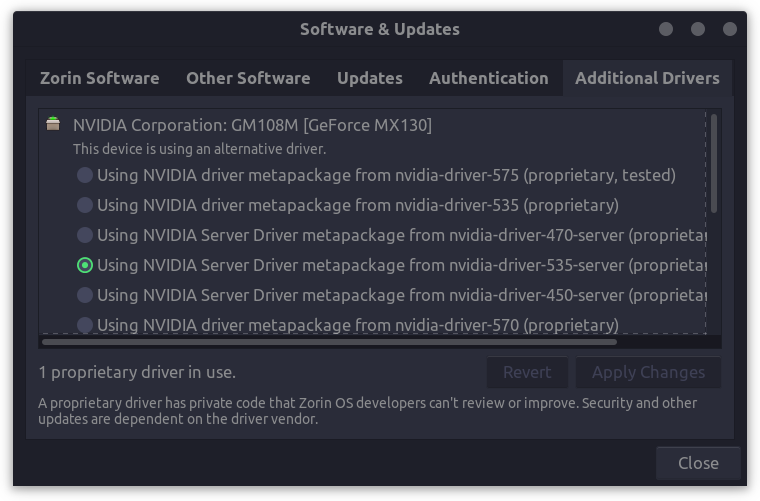
What Driver do You use for Your Nvidia Graphics?
Did You tried the Command sudo prime-select nvidia to set Your Graphics primary to Nvidia?
EDIT: Because I oversaw the Point with Windows: Are Secure Boot and Fast Boot in BIOS disabled? Is Fast Start-Up in Windows disabled?
In addition to @Ponce-De-Leon's suggestions, have you also ensured that Power Saving features are not interfering, since you are on a notebook computer, that in itself, is on a power adapter?
Just to add, althought it may not be applicable here; some laptops, when they have the battery removed, behave very differently than if the battery is even "dummy" plugged in but unused. It may be worth a look into the bios / research of the brand / model to see if perhaps there are some changes to system behaviour based on whether the battery is plugged in to the motherboard or not.
Nvidia notoriously likes to try to offload a lot of its work onto the CPU.
For me, the 560 driver did this a lot, to the point of overheating my CPU, until I upp'ed to the 565 which halted that behavior.
Nvidia really wants to do this (Because in so doing, it can free up resources on the GPU) so they continuously will try reverting back to this behavior...
For me, currently on 570, 575 and 580, I have not observed this behavior. If your GPU is running at 50% or so, I recommend trying a different driver. The 555 might be solid.
 , select Zorin On Xorg/X11.