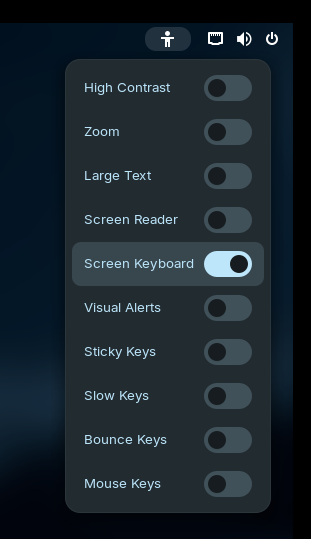
How can I activate the online keyboard on a 2-in-1 tablet to enter the password? When I use only the tablet without the keyboard and want to log in, I cannot enter my password. The online keyboard is only available once I am logged in.
2 Likes
In the upper right corner are 4 symbols: halfmoon, wlan, speaker and batterie, Each symbol opens the same window. however no keyboard.
When you can login again, head over to Settings → Accessibility and enable "Always Show Accessibility Menu".
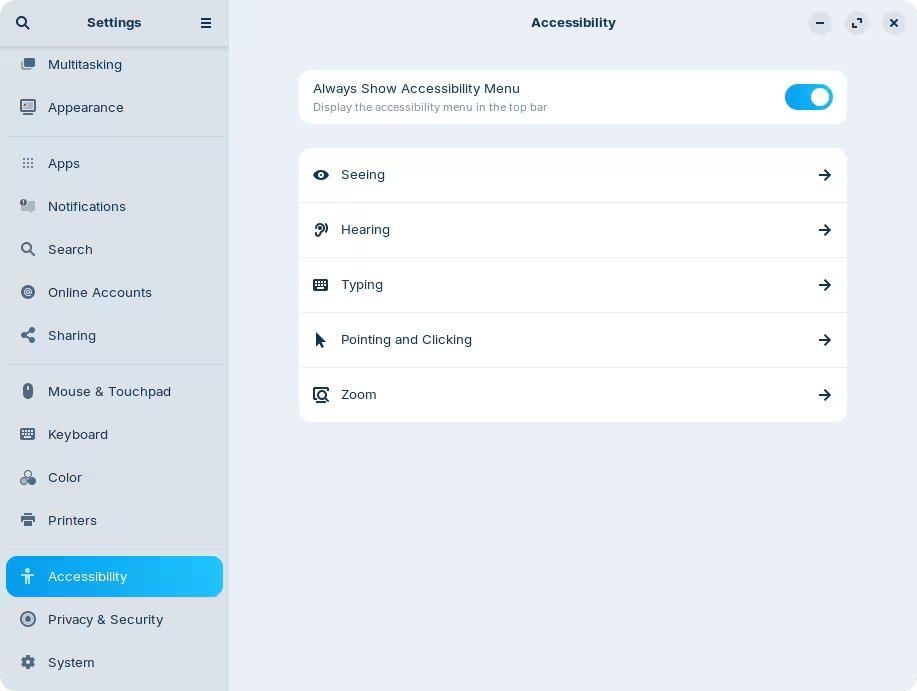
This was disabled for me and still showed the accessibility icon, but this should force that it does appear regardless.
If that still doesn't work, can you check with another one of the layouts from Zorin Appearance → Layout?
2 Likes
thanks, got it
2 Likes
This topic was automatically closed 90 days after the last reply. New replies are no longer allowed.