In other distributions I’ve used with KDE or Cinnamon, I always add the applications menu to the far right or left of the panel, since those desktop environments support drag-and-drop customization of the panel.
However, the GNOME desktop environment (which Zorin is based on) doesn’t support this feature.
Is there a way to add a new applications menu to the far right of the panel, before the clock?
Is there an extension that can do this?
I didn´t find a way to get this look in Gnome. It can easily be done with XFCE desktop of Zorin lite.
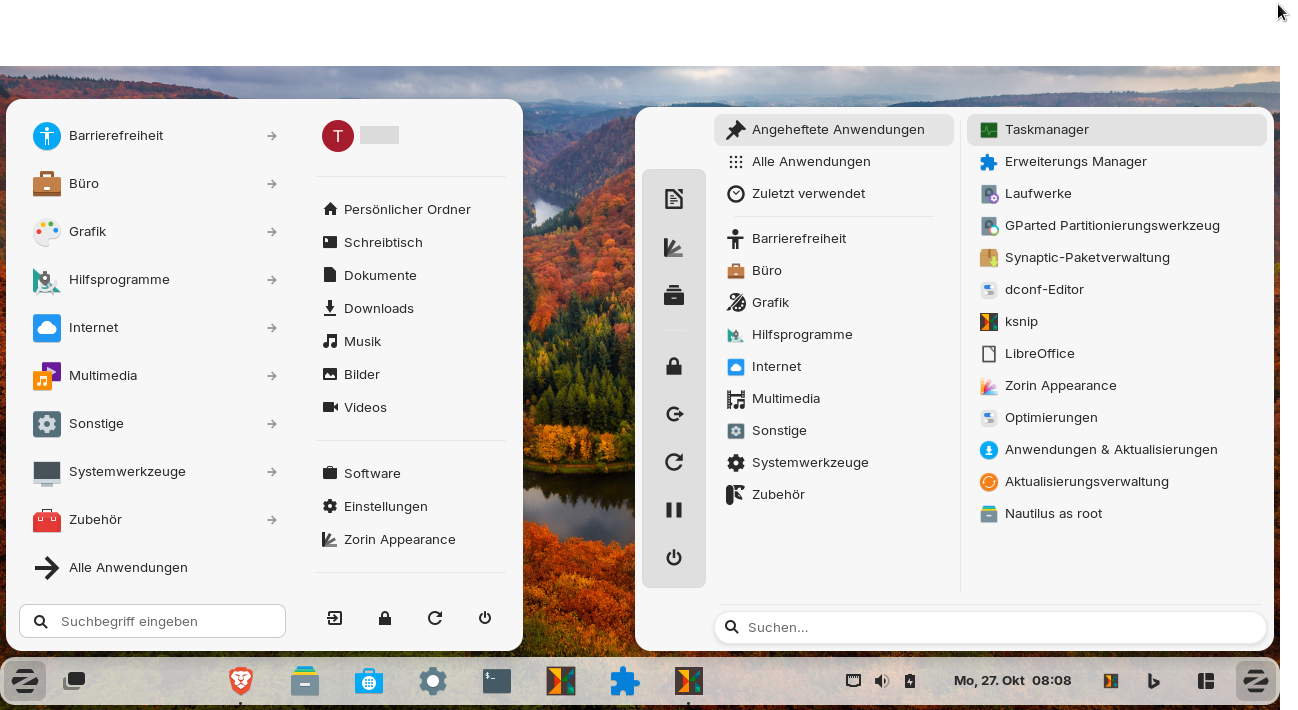
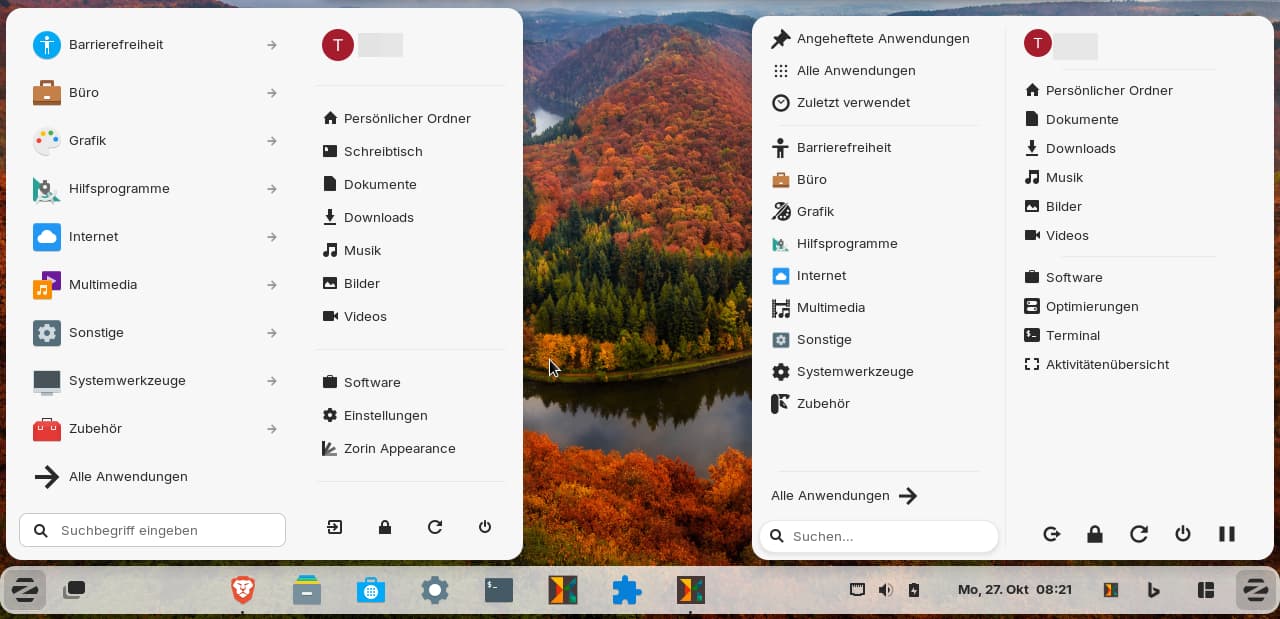
You can add gnome extension arc menu to have two starters for a start menu on your panel, but arc menu looks different from Zorin menu when you open it. Usually I use arc menu with an own icon, but you can also set the Zorin icon to launch it.
On the left side of the panel is the original Zorin menu, on the right side arc menu which you can customize with many various layouts.
Here you can see both start menus opened (you could set the same size and height):
Yes, I understood that. This is made with gnome. I only wanted to say that you are much more flexible with Zorin lite to customize the desktop to your wishes.
At tab position of Zorin taskbar settings move the "left box" with the arrows from the top until it is the last one in the list.
Then Zorin menu is shown at the right side of the panel.
May way was a workaround, not a solution.
I'm not sure if it is possible to change the code of the gnome extension Zorin taskbar so that the left box is shown twice on the panel or you can select more than one position for it, e.g. left and right. But I'm not a programmer.




 from the top until it is the last one in the list.