I would like the DAY name in the date field in the lower right corner of the windows theme. HOW do I do this?
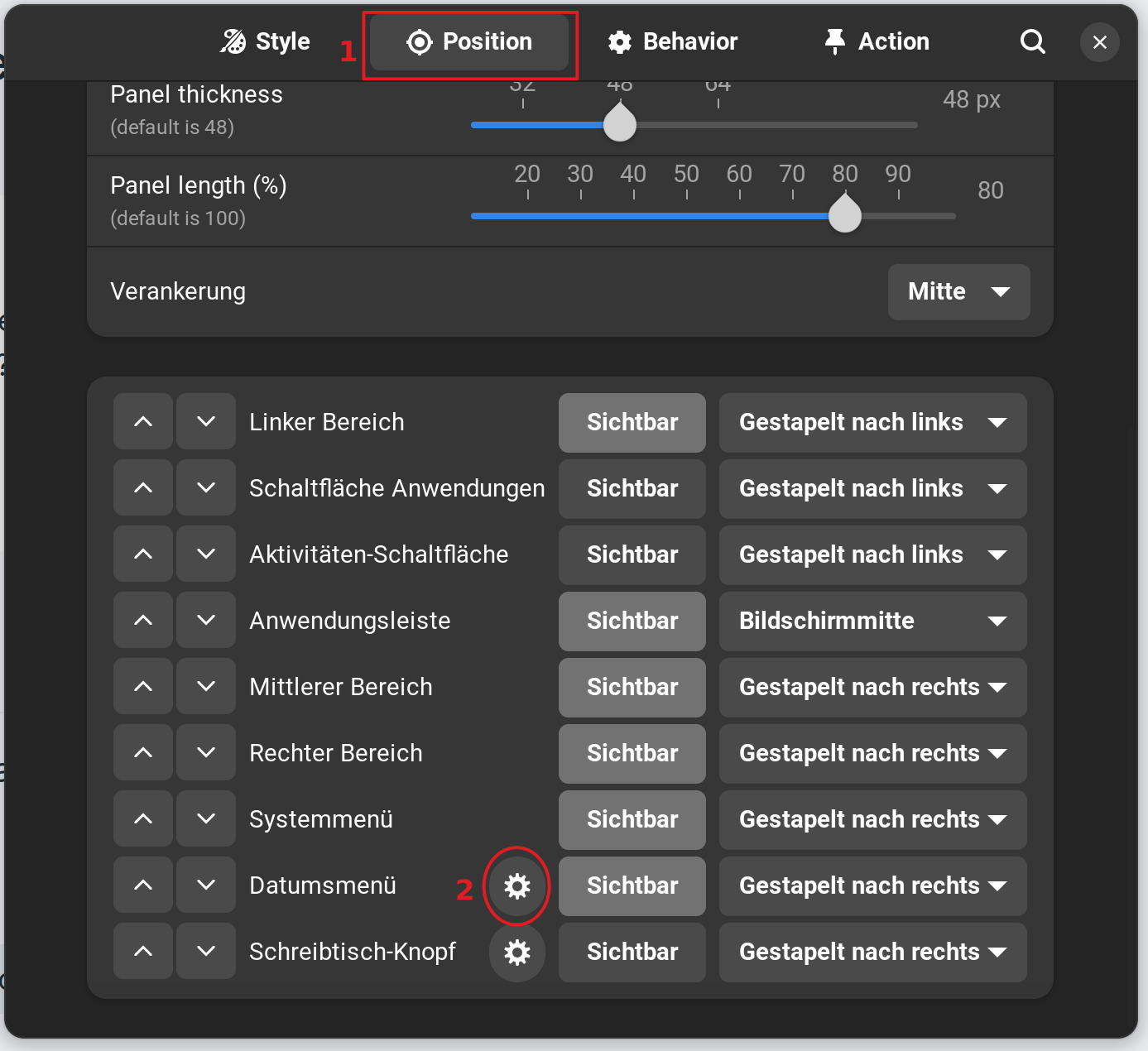
Open the Taskbar Settings (make a Right-click on the Taskbar and choose the Taskbar Settings Option). In the opening Window go to the Position Tab, scroll down and click on the Gear Icon on Date Menu:
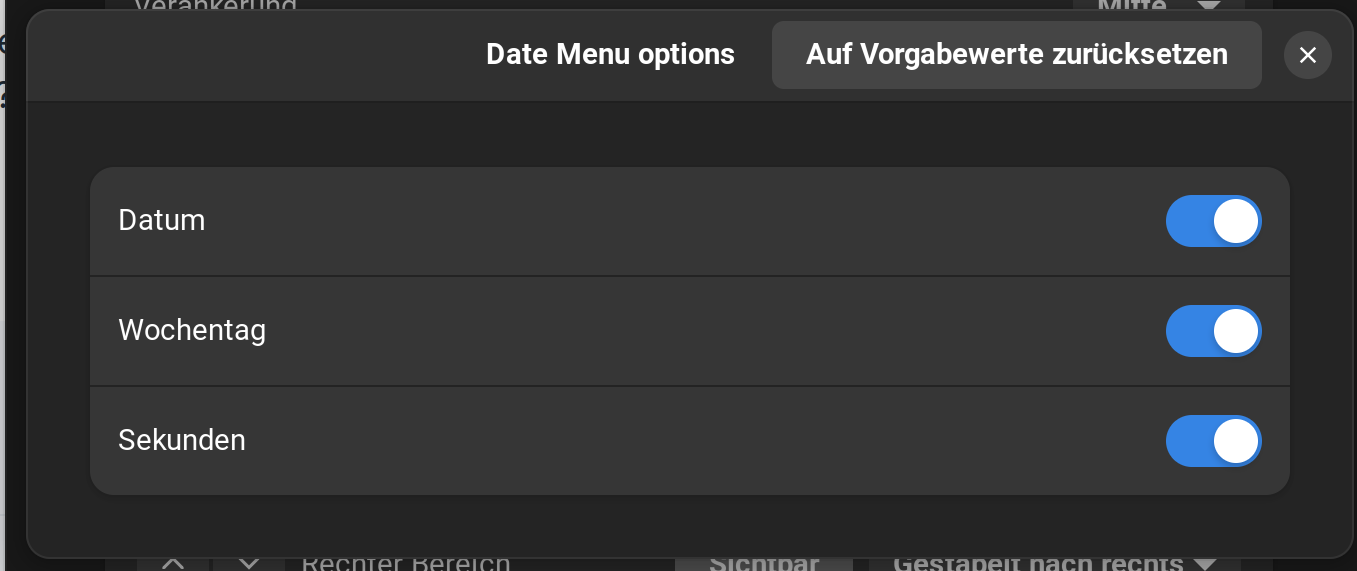
In the opening window, You can enable the Day and the Seconds:
As an Alternative, You can do that with gnome-tweaks, too. To install it type in the Terminal sudo apt install gnome-tweaks or look in Software Center for it.
If the normal Format shouldn't be enough for You, You could install the Gnome Extension Date Menu Formatter - GNOME Shell Extensions to individually set up the Date-Time Format.
To install the Extension, look in Software Center for the Extension Manager:

Install it and then open it and go to the ''Browse'' Tab and search for the Extension.
2 Likes
This topic was automatically closed 90 days after the last reply. New replies are no longer allowed.