I have gedit and it's fine. It works as I need. It is my goto text editor (sidenote: for some reason NotePad++ works but takes a few minutes before it presents any GUI and appears ready for use)
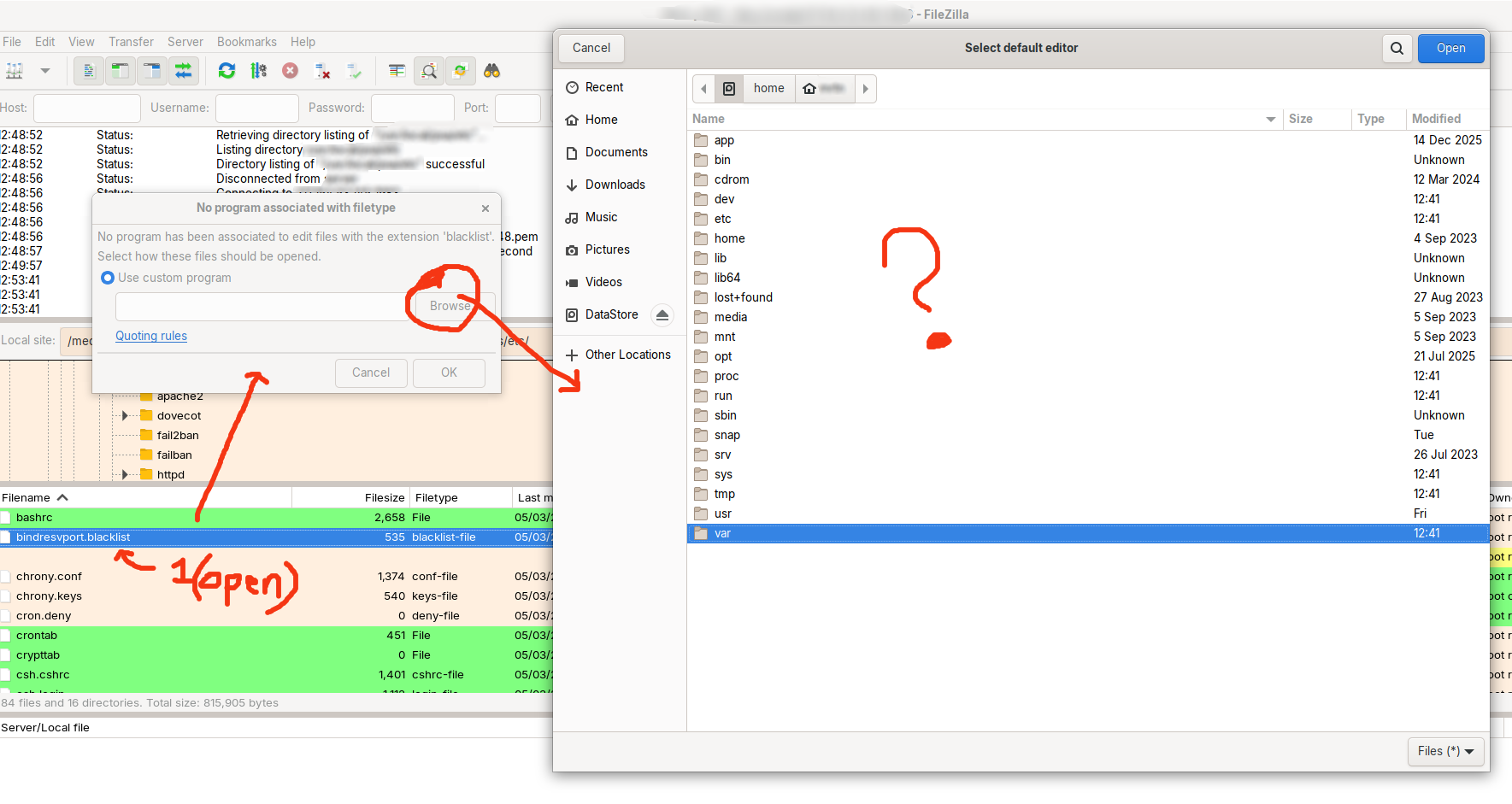
But, in some programs (underline SOME) the program (in this case FileZilla) asks me for a filepath to the app rather than presenting a pre-filled list, see screenshot below:
Now, FileZilla is great, and the "edit" on a "local" file works fantastically, but that means I have to download the remote file to then "edit" it to open it, in Gedit.
Whereas, with remote files I can open them remotely without downloading them (I mean, it gets put in a temp location, but you know what I mean!), but I can't do this without seamingly needing to highlight where the gedit program is located.
In which package format is gedit installed (Zorin package, flatpak, snap)? In the software center search for gedit and on the right side of the package you can see the package format. (The one with a )
The path /usr/bin/gedit is correct.
Both of these locations exist.
I believe that you are looking in Home directory at the moment, not in Root.
To view root, in the File Manager, look to the left and where you see "Other Location", in the left pane, select that. Select your computer drive in the right pane.
This will take you to Root where you can see these folders.
Flatpak's are a lot more restricted about being able to see the system. You don't want duplicate software, so the best choice is to remove the flatpak version, first. Then select the Zorin APT supplied package to install.
I have just found, there is a bug in the version of Filezilla being used in the ZorinOS distribution (version 3.43.6) and it fails to correctly authenticate some keys with SSH.
This was why I was using the Flatpak version (3.69.5).
"Fix:Temporarily move unused keys out of ~/.ssh/ or use the command env SSH_AUTH_SOCK=null filezilla to force it to ignore the system agent and only use keys specified in its own settings."
 )
)