Hello.
I have installed Teamviewer on my ZorinOS 18 and I want to be able to control it from another computer without any password.
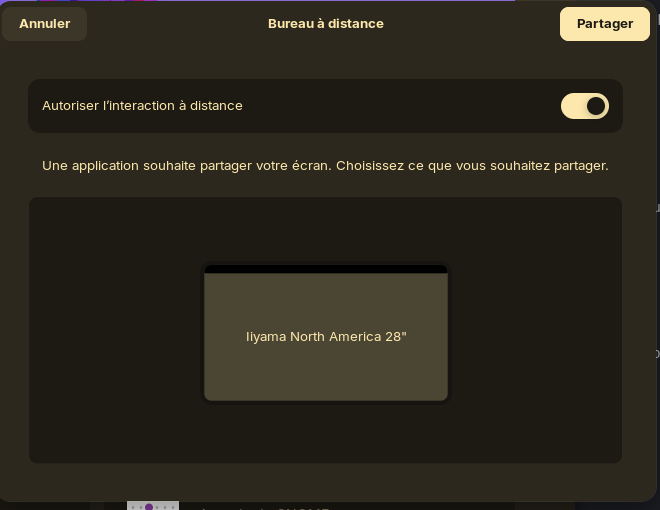
I setup Teamviewer correctly but each time I connect to my ZorinOS this popup shows up and block the connexion until I validate it.
I need to get rid of this popup, or at least a settings somewhere to auto validate it.
I'm afraid i don't use TeamViewer, haven't for a long time.
So we have a better idea of the behaviour, does the pop-up prevent something, or is it just an irritant? Is this workflow different than what you're familiar with, and is that previous familiarity on Linux, Windows, Mac? What do you expect should happen?
Oh, also, what's your hardware? Do you have more than one monitor?
Try to switch to Xorg. Logout and at login click on your username then a cog wheal appears at the bottom right corner. There you can switch between Xorg and Wayland. I read that it helped with this problem on ubuntu 22.04, but I'm not sure about 24.04 Zorin 18 is based on, but you can easily test it.
The issue is not with TeamViewer itself (I did not test but I would bet that when doing a sharescreen on discord for exemple, the popup will show)
It's a laptop with lid closed but connected to an external monitor.
This workflow does not appear on Windows or Mac. It's a system popup from ZorinOS that ask which monitor I want to share.
This popup block the worflow because if I want to take control of the ZorinOS pc from another one, I can not see the screen nor take control until this popup is validated manually on the client. It prevent me to take control