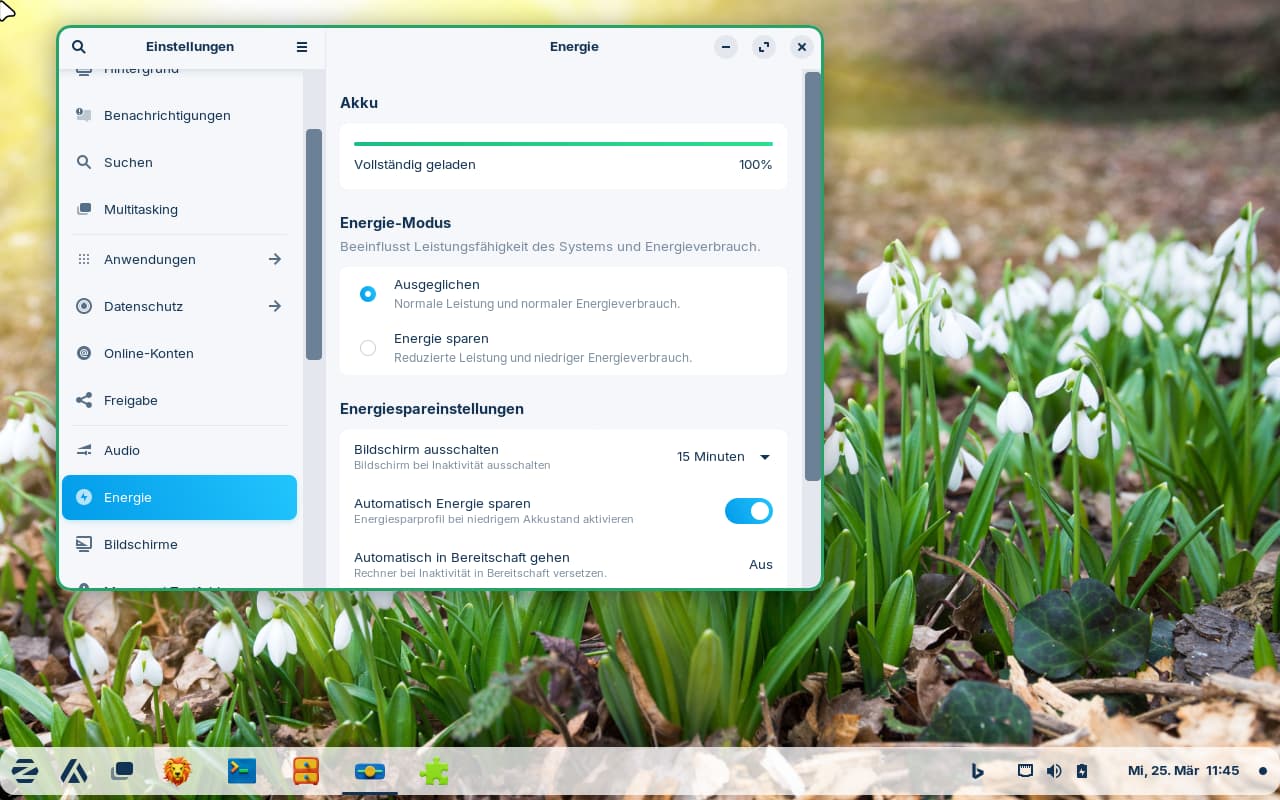
The scrollbar is absurdly thin.
Especially considering on many windows the arrow keys don't allow you to scroll, forcing you to click the scrollbar every time. For example, the "Software" program requires use of the scrollbar. I've read that there's a drive to get rid of the scrollbar, which makes no sense if the arrow keys don't function for scrolling.
I did read this UI scroll bar width - #2 by Aravisian
but I don't have a .config folder in Home.
Zorin Core 17.3