Hi everyone,
I am using Zorin OS and I have a successfully installed and working HP LaserJet 1018 printer (using the foo2zjs driver). The printer works perfectly for regular printing, but it is a top-loading/top-output printer where pages come out face-up.
I need to print multi-page documents double-sided (manual duplex) without having to manually sort and re-arrange sheets page-by-page, as that takes too much time for my teaching materials.
In the default PDF Document Viewer, the "Page ordering" (Reverse/Forward) option is completely greyed out and unavailable.
What is the correct software setup or recommended application in Zorin OS to achieve smooth manual duplex printing (Odd pages then Even pages) without messing up the page sequence on this specific face-up printer?
Thank you in advance!
That's odd. I own an HP Laserjet 1018 (black and white) printer myself. It is a bottom feed from the front, and the pages come out face-down. And there is only one version of the 1018 according to what I could find in my search. I am able to do manual duplex printing without difficulty. Sure your's is a 1018?
Hi and welcome.
I did a Brave A.I. search to see if the driver you used prevented this:
" No , using the foo2zjs driver does not inherently prevent duplex printing, but the HP LaserJet 1018 is a monochrome printer that does not support automatic (hardware) duplex printing regardless of the driver used.
-
Hardware Limitation : The HP LaserJet 1018 is a top-loading, single-sided printer; it lacks the internal mechanism for automatic two-sided printing.
-
Manual Duplex Support : The foo2zjs driver supports manual duplex workflows. Users can print odd pages, manually reinsert the paper, and then print even pages.
-
Software Workarounds : Since standard PDF viewers may gray out page ordering options for this device, users often rely on specific software tools (such as Gnome-Manual-Duplex or custom scripts) to manage page ordering and facilitate the manual re-insertion process efficiently.
AI-generated answer. Please verify critical facts."
Welcome to the Forum!
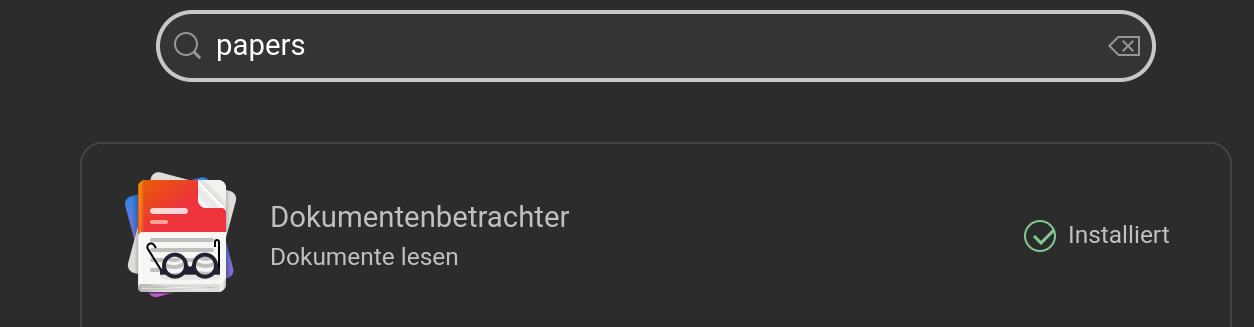
Maybe Papers could help here. It is a PDF Viewer, too (with some additional Options). You can find it in Gnome Software: