Not everyone experiences Gnome Shell the same way, depending on hardware & software used. I've been using Gnome for many years, and I've always been faced with an issue, that I can't track down completely or fix. Since most Zorin OS users use Core/Gnome, I figured this would be helpful.
After Gnome shell runs for awhile, I begin to get a permanent frame stutter, every 1-second. Its most noticeable during video panning shots, or when turning player character in video games. The fix is to restart Gnome shell by this command.
ALT F2 to open the run command, then simply...
r hit Enter.
This gets the shell to run smoothly again, but won't last forever, so you will have to do it again. Wouldn't it be nice, if you could restart the shell with only 1-key? I'm about to make your life easier.
(1) Click Zorin  menu button, then click on
 settings
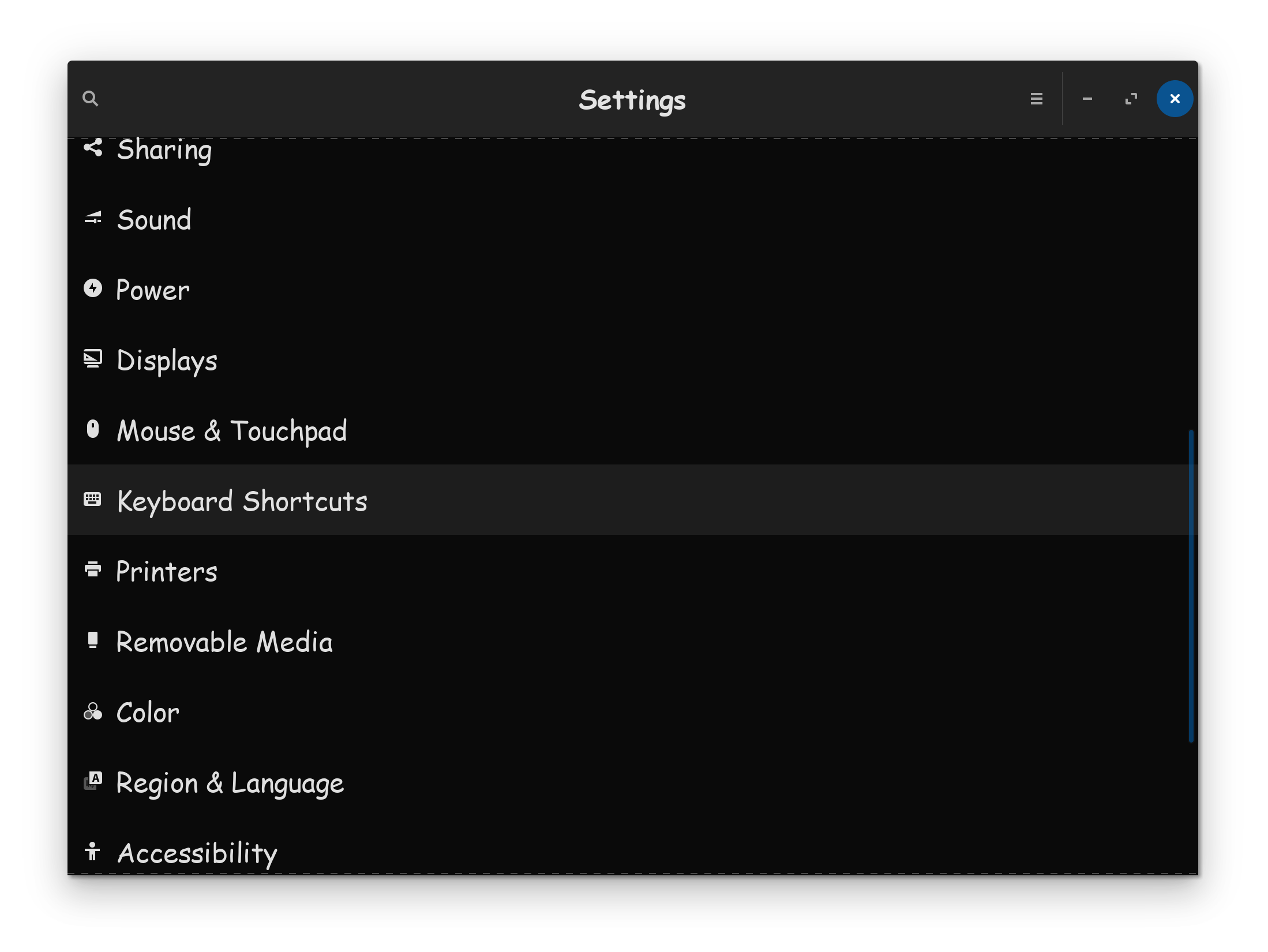
(2) Now click on Keyboard & Shortcuts
(3) Scroll to the bottom & Click on the +
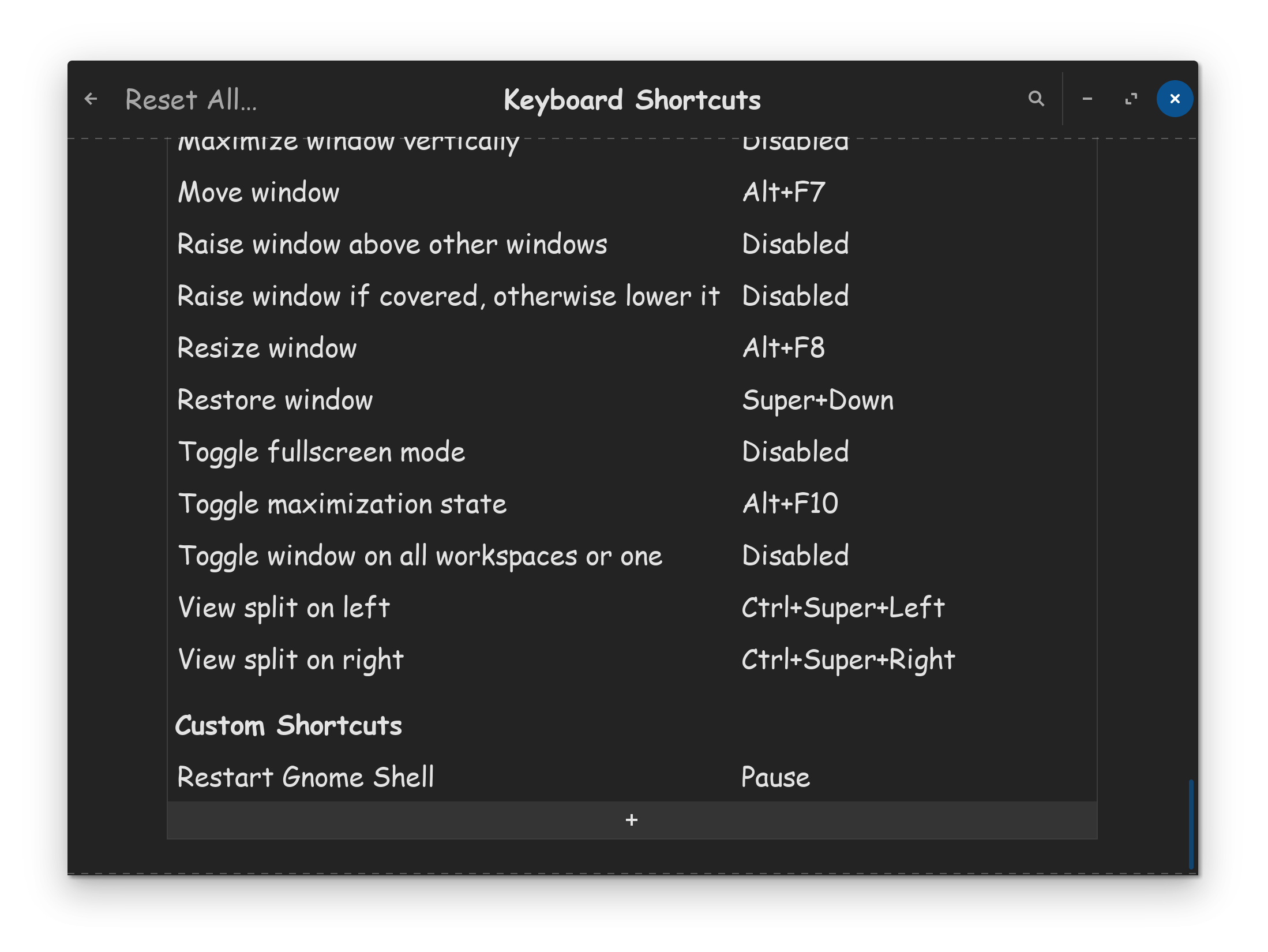
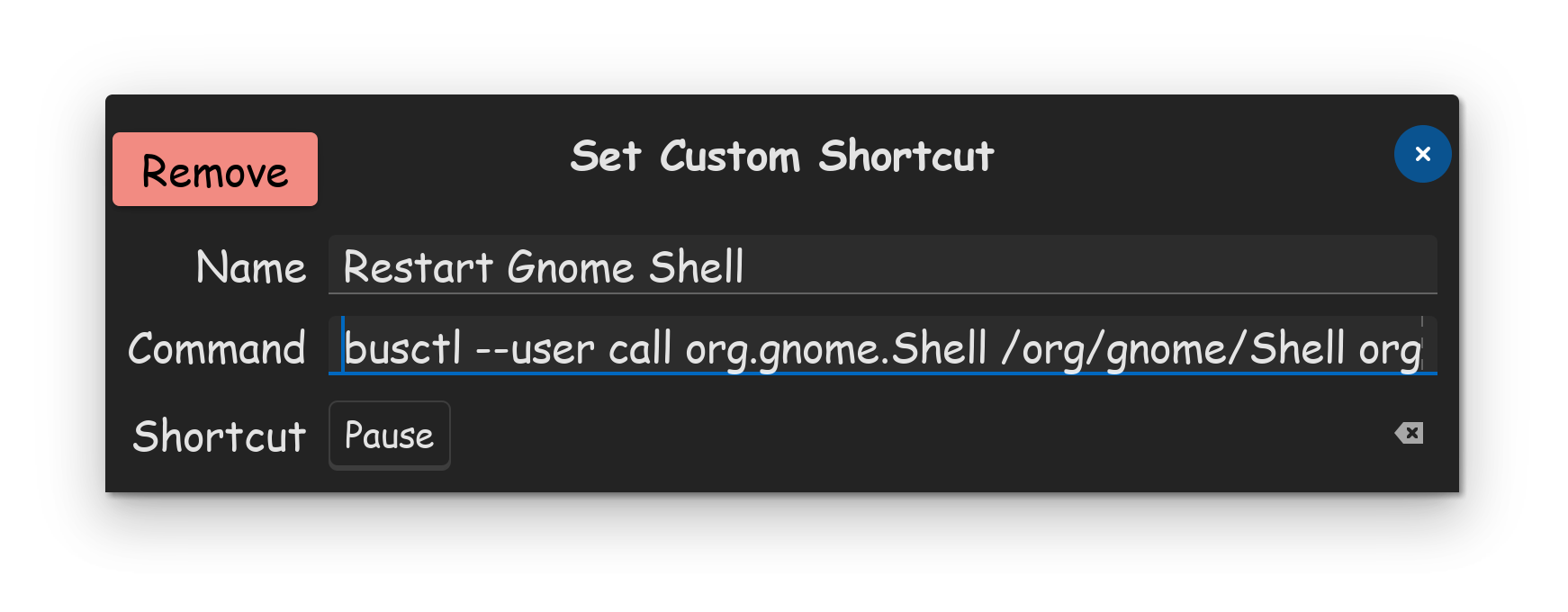
(4) In the Name field, type in, Restart Gnome Shell
(5) In the Command field, copy/paste,
busctl --user call org.gnome.Shell /org/gnome/Shell org.gnome.Shell Eval s 'Meta.restart("Restarting…")'
(6) Now you simply click on Shortcut, to set which key or key combo you wish to set, to restart Gnome Shell. I personally have mine set to the most useless key on keyboards, the Pause button. Now Pause is useful to me.
Conclusion: Now without having to grab my keyboard, I can simply reach over to hit 1-key, to restart Gnome Shell, and I can get rid of my frame stutter, in only 4-seconds. Hope this helps!
