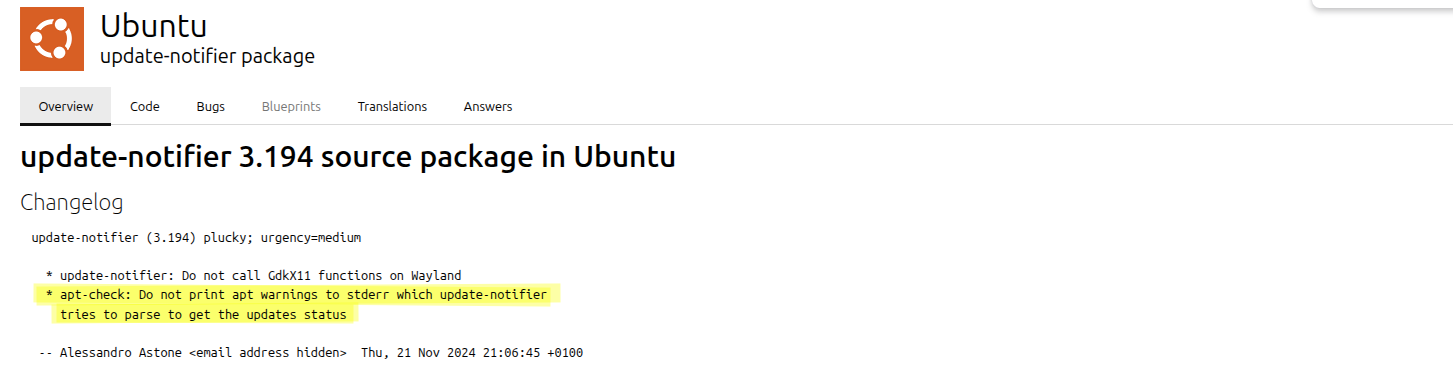
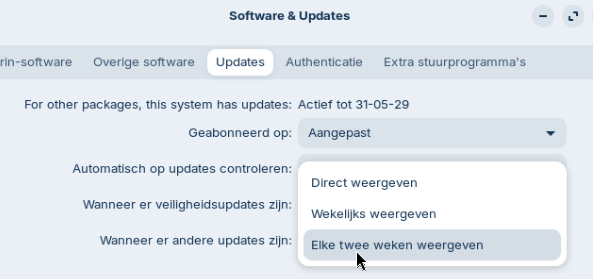
Ok now I had some time to test and let the vm run for a few hours. Looks like unattended upgrades work now.
Start-Date: 2026-01-07  19:16:01
Commandline: /usr/bin/unattended-upgrade
Upgrade: libjavascriptcoregtk-4.1-0:amd64 (2.50.2-0ubuntu0.24.04.2, 2.50.3-0ubuntu0.24.04.1), gir1.2-javascriptcoregtk-4.1:amd64 (2.50.2-0ubuntu0.24.04.2, 2.50.3-0ubuntu0.24.04.1), gir1.2-javascriptcoregtk-6.0:amd64 (2.50.2-0ubuntu0.24.04
.2, 2.50.3-0ubuntu0.24.04.1), gir1.2-webkit2-4.1:amd64 (2.50.2-0ubuntu0.24.04.2, 2.50.3-0ubuntu0.24.04.1), libjavascriptcoregtk-6.0-1:amd64 (2.50.2-0ubuntu0.24.04.2, 2.50.3-0ubuntu0.24.04.1), libwebkit2gtk-4.1-0:amd64 (2.50.2-0ubuntu0.24.
04.2, 2.50.3-0ubuntu0.24.04.1), gir1.2-webkit-6.0:amd64 (2.50.2-0ubuntu0.24.04.2, 2.50.3-0ubuntu0.24.04.1), libwebkitgtk-6.0-4:amd64 (2.50.2-0ubuntu0.24.04.2, 2.50.3-0ubuntu0.24.04.1)
End-Date: 2026-01-07  19:16:04

Start-Date: 2026-01-07  19:16:07
Commandline: /usr/bin/unattended-upgrade
Upgrade: libglib2.0-bin:amd64 (2.80.0-6ubuntu3.5, 2.80.0-6ubuntu3.6), gir1.2-glib-2.0:amd64 (2.80.0-6ubuntu3.5, 2.80.0-6ubuntu3.6), libglib2.0-data:amd64 (2.80.0-6ubuntu3.5, 2.80.0-6ubuntu3.6), libglib2.0-0t64:amd64 (2.80.0-6ubuntu3.5, 2.
80.0-6ubuntu3.6)
End-Date: 2026-01-07  19:16:10

Start-Date: 2026-01-07  19:16:13
Commandline: /usr/bin/unattended-upgrade
Upgrade: libcaca0:amd64 (0.99.beta20-4build2, 0.99.beta20-4ubuntu0.1)
End-Date: 2026-01-07  19:16:13

Start-Date: 2026-01-08  15:00:11
Commandline: /usr/bin/unattended-upgrade
Upgrade: gpg:amd64 (2.4.4-2ubuntu17.3, 2.4.4-2ubuntu17.4), keyboxd:amd64 (2.4.4-2ubuntu17.3, 2.4.4-2ubuntu17.4), gnupg:amd64 (2.4.4-2ubuntu17.3, 2.4.4-2ubuntu17.4), gpg-agent:amd64 (2.4.4-2ubuntu17.3, 2.4.4-2ubuntu17.4), gpgv:amd64 (2.4.4
-2ubuntu17.3, 2.4.4-2ubuntu17.4), gpgsm:amd64 (2.4.4-2ubuntu17.3, 2.4.4-2ubuntu17.4), dirmngr:amd64 (2.4.4-2ubuntu17.3, 2.4.4-2ubuntu17.4), gnupg-utils:amd64 (2.4.4-2ubuntu17.3, 2.4.4-2ubuntu17.4), gpg-wks-client:amd64 (2.4.4-2ubuntu17.3,
 2.4.4-2ubuntu17.4), gpgconf:amd64 (2.4.4-2ubuntu17.3, 2.4.4-2ubuntu17.4)
End-Date: 2026-01-08  15:00:14

Start-Date: 2026-01-08  15:00:16
Commandline: /usr/bin/unattended-upgrade
Upgrade: libsnmp-base:amd64 (5.9.4+dfsg-1.1ubuntu3.1, 5.9.4+dfsg-1.1ubuntu3.2), libsnmp40t64:amd64 (5.9.4+dfsg-1.1ubuntu3.1, 5.9.4+dfsg-1.1ubuntu3.2)
End-Date: 2026-01-08  15:00:18

Start-Date: 2026-01-08  15:00:20
Commandline: /usr/bin/unattended-upgrade
Upgrade: libxslt1.1:amd64 (1.1.39-0exp1ubuntu0.24.04.2, 1.1.39-0exp1ubuntu0.24.04.3)
End-Date: 2026-01-08  15:00:20
2026-01-07 19:15:46,427 INFO Starting unattended upgrades script
2026-01-07 19:15:46,428 INFO Allowed origins are: o=Ubuntu,a=noble, o=Ubuntu,a=noble-security, o=UbuntuESMApps,a=noble-apps-security, o=UbuntuESM,a=noble-infra-security
2026-01-07 19:15:46,428 INFO Initial blacklist:
2026-01-07 19:15:46,428 INFO Initial whitelist (not strict):
2026-01-07 19:16:00,712 INFO Packages that will be upgraded: gir1.2-glib-2.0 gir1.2-javascriptcoregtk-4.1 gir1.2-javascriptcoregtk-6.0 gir1.2-webkit-6.0 gir1.2-webkit2-4.1 libcaca0 libglib2.0-0t64 libglib2.0-bin libglib2.0-data libjavascr
iptcoregtk-4.1-0 libjavascriptcoregtk-6.0-1 libwebkit2gtk-4.1-0 libwebkitgtk-6.0-4
2026-01-07 19:16:00,712 INFO Writing dpkg log to /var/log/unattended-upgrades/unattended-upgrades-dpkg.log
2026-01-07 19:16:15,265 INFO All upgrades installed
2026-01-07 19:16:15,561 INFO Package gnome-tour is kept back because a related package is kept back or due to local apt_preferences(5).
2026-01-08 00:49:30,120 INFO Starting unattended upgrades script
2026-01-08 00:49:30,120 INFO Allowed origins are: o=Ubuntu,a=noble, o=Ubuntu,a=noble-security, o=UbuntuESMApps,a=noble-apps-security, o=UbuntuESM,a=noble-infra-security
2026-01-08 00:49:30,120 INFO Initial blacklist:
2026-01-08 00:49:30,120 INFO Initial whitelist (not strict):
2026-01-08 15:00:01,345 INFO Starting unattended upgrades script
2026-01-08 15:00:01,345 INFO Allowed origins are: o=Ubuntu,a=noble, o=Ubuntu,a=noble-security, o=UbuntuESMApps,a=noble-apps-security, o=UbuntuESM,a=noble-infra-security
2026-01-08 15:00:01,345 INFO Initial blacklist:
2026-01-08 15:00:01,345 INFO Initial whitelist (not strict):
2026-01-08 15:00:10,511 INFO Packages that will be upgraded: dirmngr gnupg gnupg-utils gpg gpg-agent gpg-wks-client gpgconf gpgsm gpgv keyboxd libsnmp-base libsnmp40t64 libxslt1.1
2026-01-08 15:00:10,511 INFO Writing dpkg log to /var/log/unattended-upgrades/unattended-upgrades-dpkg.log
2026-01-08 15:00:22,167 INFO All upgrades installed
2026-01-08 15:00:22,435 INFO Package gnome-tour is kept back because a related package is kept back or due to local apt_preferences(5).
@AZorin It would be good to have some continuous testing for these essential functionalities(maybe a vm, that gets restarted periodically), who knows when canonical will change something that will break something in zorin again. I consider unattended-upgrades essential, there might be more. I'm pretty sure this was broken for months.
For an average user, updates are a foreign concept, they don't understand their purpose, for them windows updates are just a useless unavoidable nuisance, nothing more. There are millions of windows 10 users who will use it for another decade, because it just does what they need it to do, they don't care if they're part of a botnet...
Also at least a blog post would be nice if the users need to perform a manual update to get fixes and keep getting updates automatically.
@guugues No one likes pop-ups, also who doesn't care about a notification is not going to care about a pop up either.