You could do it in synaptic package manager. Install synaptic
sudo apt install synaptic
and then search for brave-browser and click on all packages which are related to brave-browser. Then in the top bar click on "package" and enable " lock version". This will prevent brave-browser from being updated. Then click on apply.
Or you can try to follow the guide from littlekun and replace libreoffice with brave-browser in the command.
It could also work with
'sudo apt-mark hold brave-browser', but I'm not quite sure if you need to enter the installed version of brave-browser here.
You could enter in terminal
apt list -i | grep brave-browser
to find the packages and then copy the names of the packages and paste it into the command sudo apt-mark hold ...
I personally find it easier to use synaptic. When you later want to undo it and unhold brave-browser disable "lock package" in synaptic or replace 'hold' with 'unhold' in the command.
Tricky. The "lock-version" only applies to updating with Synaptic Package manager and Software Updater. Using the terminal, apt still considers it upgradable.
Test it:
Use Synaptic to lock Brave version to 1.185.116
Close Synaptic, then in terminal:
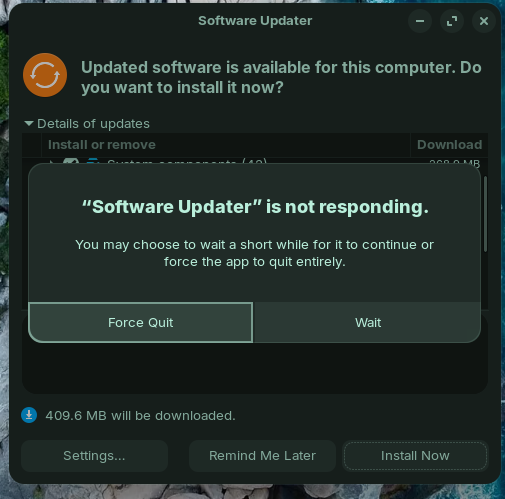
This is the third time I've seen this already, though with different apps. It looks like the software store bugs out when excluding certain apps from the update process.
As for using the terminal, another option you have when you only want to upgrade one or two packages is to specify those packages directly with the --only-upgrade flag.
For example, I have the following upgrades available:
If I only wanted to upgrade, say, brave-browser I would run:
sudo apt install --only-upgrade brave-browser
I realize this is the opposite of what you're asking right now, but it might still come in handy to you or to others going over this thread.
Do note however that this approach would still upgrade any required dependencies. For example, if instead I want to upgrade one of those JavaScript libraries, it's going to install the whole lot of them since they are dependencies from the package that I'm trying to upgrade:
$ sudo apt install --only-upgrade libjavascriptcoregtk-4.1-0

The following additional packages will be installed:
  gir1.2-javascriptcoregtk-4.0 gir1.2-webkit2-4.0 libjavascriptcoregtk-4.0-18 libwebkit2gtk-4.0-37 libwebkit2gtk-4.1-0
The following packages will be upgraded:
  gir1.2-javascriptcoregtk-4.0 gir1.2-webkit2-4.0 libjavascriptcoregtk-4.0-18 libjavascriptcoregtk-4.1-0 libwebkit2gtk-4.0-37 libwebkit2gtk-4.1-0
6 upgraded, 0 newly installed, 0 to remove and 0 not upgraded.
Need to get 59.9 MB of archives.
After this operation, 356 kB of additional disk space will be used.
Do you want to continue? [Y/n]
Hello Topas, thank you very much for pointing that out. I didn't know that. I tried it on the live system, and you're right, packages that were locked via synaptic are indeed still upgraded by running sudo apt upgrade.
Neither did I. Looking into it, I found out why, too.
Synaptic's 'lock package' option was offered before 'apt-mark hold' was introduced into apt-get and later, apt (Remember, apt-get and apt are FrontEnd applications for APT).
This means there seems no GUI option for that command.
This is not unusual... There are many terminal commands that cannot be stuffed into a GUI without giving it enough buttons, controls and knobs to make it look like the cockpit of the space shuttle.
It helps to be willing to launch a terminal on occasion, when what you need to do is tap into its raw power.