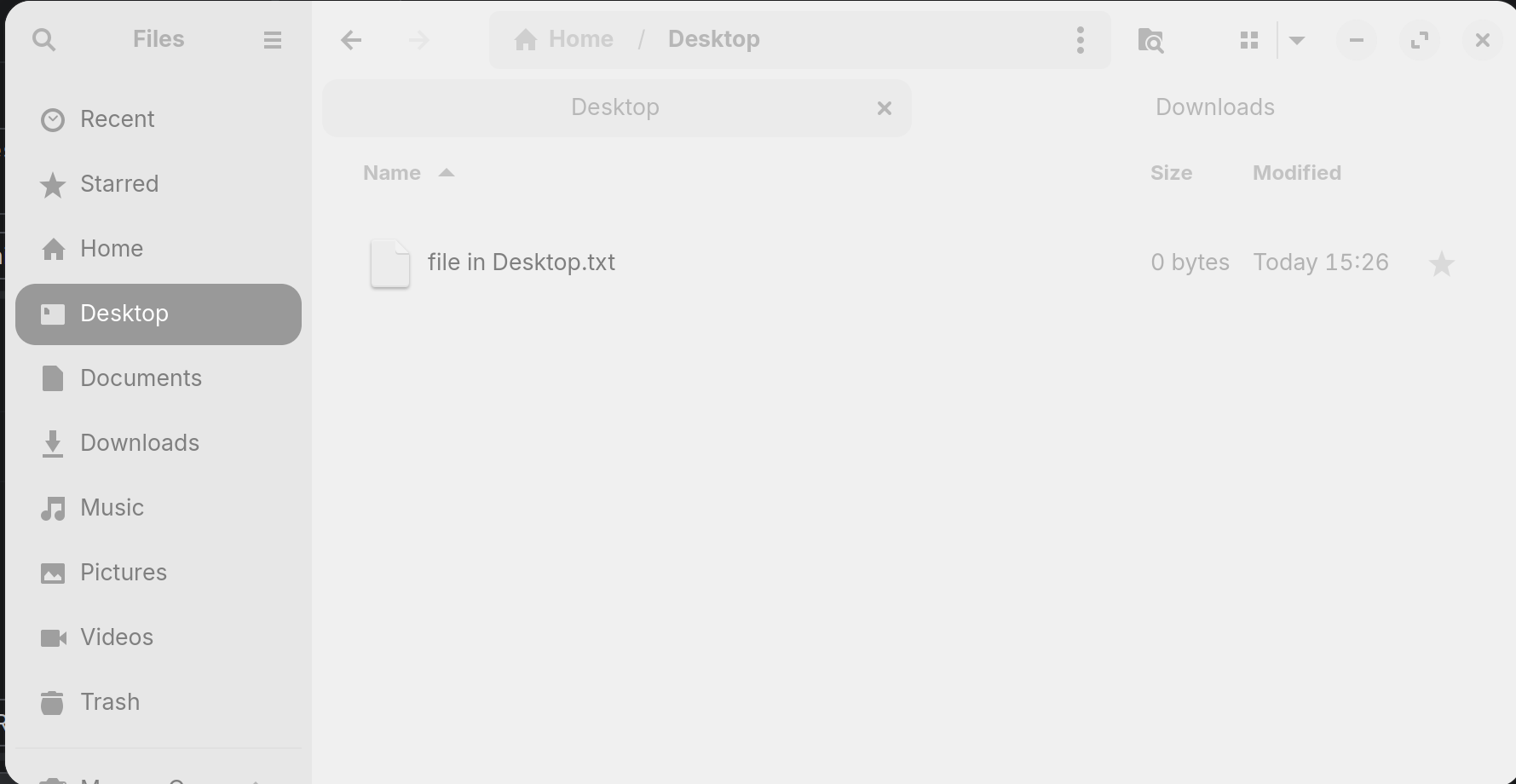
I'm using Zorin 18 and I am often confused by the colors of the tabs in the file manager: The background of the main panel where I see the files matches the color of the background tab. Since the main panel belongs to the active tab, I automatically expect both match visually. In macOS, for example, the inactive tabs are darker.
I know that there is an "X" button on the active tab, but it is not so apparent and the "X" also appears when hovering over a background tab.
Is there a setting where I can adjust the foreground tab to the file pane and chose a different color for the background tabs?
Could you include a screenshot, just to make absolutely sure we know which part you're talking about? I'm fairly certain, but I always like to confirm. Also, I'm just gonna move this post over to Customization, as it makes more sense there I feel.
if you want you can do this, create or edit ~/.config/gtk-4.0
and add this:
tab:selected {
   border: 1px solid @accent_bg_color; #for a border
   background-color: blue; #the color of your choice
}
You can "play" with colors and transparency
restart nautilus
nautilus -q
2 Likes
Here comes the screenshot. It is a bit low contrast because I couldn't find how to take the shot only after focussing back on the window (in "selection" mode).
In that example, "Desktop" is selected but to me the continuity of colors looks like "Downloads" is selected.
Thanks for the .config styling, I'll try that.
I ended up with a new file ~/.config/gtk-4.0/gtk.css containing:
tab {
   background-color: #f7f7f7;
   color: #b8c4cb;
}

tab:selected {
   background-color: @theme_bg_color;
   color: @theme_fg_color;
}
The background tabs appear now faded:
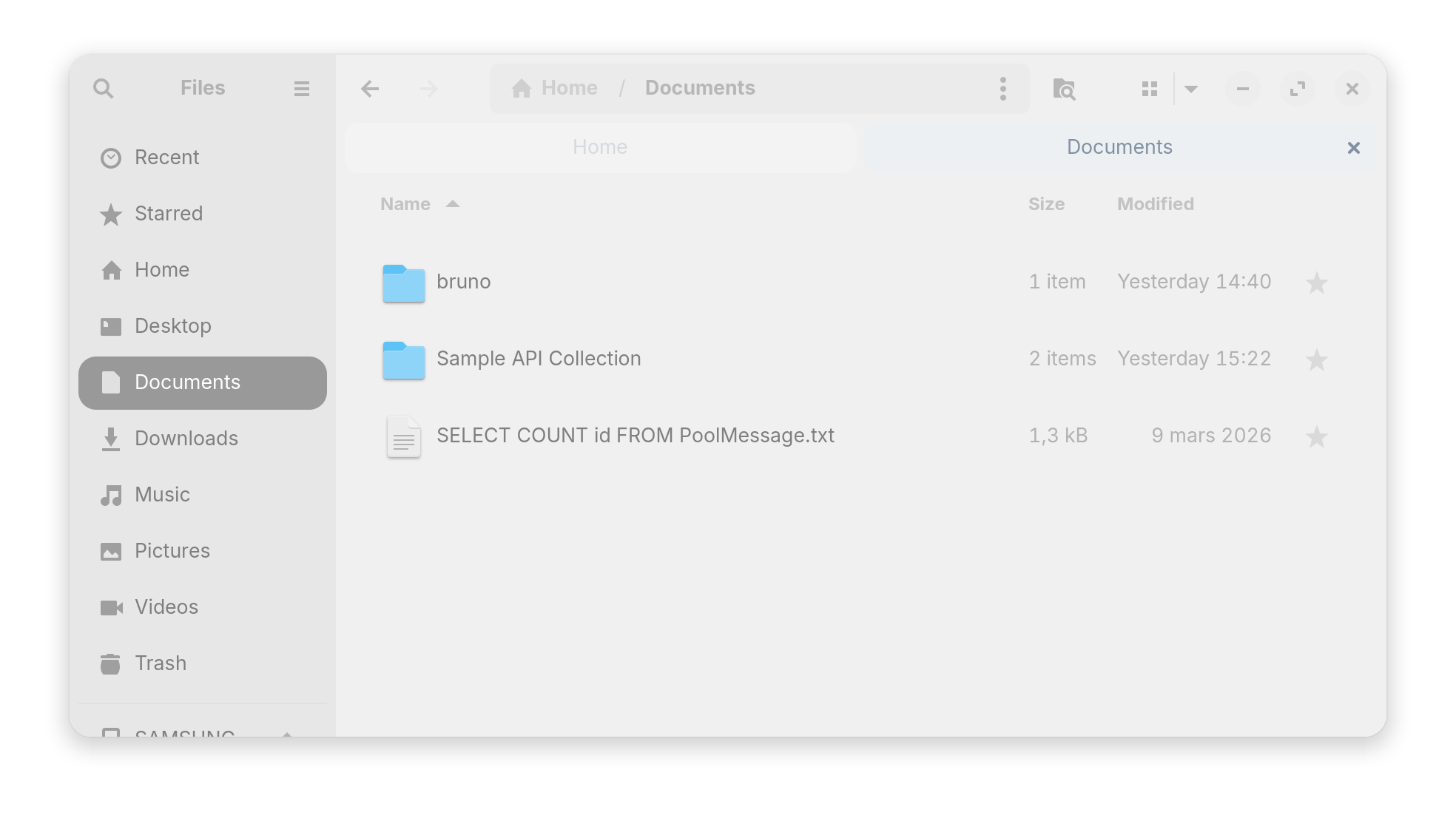
you use close to white for the background (#f7f7f7) and grey light for the label (#b8c4cb) for tab, sure it's faded, and are you sure about this for tab selected @theme_bg_color and this @theme_fg_color ? if this colors doesn't exist it will not change anything, and stay faded
try this
tab:selected {
   background-color: @accent_bg_color;
   color: @accent_fg_color;
}
The references are from Client Challenge . If one day a reference stops existing, I'll change the values.
I already tried what you posted later (there's a typo in "accent_fg_colorr"), it makes the selected tab blue.
what theme you actually use ?
you can't take any variable found in some site to use it with you theme like this.
sorry for the typo
This topic was automatically closed 90 days after the last reply. New replies are no longer allowed.