Hi there
Zorin 18 Core user here trying to print Libre documents containing colour images with HP MFP M277dw printer but outputs in monochrome.
Any ideas for a fix?
Hi there
Zorin 18 Core user here trying to print Libre documents containing colour images with HP MFP M277dw printer but outputs in monochrome.
Any ideas for a fix?
@swarfendor437 This maybe something you know more about.... 
I will take a look. The only problem for me is if memory serves HPLIP looks for the physical presence of a Printer, it's not like Brother, Canon or Epson that I can demonstrate.
@Robc1 Have you tried opening a browser and typing in the address bar?:
There should be a link to administration of printers. See if you can make any changes there.
@swarfendor437 thanks
When You get the Printer Window when You print, did You checked that on the Color Tab the Color is not set to monochrome?
Also, I think, You can set up Defaults. When You go to Settings>Printers there should Your Printer be shown. There You can set it up.
So is it printing in colour now? 
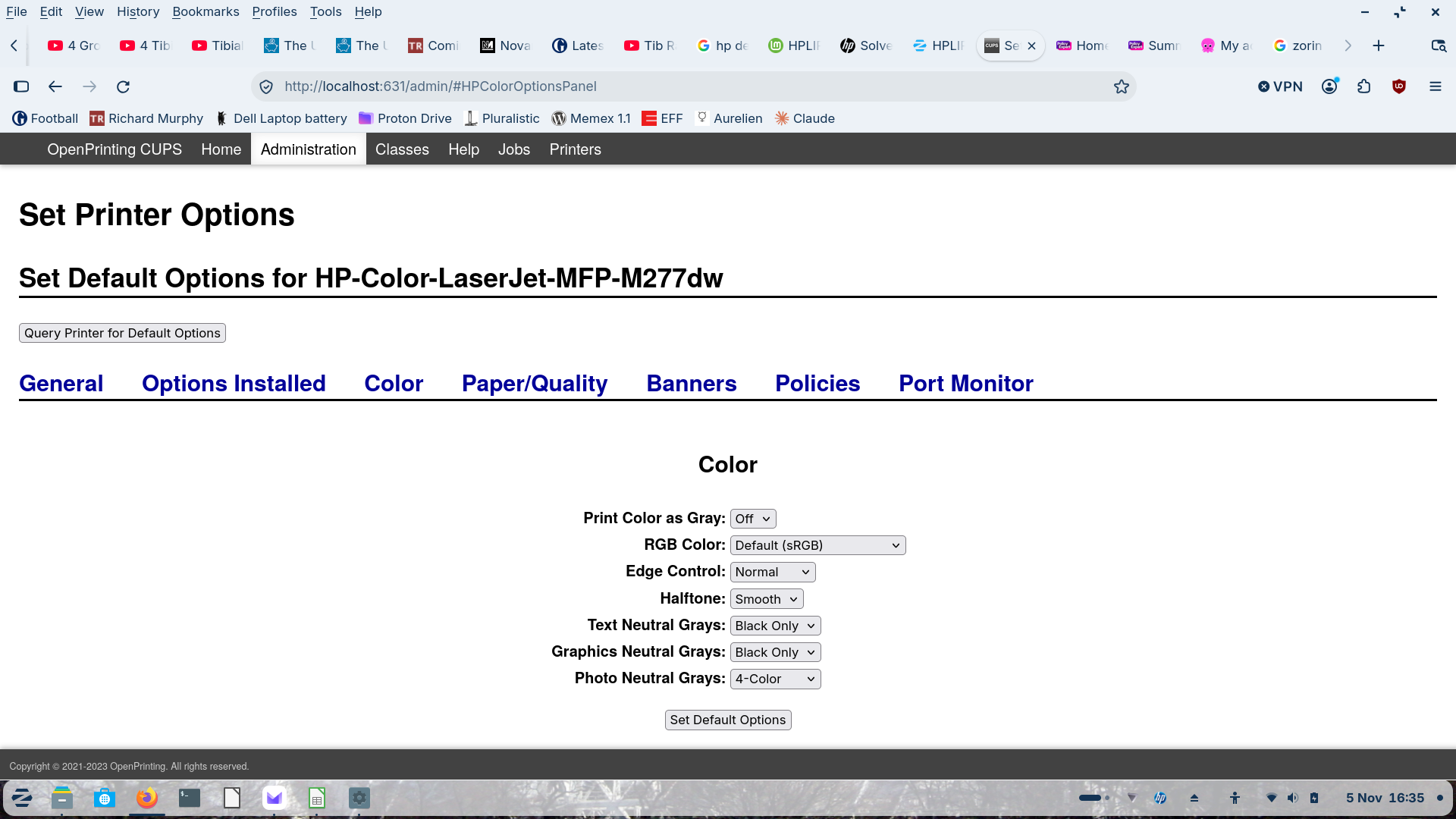
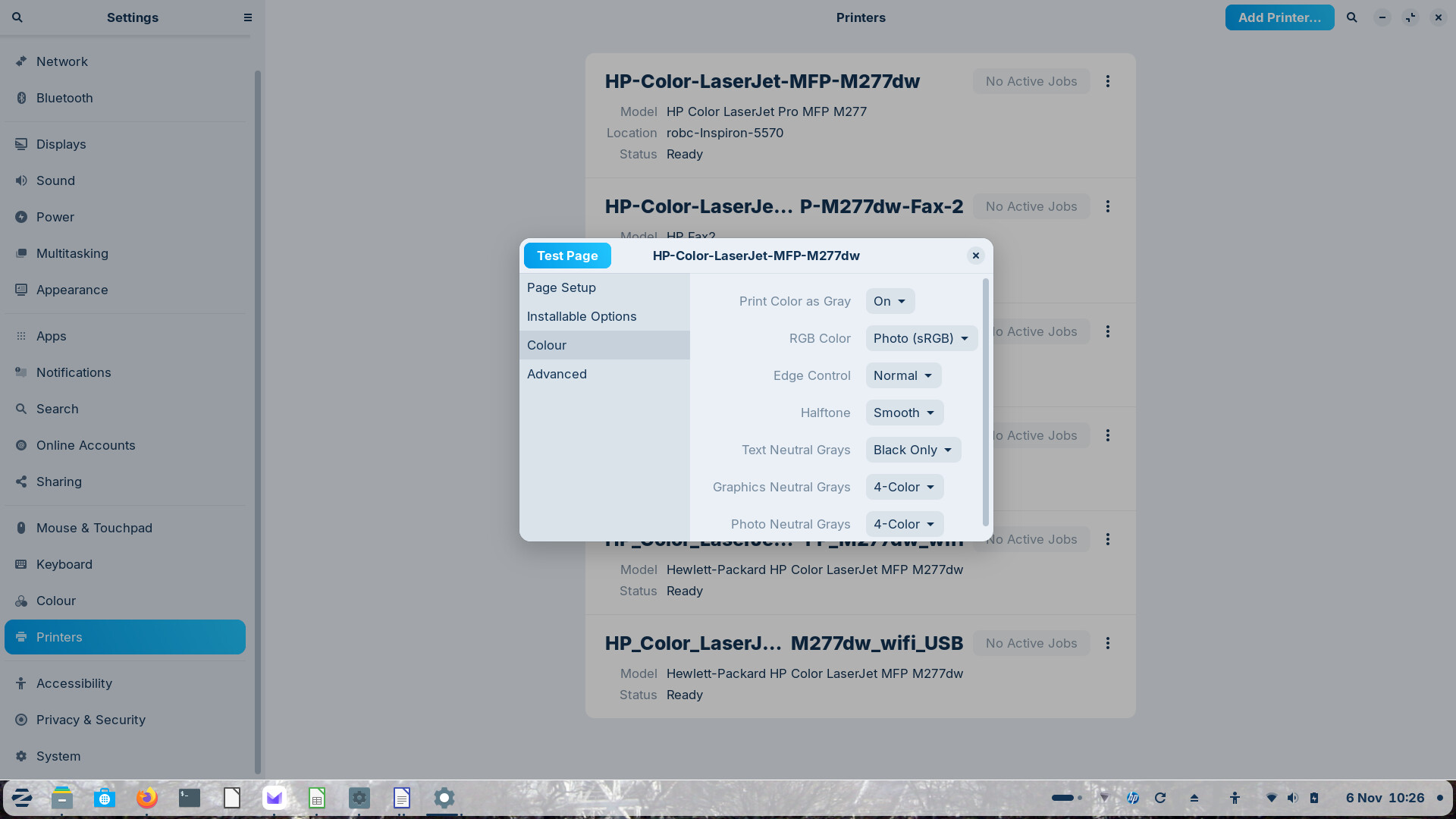
See below, setting Print Color as Gray to Off doesn't seem to save this option, when I go back into this option it's still showing as On
Err no 
Which of the Options in the Background did You choose?
Background? Not sure what you mean, as mentioned, when setting Print Color as Gray to Off doesn't seem to save this option, so when I go back into this option it's still showing as On
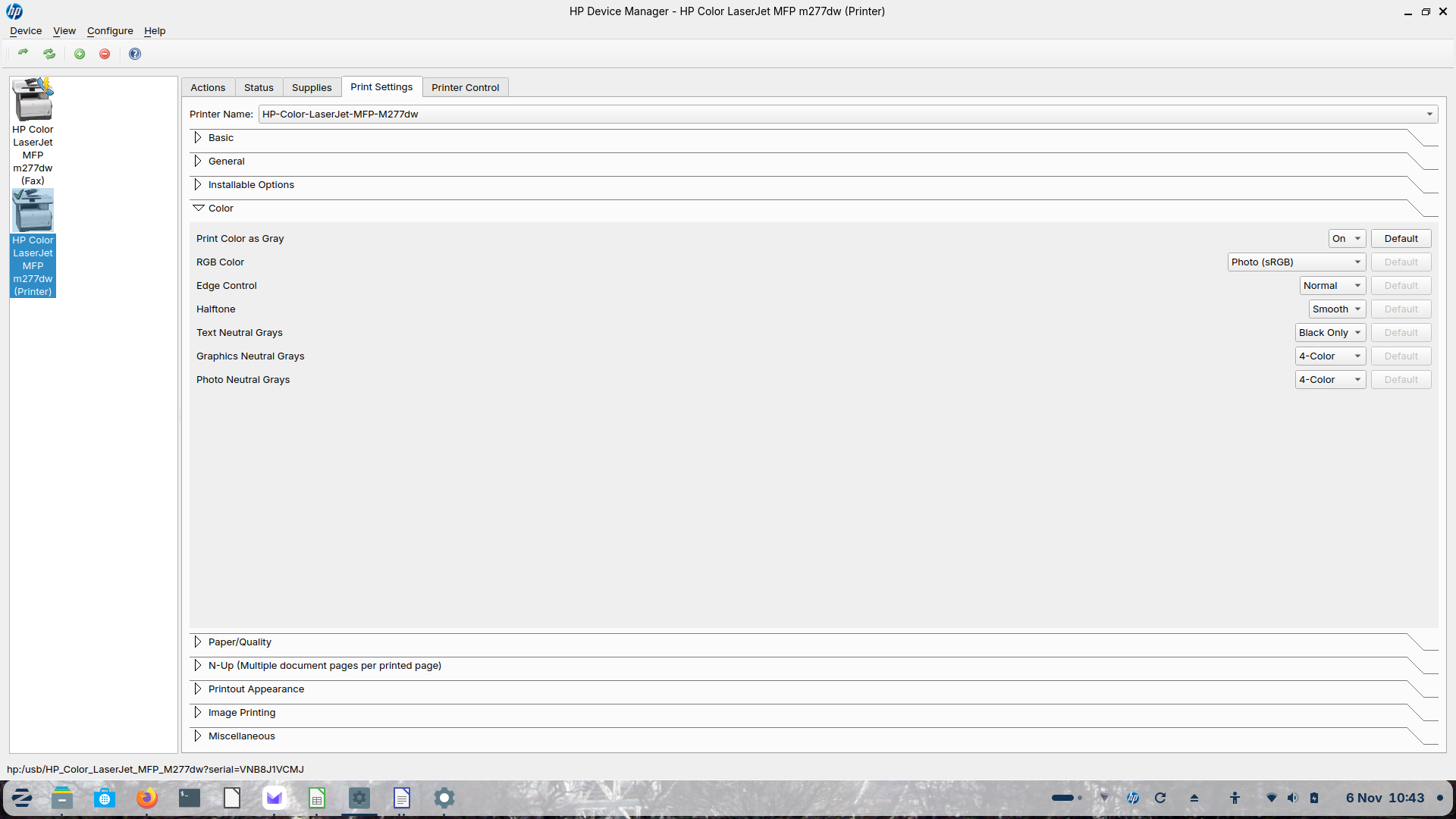
Same also in HP Device Manager, always defaults to Print Color as Gray despite switching this option off
I mean here the List in the Background:
The first option on the list
OK, the printer manages to print a colour jpeg image correctly in colour but a colour image in the several Libre documents I've tried continues in greyscale. 

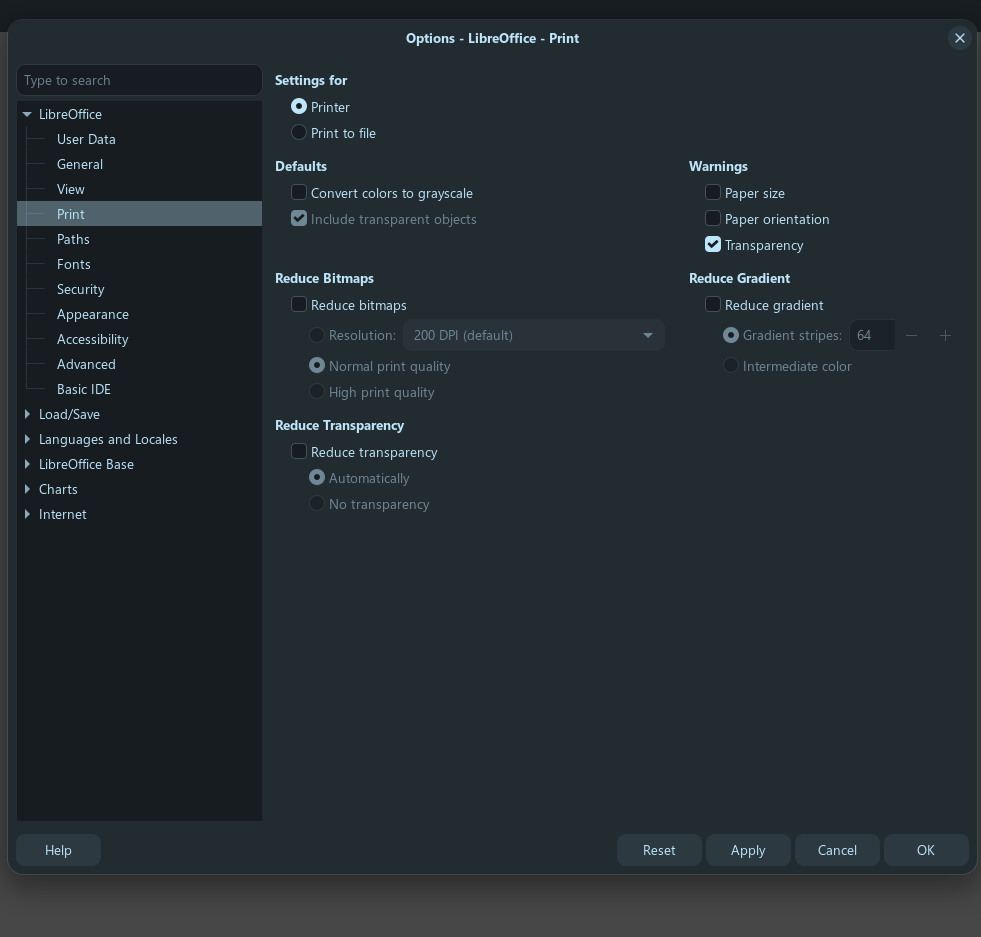
tools/options/print...is the convert colors to grayscale unchecked?
check for that in all the libre office you use before printing
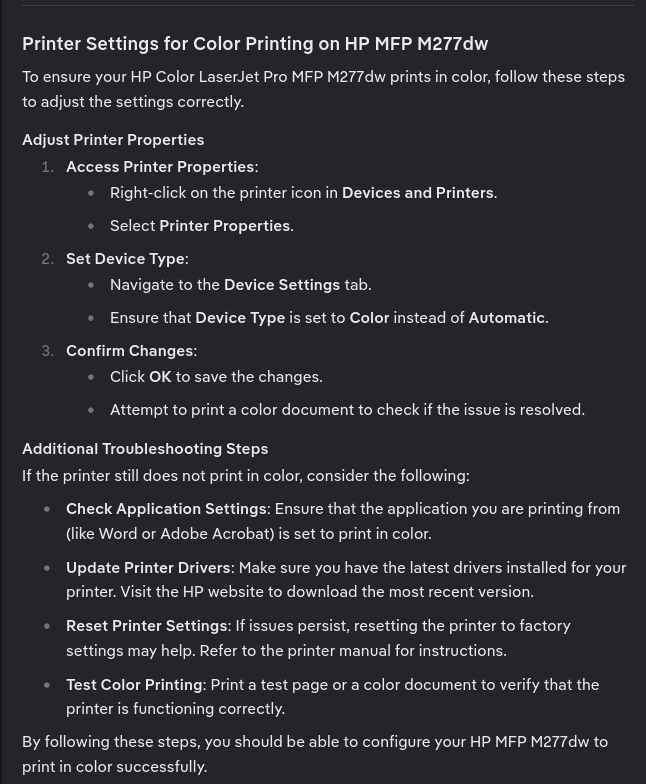
My Brave A.I. search result via Mojeek gives:
This issue is typically caused by LibreOffice's internal print settings overriding the printer's color capabilities, or by Ubuntu's CUPS driver configuration for specific printer models.
To resolve this, check the following settings in order:
Disable LibreOffice Color Conversions : Go to Tools > Options > LibreOffice > Print and ensure "Convert colors to grayscale" is unchecked . Also, go to Tools > Options > LibreOffice Writer > Print and ensure "Print text in black" is unchecked .
Check Printer Properties : In the File > Print dialog, click Properties (or "Device") and verify the Color Mode is set to Color or RGB , not Monochrome or CMYK (some high-end lasers require CMYK).
CUPS Workaround for Ubuntu 24.04 : If using a RICOH or similar OEM printer, the default CUPS PPD may force grayscale. Apply this terminal command to force color output:
lpadmin -p PRINTER_NAME -o print-color-mode-default=color
4.(Replace PRINTER_NAME with your actual printer name.)*
If the issue persists, test printing a color image from a different application (like Firefox) to determine if the fault lies with LibreOffice or the system-wide printer driver .
AI-generated answer. Please verify critical facts."
@swarfendor437 ......JINX....lol
Can You show the whole List please?
Hi @Ponce-De-Leon @swarfendor437 @wesoliv429 thanks Libre Office print options grayscale is unchecked. My web searches and Claude AI have thrown up some stuff related to CUPS also, will look into that and report back
Fixed I believe with a little help from yourselves and Claude.
HPPJLColorAsGray/Print Color as Gray: *on off. The * marks the current default, so the queue is set to print colour as grey.
Changed it to: sudo lpadmin -p HP-Color-LaserJet-MFP-M277dw -o HPPJLColorAsGray-default=off
Now Libre printing docs with colour images correctly.
So the HPPJLColorAsGray default was the culprit all along.
Thanks all!