The very important Windows key brings up the "start" menu. However I have a problem : as I said elsewhere I use the Smartnav, which is definitely not Plug N Play. I don't use a normal keyboard but something called "Lucy". Unfortunately it is no longer in production, but I found a Youtube video about it : https://www.youtube.com/@lucykeyboard/videos . With it alone I could install any version of Windows using only shortcuts and combinations of keys. For example Ctrl-Esc brings up the start menu. Naturally all key combinations and shortcuts are different and so far, I have not found a shortcut or key-combination for the Windows key. Does anything exists ?
For the Zorin menu I found no solution to setup a custom hotkey. It is not as easy because Zorin menu is not an app but a gnome-extension. Probably you would need to edit the code.
But you can install the gnome-extension "ArcMenu", there you can setup custom keyboard shortcuts to open the menu.
First install extension manager
sudo apt install gnome-shell-extension-manager
then open it and go to tab browse. Search for ArcMenu and install it. When it is installed, go to tab "installed" in extension manager and click on the cog wheal at ArcMenu. Go to tab general > general settings > ArcMenu hotkey and click on the pencil to edit. Then a window opens where you can add a new hotkey. You see it on the screenshot. I added a custom hotkey for ctrl+.
You can set what you like. Then the ArcMenu opens when you press this key/these keys.
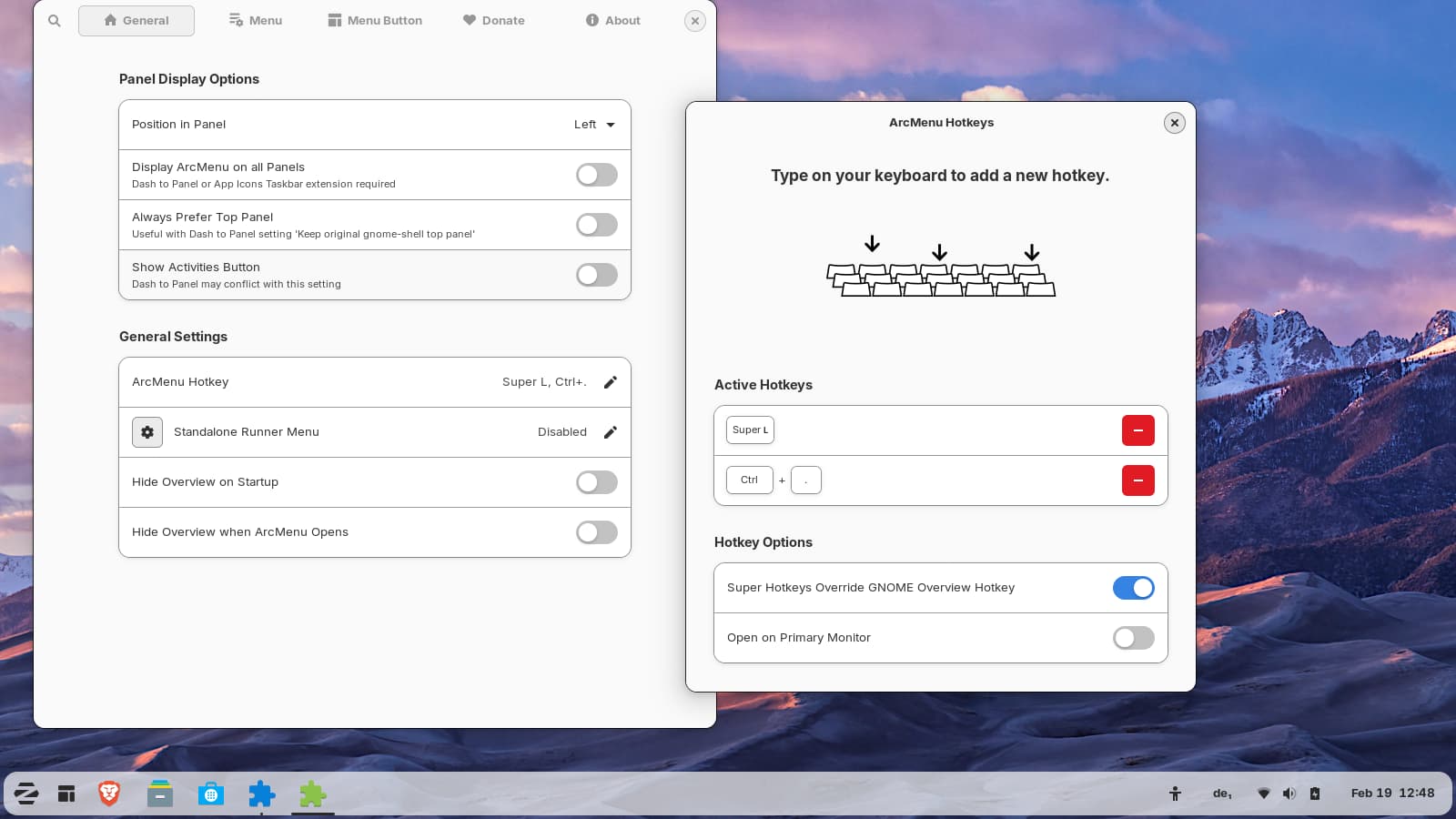
You have now a new icon in the taskbar for the ArcMenu. In the settings of ArcMenu are many layouts to setup the start menu to your wishes.
That is one layout of ArcMenu (layout ArcMenu, at ArcMenu layout tweaks I turned on the category list as default view and at Fine tune I set the icon style to full color... and some more things):
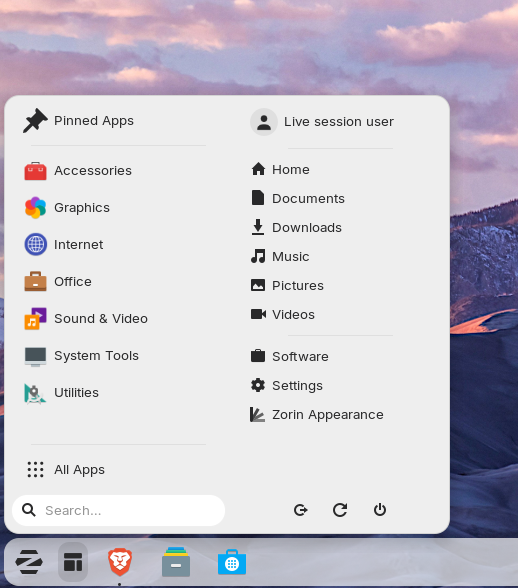
You can design it as you like.
If other shortcuts don't work because you need the super (win) key, you can edit the shortcuts. Go to the keyboard settings and look there for the shortcuts. You can change the ones which use the super key and replace it with another key.
1 Like
Wow! Thanks for lenghty reply. When I sort out my mouse situation, I will give it a try.
Another option would be to try it with input-remapper. With this app you can remap another key which works then as Super (Windows) key. Maybe you have a key on your keyboard which you don't need.
This topic was automatically closed 90 days after the last reply. New replies are no longer allowed.