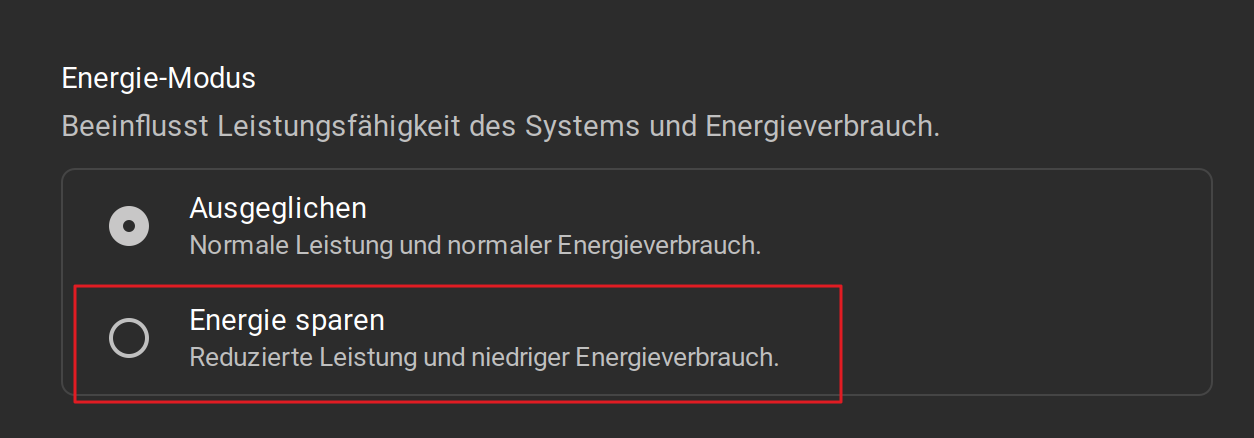
Just as the title says. Currently I have Windows 11 installed on my laptop because I needed it for a uni project, but that ended like a year ago. I mostly kept Windows on it "in case I need it" but I am seriously considering just setting up a Windows VM for anything I need, I'm sick of keeping it on this laptop when I could just enjoy Zorin >.< and don't even get me started on having to disable all updates completely in fear of Windows bricking my SSD like other users reported recently online!
Specs:
Lenovo IdeaPad 1 15AMN7
Processor: AMD Ryzen 3 7320U with Radeon graphics GHz
RAM: 16 GB
Battery: Integrated Li-Polymer 42Wh, supports Rapid Charge Boost (get 2 hours of runtime with a 15-minute charge)
I am doing some researching and found out about tlp, but I wanted to hear opinions from more experienced users.
I would suggest to install Zorin as Dual-boot beneath Windows. So, You have run it on Your Machine and can test it on Your Machine. And You have Windows still there if You should need it or if something shouldn't work as expected.
Before you switch completely to Zorin I'd recommend to make a dualboot to see how your laptop behaves in Zorin and if everything will work (camera, sound, touchpad, headphones, microphone, suspend mode...)
The battery life in Linux is mostly shorter than in Windows, even with TLP.
I rarely turn Windows on anymore, but I'm glad I can switch if there's a problem with anything or something not working in Linux.
Hey, Is this the norm? Do I have any settings to tweak in zorin to get good battery life? I am experiencing crazy battery draining issue on my new laptop.
Well ... Yes, that can be a Risk. I had in the Past a Dual-Boot before I switched completely to Linux and had never the Problem that a Windows Update made Trouble - but that doesn't mean that it can't happen. Especially when the Boot loader is affected it can be annoying.
But when You only want test how Your Battery behaves - maybe a couple Weeks -, I would think that this is worth a Try.
Yes, unfortunately this is the case with many laptops in Linux. Microsoft offers better power management/driver support.
It is therefore recommended to install TLP in Linux. I've never used the tool myself because my battery is very weak so I always have my notebook connected to the mains.
If you have a dedicated graphics card, switch to the internal graphics card when on battery.
I have a Lenovo ThinkBook, now approaching 1yr old, which came with Win11.
I still require Windows for some of my work, so initially I dual-booted with Zorin 17.3. A few months ago I installed a second SSD so I could have Zorin and Windows on separate drives.
Yes, battery life is less on Zorin, however I can still get several hours of work. I always switch between battery and mains power so as to attempt to maintain battery between around 25% and 90%. I made a small script which alerts me when battery reaches 90%.
The main thing I noticed initially was that going to 'Suspend' overnight drained 25% of battery, which seemed shocking. This was consistent, sometimes it was dead in the morning. For this reason I always just powered off each night.
Last week I forgot and used 'Suspend' - and it is only draining 2-3%. Actually last night only 1%.
So I suspect one of the recent kernel updates has brought improved drivers.
That's interesting. Do you have tlp installed on your Zorin there?
I don't use suspend over night ever, but even shutting down Windows without pressing Shift first to completely shut it down has wasted my battery.
Edit: And yeah I also maintain my battery between 20% and 80%, a bit different than yours. This is also the reason why it feels like it doesn't last very long, having to charge after 60% is spent.
I don't have TLP installed - just basic Zorin 17.3 at the moment. I did experiment with it on an previous install under Zorin 16, but at that time was too unsure of what I was doing to really experiment. I didn't feel it made much difference.
I am often doing non-intensive tasks (writing, visual studio) but more intensive tasks (graphics, occasional video resizing etc|) I want to have full power available.
EDIT: I never leave it in Windows, so I haven't noticed how it behaves overnight. I suspend on Windows for maybe an hour or two in-between things. I'm just really pleasantly surprised by the recent big improvement.
Good to know! Based on the research I did, it seems TLP makes a big difference, but I guess it differs for everyone. Not sure if I want to take this big step yet, but I'll keep researching about it and maaybe do it eventually
I'm back! I made the big step, I wiped Win11 and installed Zorin 18 on my laptop. Turns out I was worried about nothing, battery life is SO much better on Zorin, I was shocked! I was never happy with how long it lasted on Win11, and reading about people's experiences I thought on Linux it would be even worse. And this is without even doing any optimizations myself, like installing TLP. Now I only need to use Windows for work. Having Zorin on my better laptop makes me a very happy girlie