Hello everyone in the Zorin forum. I'm trying to install Zorin 18 Core on an IMAC 12 2. I'm installing without a nomodeset. Unfortunately, my screen remains black, even though I can hear a boot sound after the installation is complete, but the screen remains black.
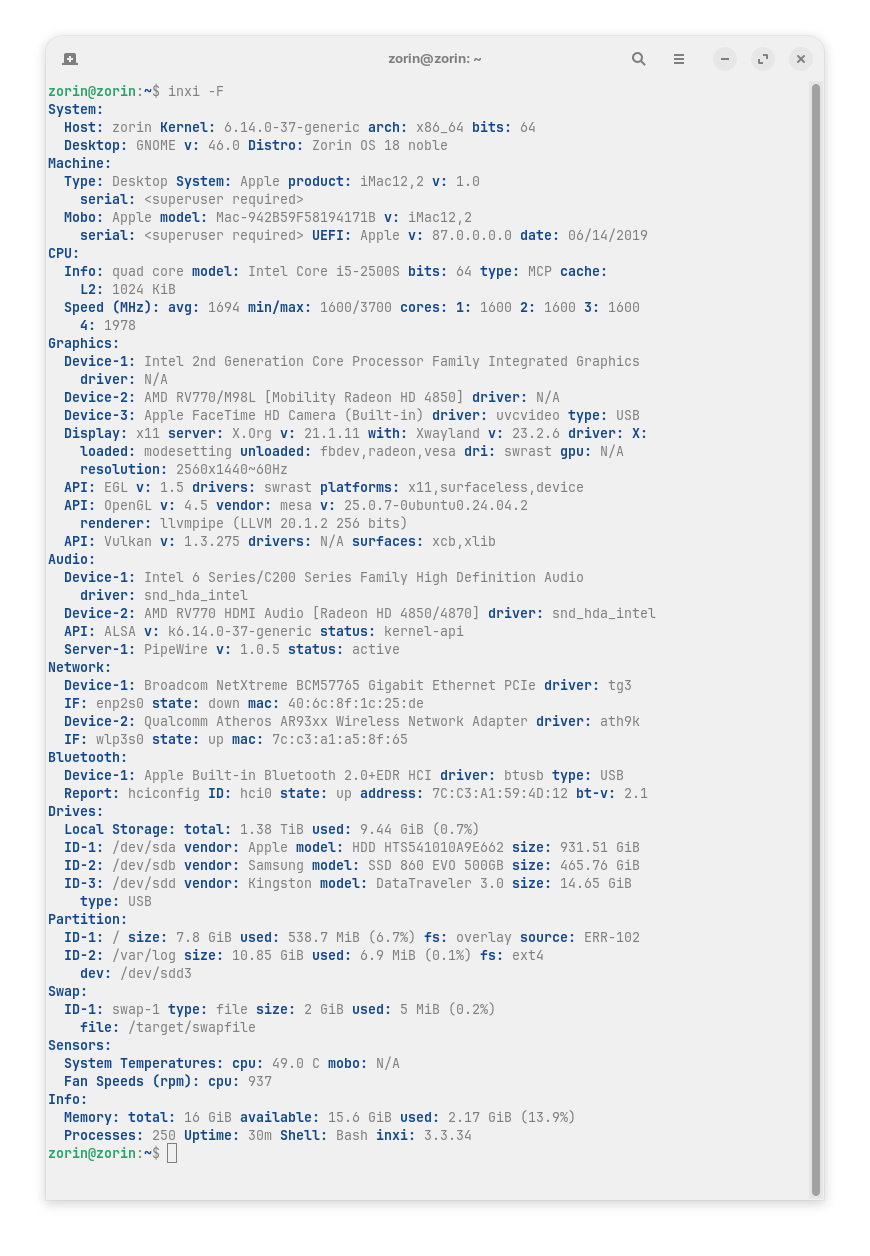
The iMac12,2 uses Intel HD Graphics 3000 (Sandy Bridge) which often needs kernel/Mesa tweaks or kernel parameters (nomodeset/i915 options).
- Boot to GRUB and test kernel options
- Reboot, hold Shift/Esc to show GRUB. Highlight Zorin, press e to edit the linux line.
- After quiet splash, try each (one at a time):
- nomodeset
- i915.modeset=1 i915.enable_rc6=0
- i915.modeset=0
- Ctrl+X to boot. If desktop appears, proceed to step 3 (make permanent).
- If screen remains black but system responds
- Try TTY: Ctrl+Alt+F3. Login and continue. If no TTY, boot a Zorin/Ubuntu live USB in “Try” (safe graphics) and open a terminal.
- Install or update drivers
- Connect to Internet, then run:
- sudo apt update && sudo apt upgrade -y
- sudo apt install --reinstall xserver-xorg-video-intel mesa-va-drivers mesa-utils
- Reboot, remove nomodeset if you added it permanently.
- Make a working kernel parameter permanent (if step 1 worked)
- Edit GRUB: sudo nano /etc/default/grub
- Add the working option inside GRUB_CMDLINE_LINUX_DEFAULT (e.g., "quiet splash i915.modeset=1")
- sudo update-grub && reboot
- EFI/GRUB framebuffer tweak (if early black screen)
- In /etc/default/grub set:
- GRUB_GFXMODE=1024x768
- GRUB_GFXPAYLOAD_LINUX=keep
- sudo update-grub && reboot
1 Like
This topic was automatically closed 90 days after the last reply. New replies are no longer allowed.