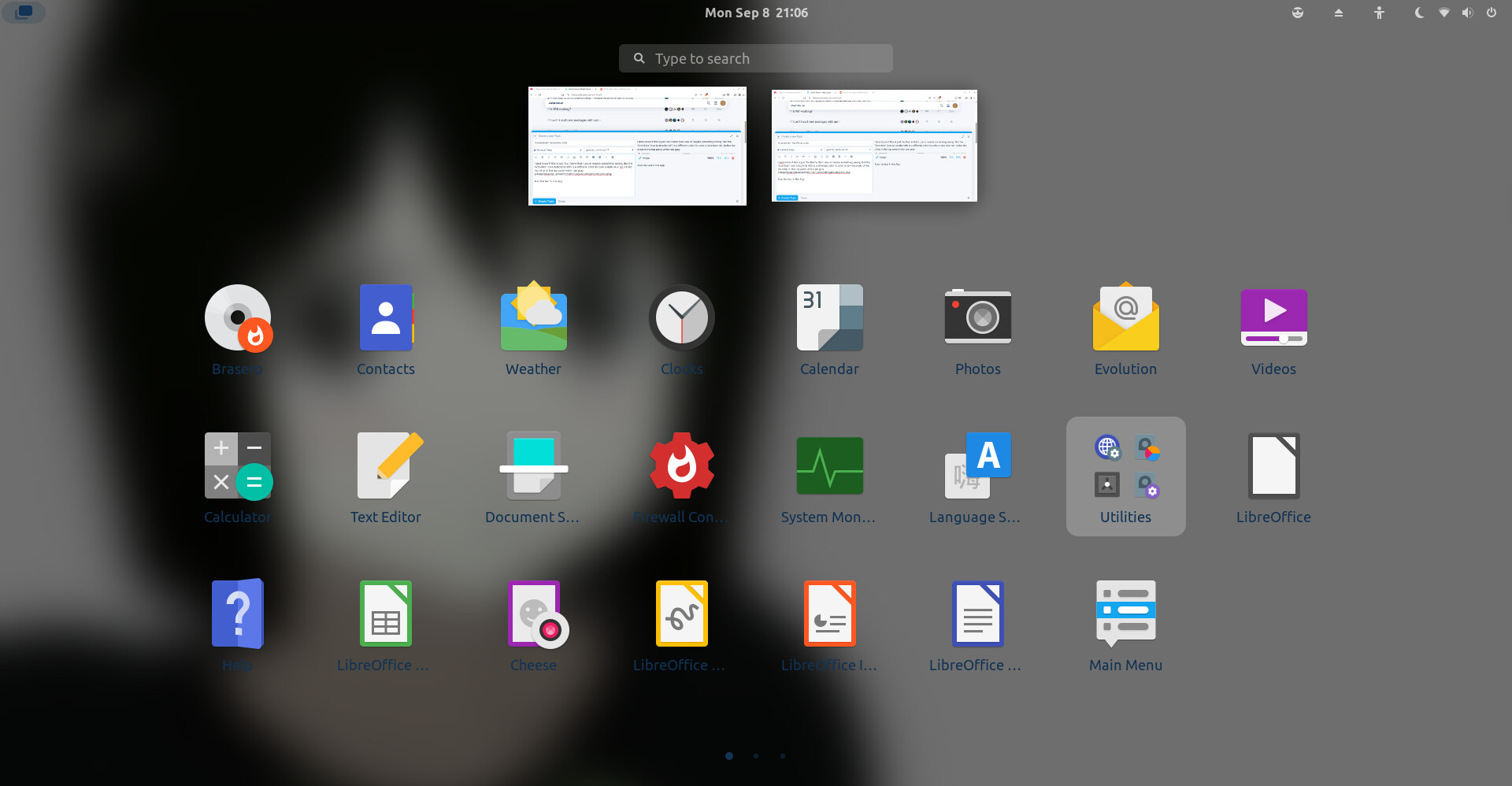
I dont know if this is just the theme that i use or maybe somethings wrong. The "Activities" icon button(far left) is a different color its color a dark blue-ish color. Unlike the other in the top panel which are gray.
Also the text color in the Applications Menu is the same dark blue-ish color. Which makes the texts hard to see.
If i use the ZorinGrey-Drak as my Shell Theme it does change the texts to white which kinda fix the main problem but i still wanna use the Graphite-Light Theme
Sure, i know a bit of CSS, im trying to learn Web Dev. In the CSS file for Graphite-Light it says "This stylesheet is generated, DO NOT EDIT " Is it okay for me to share/edit this file?
I'm not sure whithout knowing the codes.
You can also ask Aravisian he's more into .css theming than I, as I have moved to KDE a while back.
But again editing the themes seems futile when Zorin 18 comes with the new Gnome version.
I believe this is caused by a combination of LibAdwaita and ZorinGroups circumventing it - and the color accents that are part of Zorin Themes bleeding in due to them overriding the LibAdwaita - which the LibAdwaiata is trying to override the Zorin Themes.
What delete? The File that I've wrote down? No. I tried that and then my System way broke. Fortunately, I had the File copied before remove it. So, I could copy it back in the Live Mode.
Update: I’m posting this in case anyone else is looking for a solution to a similar problem. Downloading from the github page of the theme and running the install.sh from the terminal did helped. (from Ponce's post, the first one)