np. he is a wizard at printers he may even make ya a video to walk ya throught it
Where did You get the Driver for it?
Did You used the ''debian Archive Package''? When You go here:
https://www.canon-europe.com/support/consumer/products/printers/maxify/mb-series/maxify-mb5150.html?type=drivers&language=EN&os=Linux%20(64-bit)
You have 3 Choices:



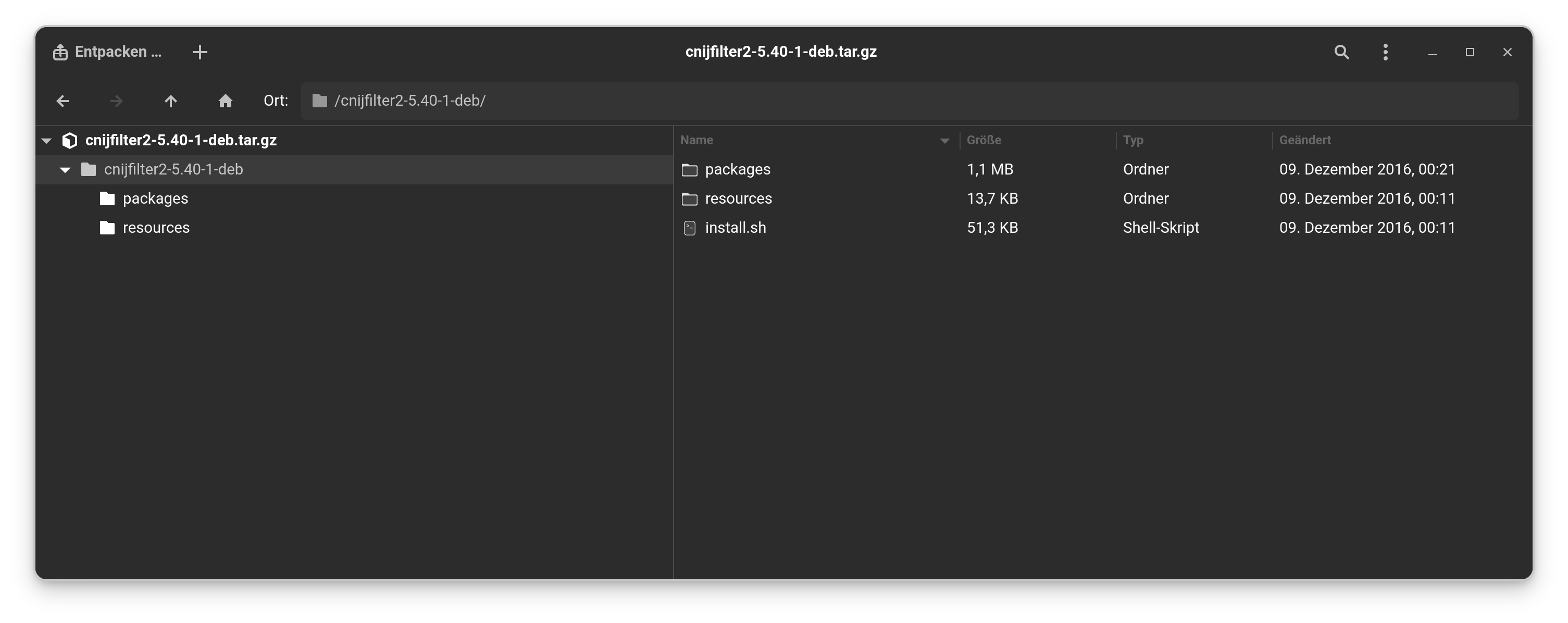
Choose the last Option. And when You have downloaded it, there You have the install.sh Script:
2 Likes
Hi there,
@Ponce-De-Leon offers the best solution for downloading the drivers but I prefer using the .deb package rather than installing via the terminal using GDebi. If you have not got it open a terminal and enter:
sudo apt install gdebi
Next, you need to stop cups-browsed, then disable it. Then you need to install system-config-printer:

I learned many years ago on the PearOS forum about 'system-config-printer', it is the only method I ever use to ensure you get the printer working correctly. I don't like Gnome's Settings | Printers or KDE Plasma's Settings | Printers.
I will be back later for the Gdebi part of installing the drivers.
This post is a welcome prompt for me to cover Gdebi in the Printers section and to cover other printers as well and which browsers to use when it comes to Epson Printers in the Unofficial Manual for Zorin 18.1 Core (w.i.p.). 
1 Like
Video here:
Please be sure to read the description underneath.
Don't forget to  any video on my Vimeo Channel.
1 Like
There are actually .deb Packages. They are in the Folder ''packages'' but I guess the Script uses these with relating to the Stuff in ''resources''.
2 Likes
It is just what I am used to.
1 Like
@swarfendor437 I knew you would make a vid to help him.... 
1 Like
WOW ! Thanks for that , the Debian package did the job , straight in no issues...
Thanks again.
3 Likes
Always happy to help!
Don't forget to setup your scanner drivers.