I'm trying to install Zorin 18 on my laptop that has a disc drive & a SSD. (I am replacing Windows 11.) I figured out which part is the SSD (I think), but the official instructions are confusing and did not work. Could someone please explain what I need to do like I'm 5 years old? I've spent the last 3 hours searching for a solution, and every answer I find either doesn't feature 2 hard drives OR is the wrong OS version.
I tried to change the partition size to the Zorin Core size, but that didn't work (see image). I tried to subtract that amount from the existing partition size, but that did not work either (see image). I also tried an arbitrary number between the two; that did not work. I kept getting an error message that the size I entered was too small.
Someone really needs to re-write the instructions for Step 3 on their website because they are confusing AND they don't really specify what to do when you have multiple hard drives.
Check this first: don’t try to shrink the Windows partition to the “Zorin Core size”. If you are replacing Windows, the installer needs free space or a target disk, not a partition exactly that size. With two drives, make sure the drive dropdown/device name is the SSD you actually want (often /dev/nvme0n1 for NVMe, /dev/sda for SATA). If you are not 100% sure, back out and open Disks/GParted from the live session to compare the model and size. Safest route is disconnecting the HDD for the install, or using manual partitioning on the SSD only: small FAT32 EFI partition mounted at /boot/efi, and an ext4 partition mounted at /. Don’t touch the HDD entries until the SSD is clearly identified.
Before coming to the actual Partitioning a Question: You have 2 Drives. And now You want install Zorin on one of the Drives but keeping Windows on the other Drive? Or do You want directly wiping Windows and then install Zorin as the only OS?
I don't work on tech hardware whatsoever; IDK how to take things apart like that, and I really don't want to buy tools solely for this one instance.
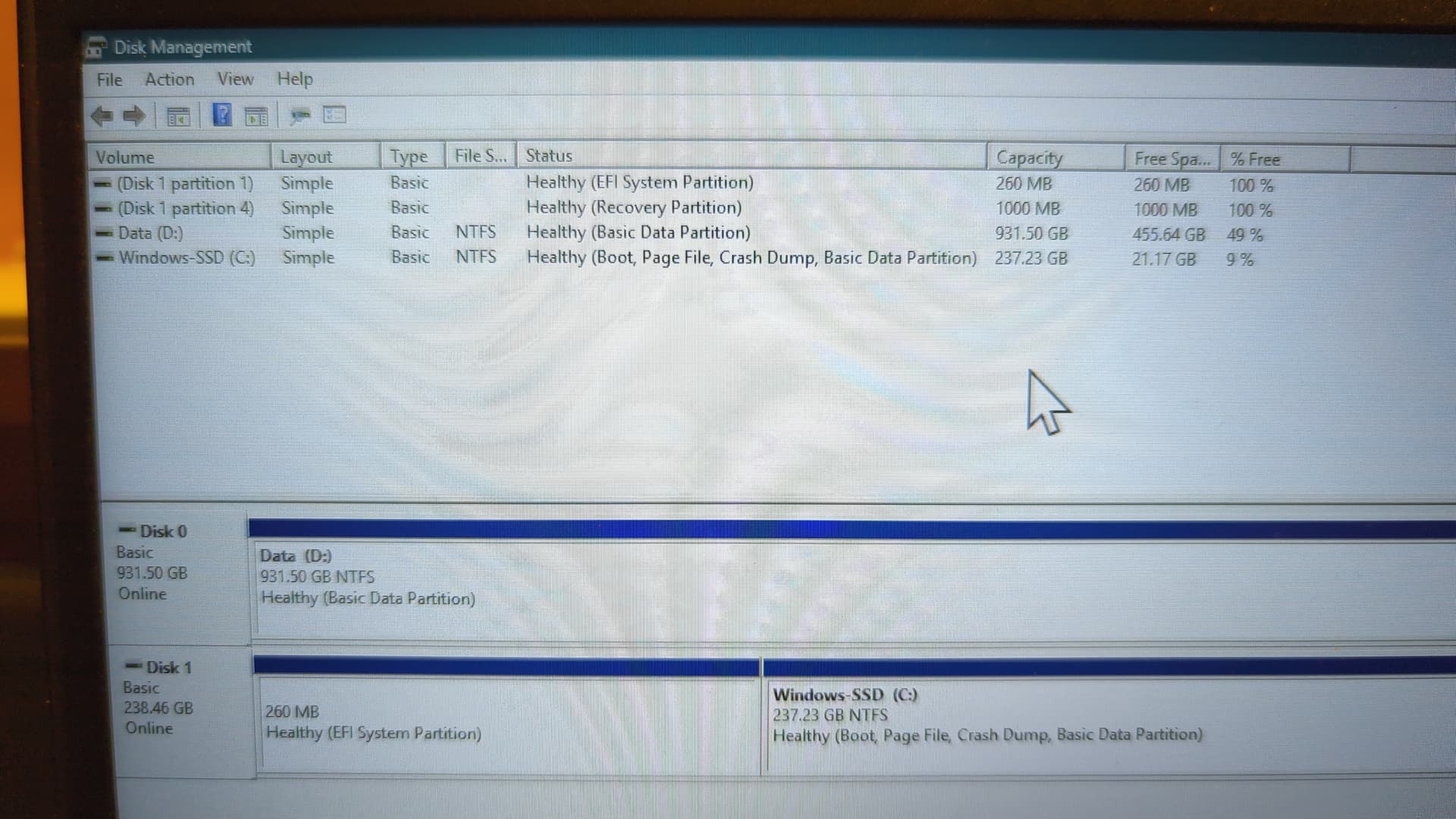
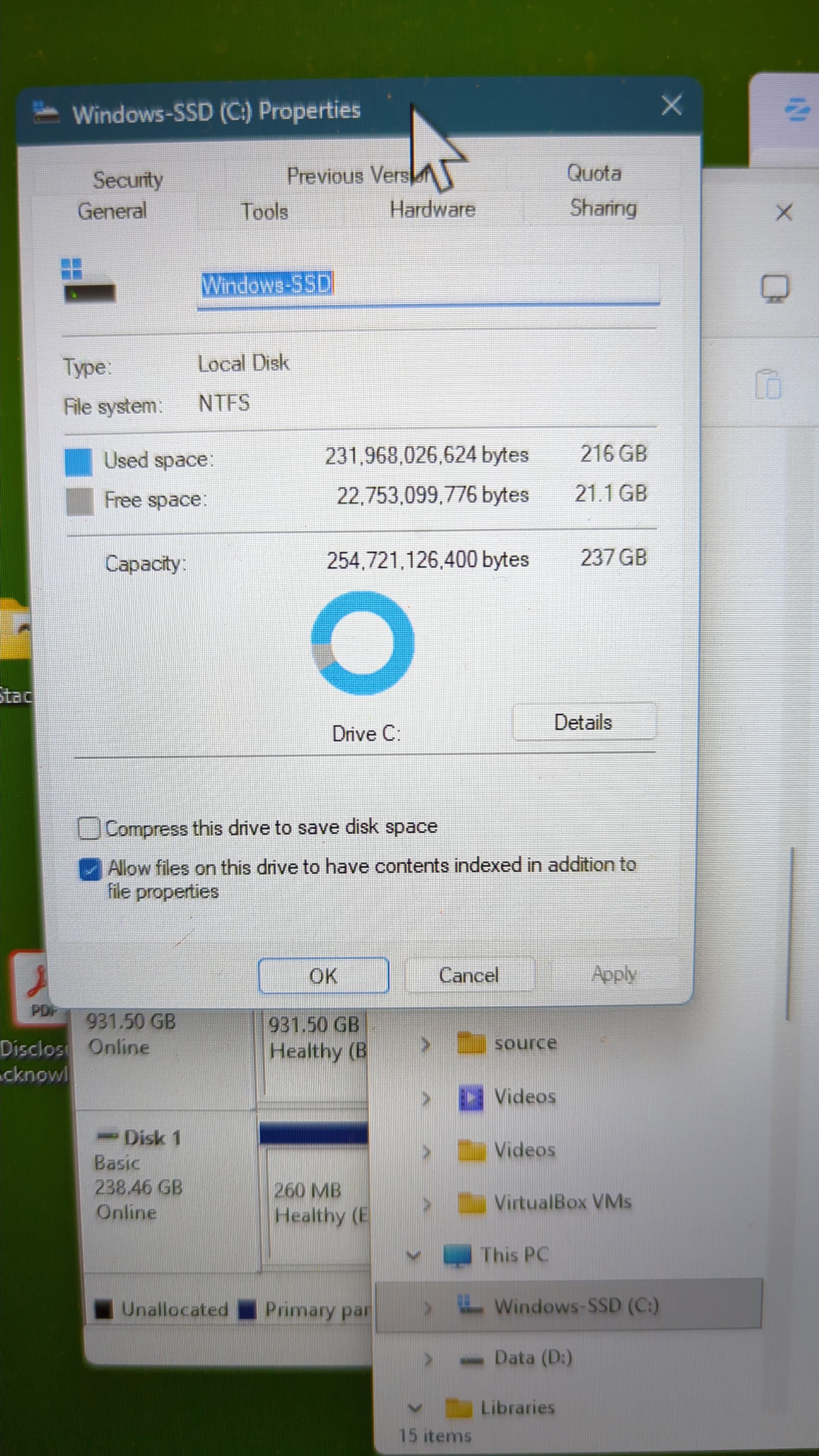
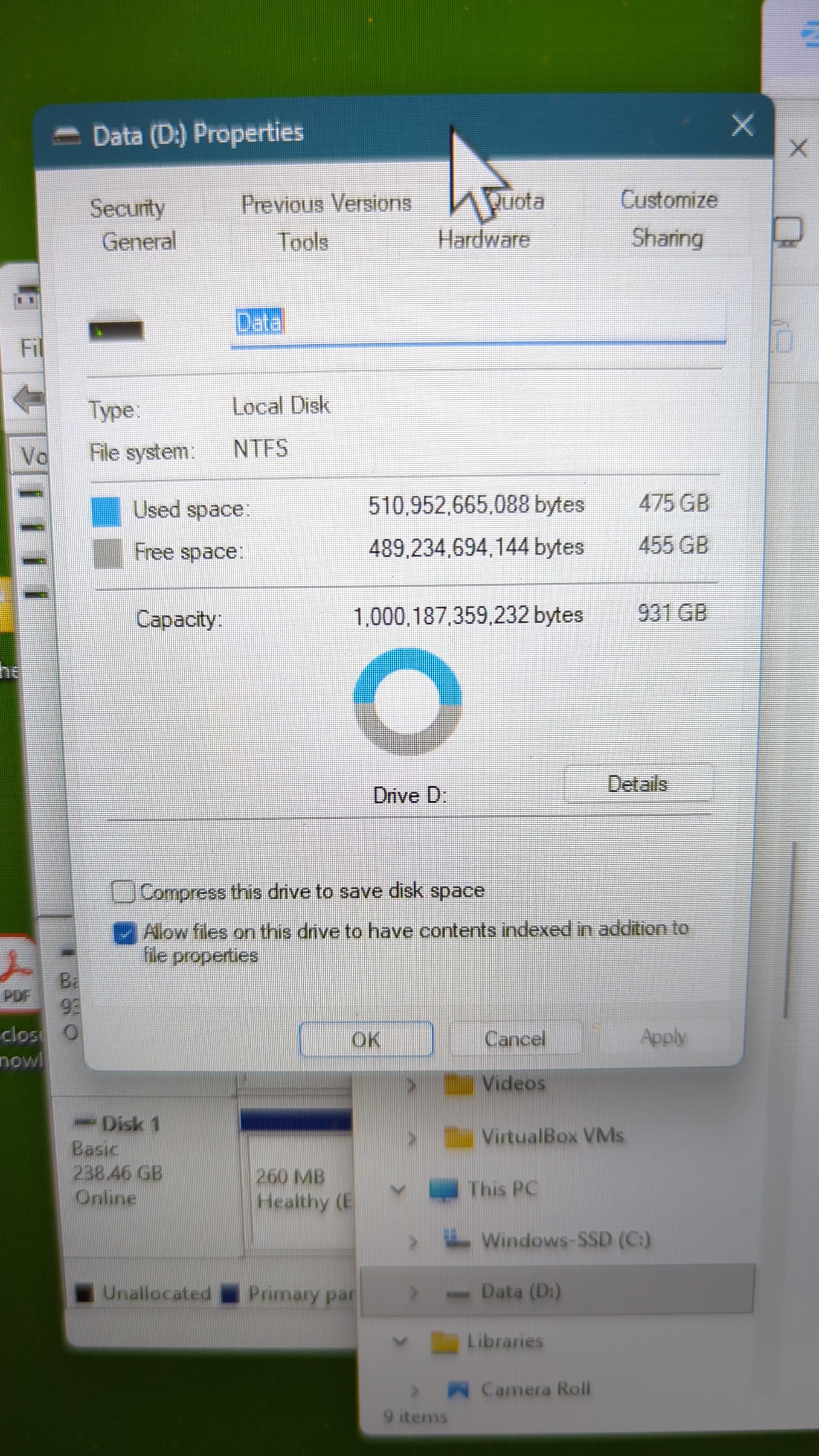
As for how it's currently set up.... Is this what you mean? (See pics) Okay it looks like I'm missing a photo... I had one that showed the entire window for the drives and partitions. I can take another one once I'm back at my computer, but hopefully this is enough.
Okay, when You want this, there would be a Solution but You should have saved Your Data before doing this.
When all Your Data is saved, start the Zorin Bootstick and choose instead of ''Install Zorin'' the Option ''Try Zorin'' and then You are in the so-called Live Mode. Look there for GParted. Open it. Choose Your Windows SSD and then simply delete the Partitions from Your SSD. When done, install Zorin on it.
When You want keep the Disk called ''Data'' You can do that. But then You say, You don't need that, You can of Course delete every Partition from every Drive. Because You have that on a seperate Drive, I thought it was intentional to have it that Way for Reasons. So, I concentrated on the SSD.
You mean for Installation? When You have a Nvidia Card, it will directly install the Nvidia Driver with it. So, You don't have to do that after the Installation.
But You can of Course choose the non-Driver Option and install the Nvidia Driver after the Installation. Sometimes that is a good Idea to avoid Issues during Installation. But it is only a ''You can'' not a ''You have to'' Thing. Of Course, when there are Installation Issues, it can be neccessary.
But when You have a Nvidia Card, You can use that, yes.
Okay. Thank you for all the advice. I will give it a try today & report back
If I recall correctly, the idea was to put most applications (like games) on the SSD so they will run faster, and then bulk storage stuff like photos, videos, documents, etc get stored on the disc drive, since it's okay if accessing that stuff runs a bit slower.
If you really want to remove all your windows stuff and all your data then why not just choose the erase and install option (or whatever it is called)? No need to mess with the something else option if you don't want to keep anything. The installer should wipe everything and install Zorin on the whole disk. If you want to use your other disk for data or whatever you can just format it in ext4.
Am I missing something here, guys?
One other thought, are you in UEFI or Legacy BIOS and does your boot stick match? Also are you in RAID? If so switch the option. And it almost goes without saying, disable secure boot and fast boot before leaving windows.
Ponce-de-Leon ... So I used GParted to delete all the partitions, as you suggested, and then just used the normal installation option and everything went just fine
Thank you very much for all the help, and you have a great day!
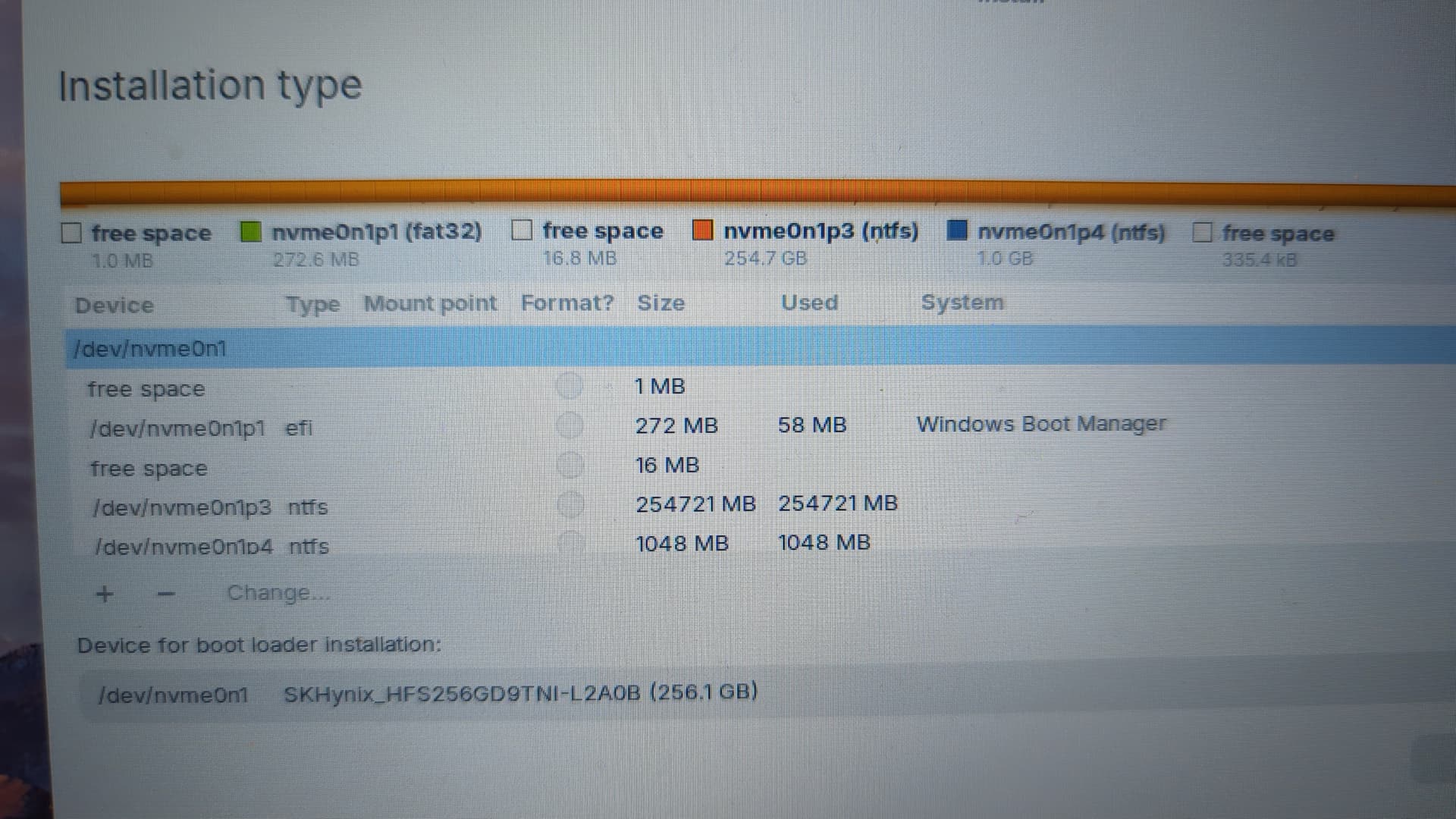
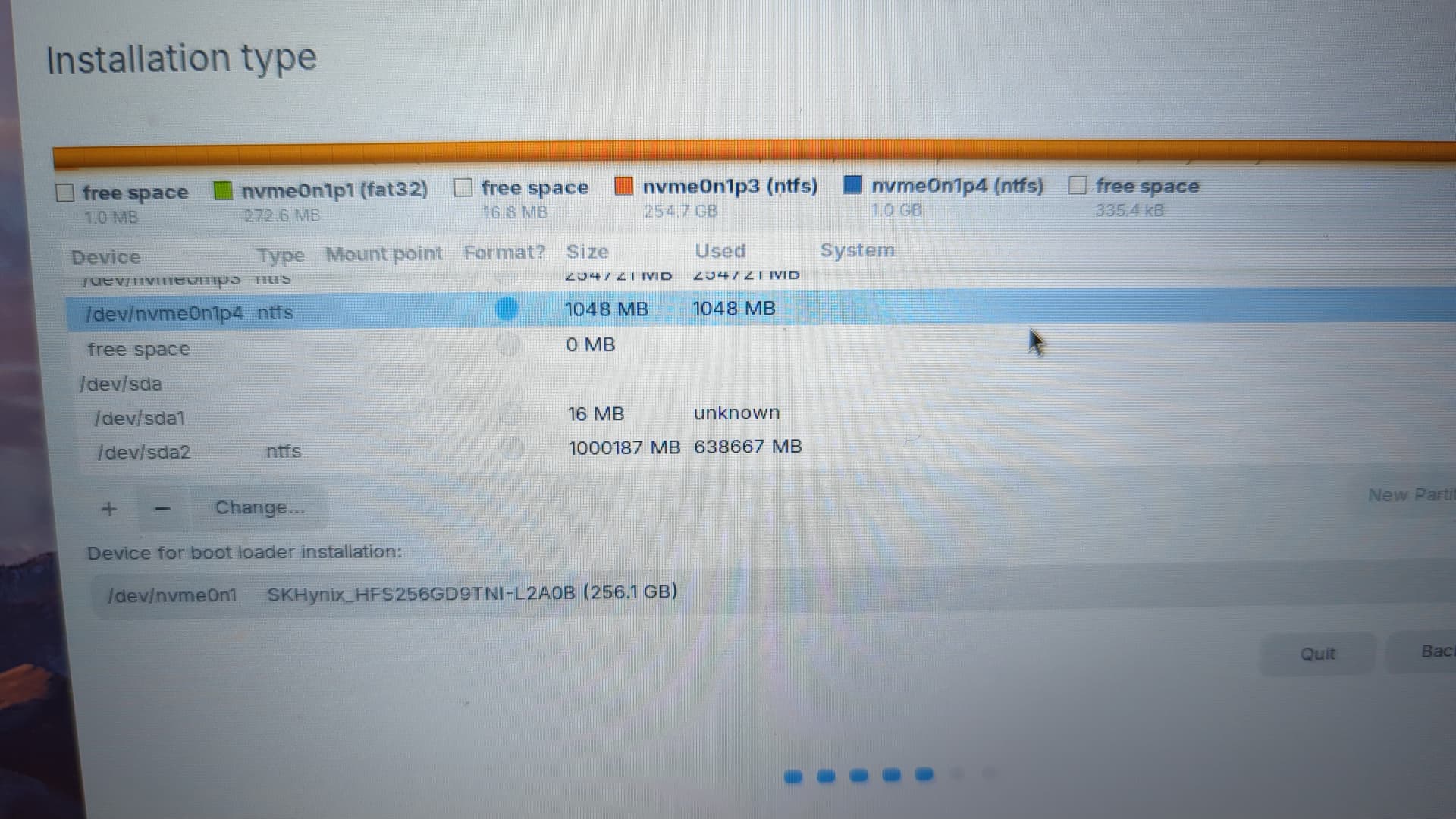
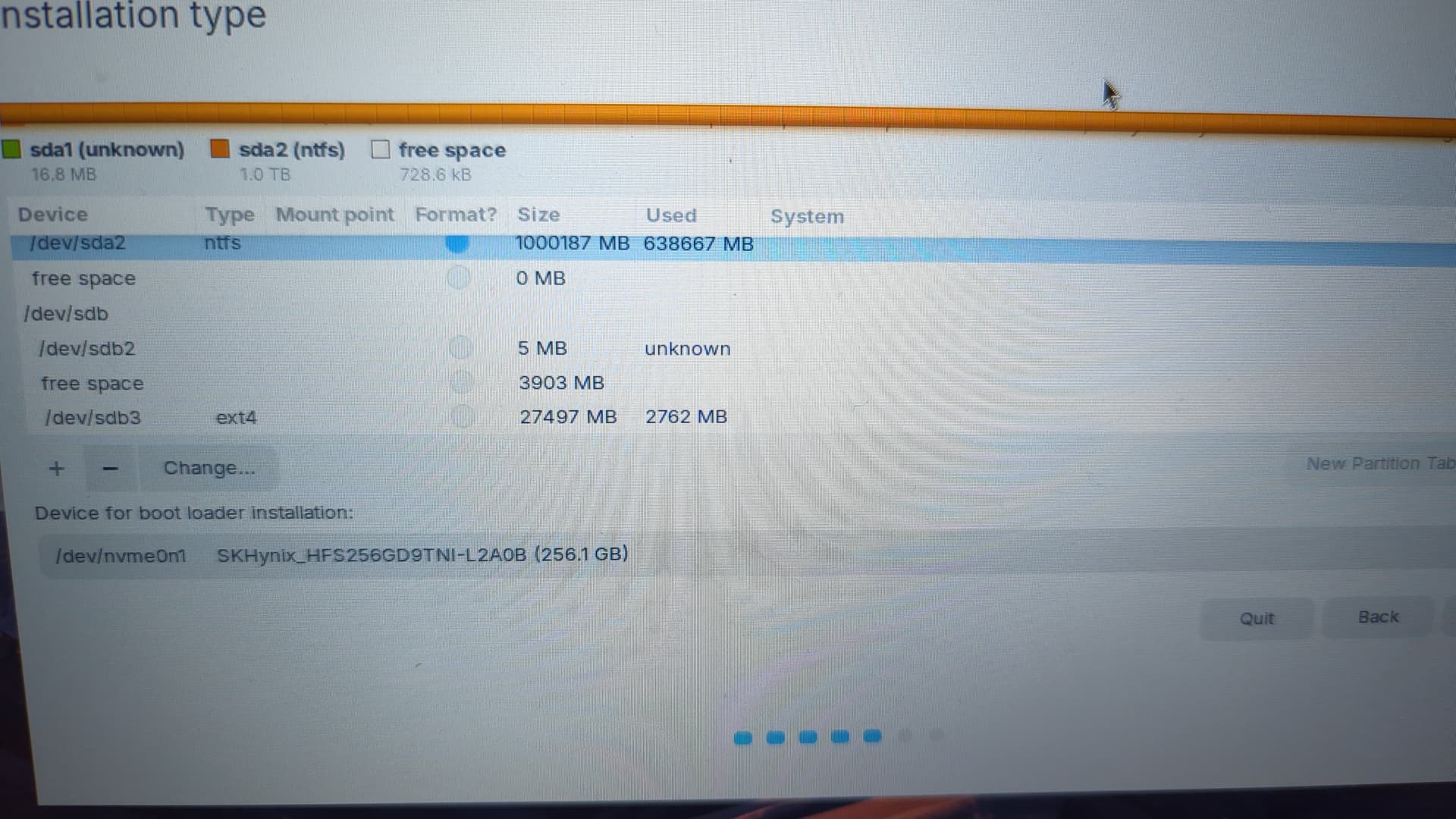
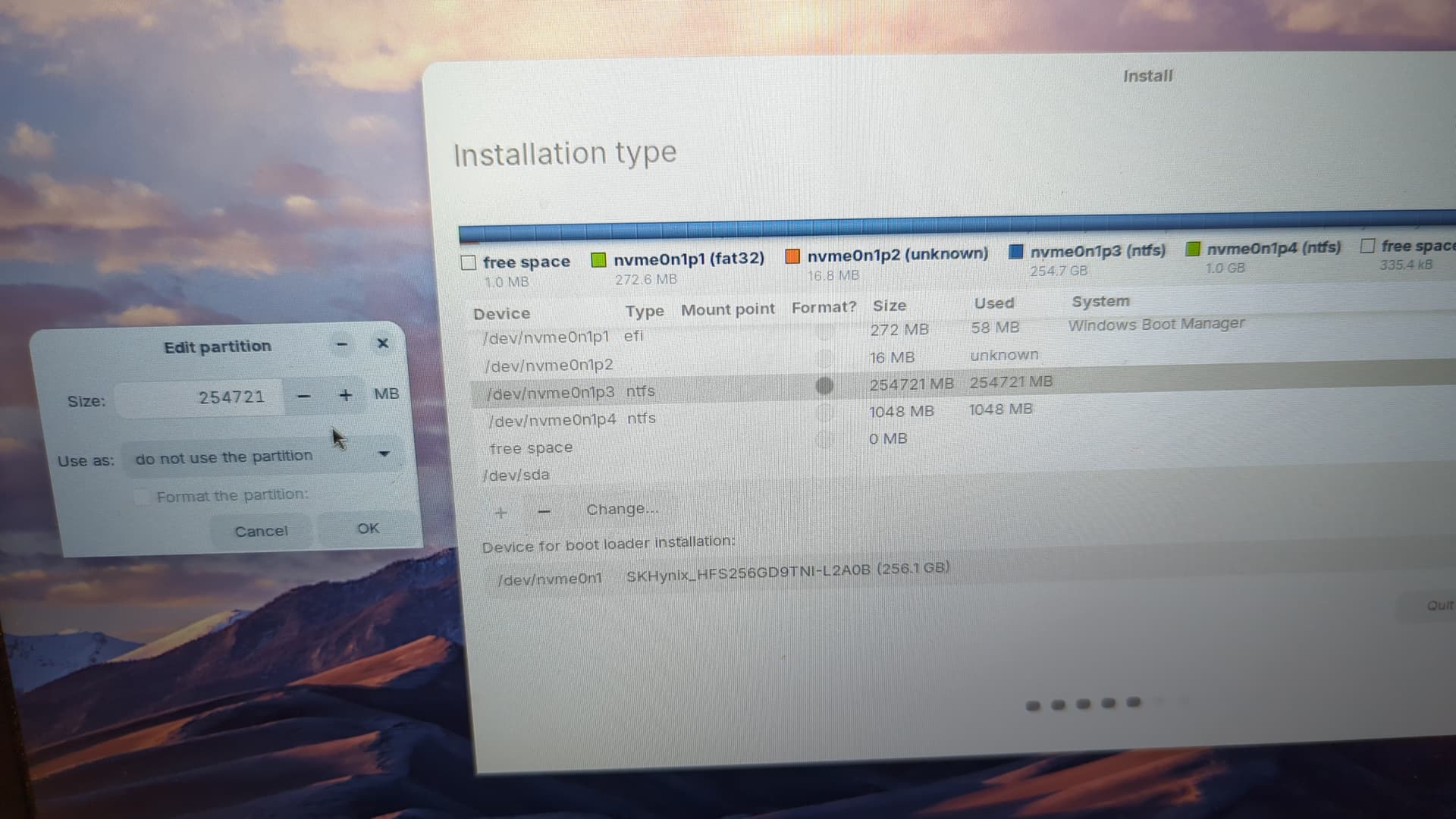
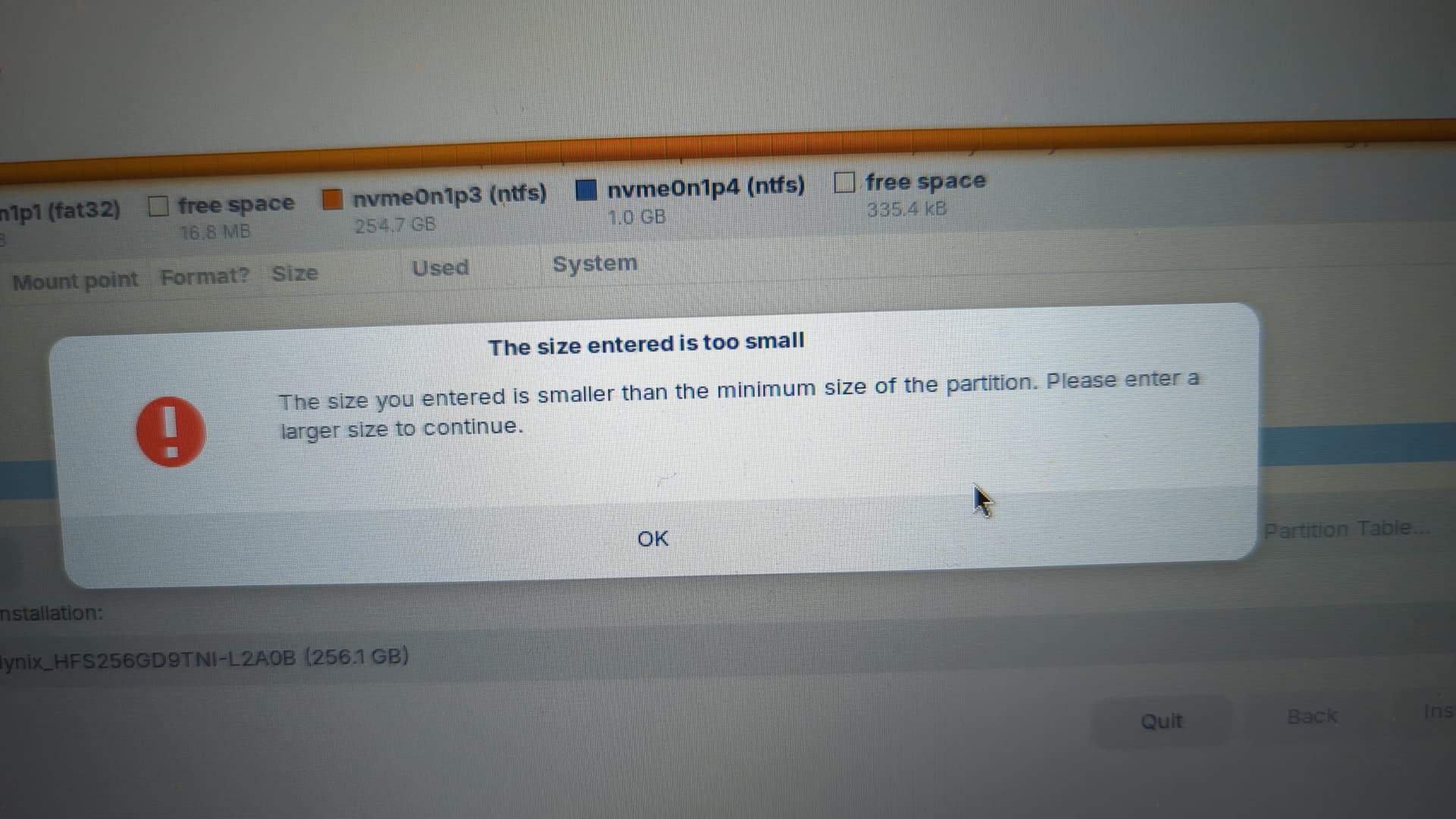
 Okay it looks like I'm missing a photo... I had one that showed the entire window for the drives and partitions. I can take another one once I'm back at my computer, but hopefully this is enough.