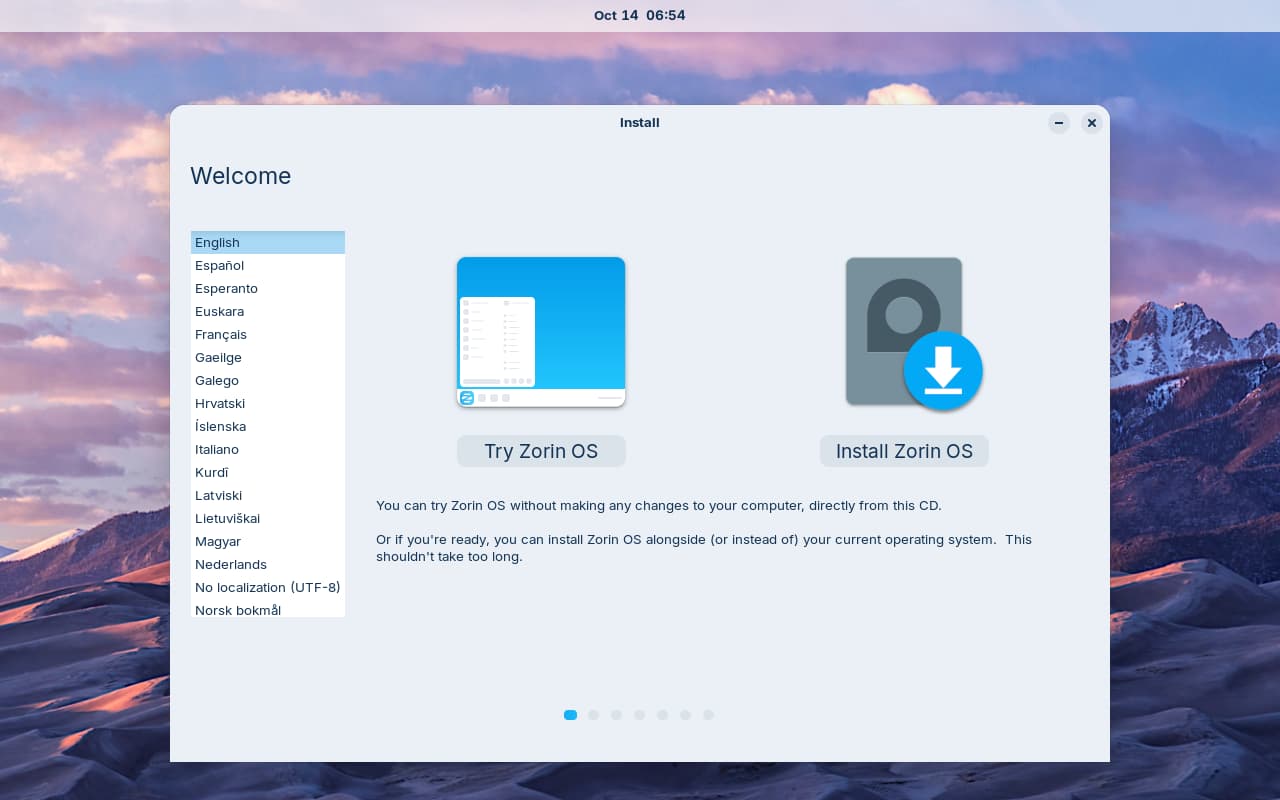
I have downloaded 3 times, and flashed via Rufus 13. I attempted to boot via the hardware boot menu. After ZorinOS 18.1 loads, I see both monitors show a wallpaper but no icons or menu to interact with. I expected to see a icon saying do I want to test or install?
Hardware
Beelink SER8
CPU: Ryzen 7 8745H
RAM: 32GB
SSD 0:
Samsung SSD 980 PRO 2TB (target for Zorin OS 18.1 Core)
SSD 1:
Samsung SSD 990 PRO 2TB (Win 11 24H2)
Well I am wondering if it is because you have Zorin on Drive 0. Traditionally on a dual-boot on one hard drive, Windows should always be the first OS.
Did you turn off Fast Boot and Secure Boot in the BIOS?
Did you turn off the Advanced Hidden Power Settings that prevent the Windows Hard Drive from going to sleep? Have you changed the hard drive settings in the BIOS from RAID (which Windows uses) to AHCI (which GNU/Linux needs?
So, Zorin is not installed yet, yes? You talk about booting up the USB Stick. There should be a Black Screen where You have Options to ''Try or Install Zorin''. Which one did You choose?
Have you checked if the checksum of the .iso is correct?
You should see a normal desktop background of Zorin (mountains) with a welcome screen window where you are asked if you want to try or install Zorin.