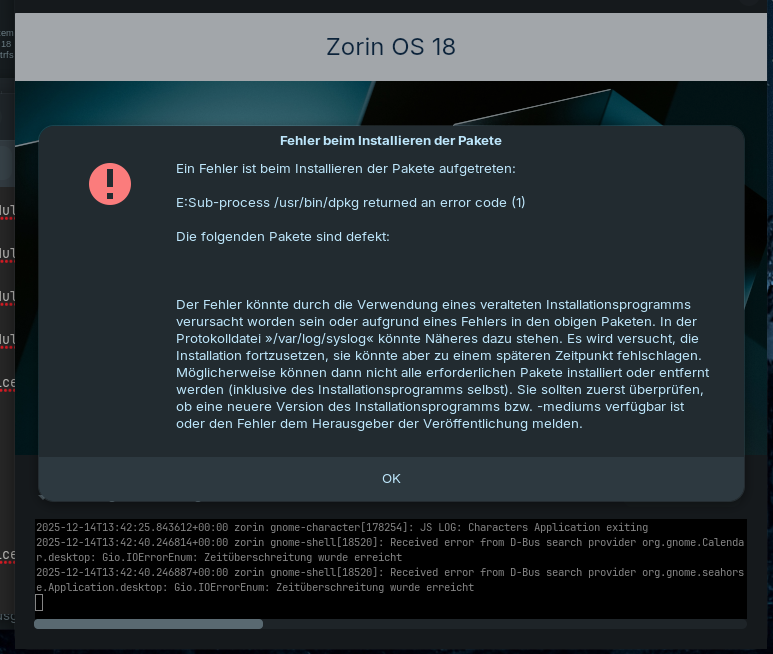
Hello, can someone please help me to install ZorinOS correctly beside my other Linux and Windows Installations?
Best for me would be, if i can install Bootloader on a separate Partition in Installer GUI - like i did for root Partition.
Partiton: /dev/nvme1n1p19
FS: ext4
Mount Point: /
As device for Bootloader i tried this already:
/dev/nvme1n1
/dev/nvme1n1p12 (this was the first Windows Bootloader on this Drive)
but everytime installer failed. in my VM i had no problems but here i wiped the whole drive instead of messing around with custom Partitions.
Can someone help here so i get ZorinOS installed and hopefully can keep all my existing Installations
Edit:
I managed to install ZorinOS now by disabling all Network Adapters.
Do i need to install somethings now which couldnt download during Installation or is this not needed?
Good to read that You already could install Zorin.
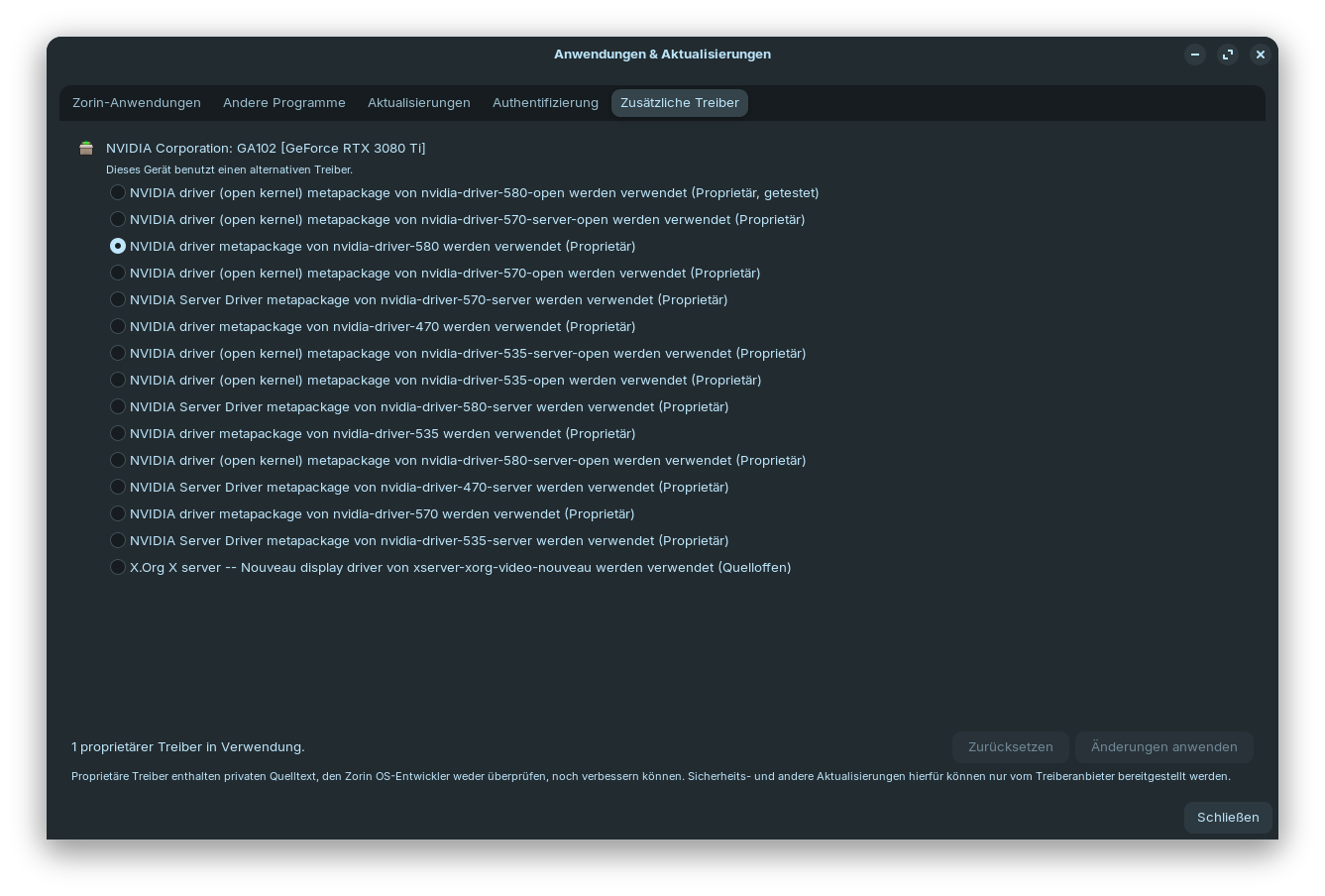
There would be the normal Updates with the Software Updater of Course. Then You could take a Look in the ''Additional Drivers'' Tab in Software & Updates if there are Drivers available for Your Bluetooth, Wifi or Graphics Card.
Good Point, yes. I forgot the Codec Stuff. To get codec Support, open first Gnome Software, scroll down to the End and there You see a ''Codc'' Button. Click on it and You get an Overview with Codce Packages. Install them all.
For further Codec Support, open the Terminal and type sudo apt install ubuntu-restricted-extras ffmpeg vlc
ubuntu-restricted-extras is a Package Bundle and includes Codecs and Microsoft Fonts. Because of the last one, You will get a Licence Agreement Prompt; that is normal. Navigate with the Tab Key to ''Ok'' and press Enter. ffmpeg give additional Codec Support and vlc installs the VLC Media Player who gives that, too.