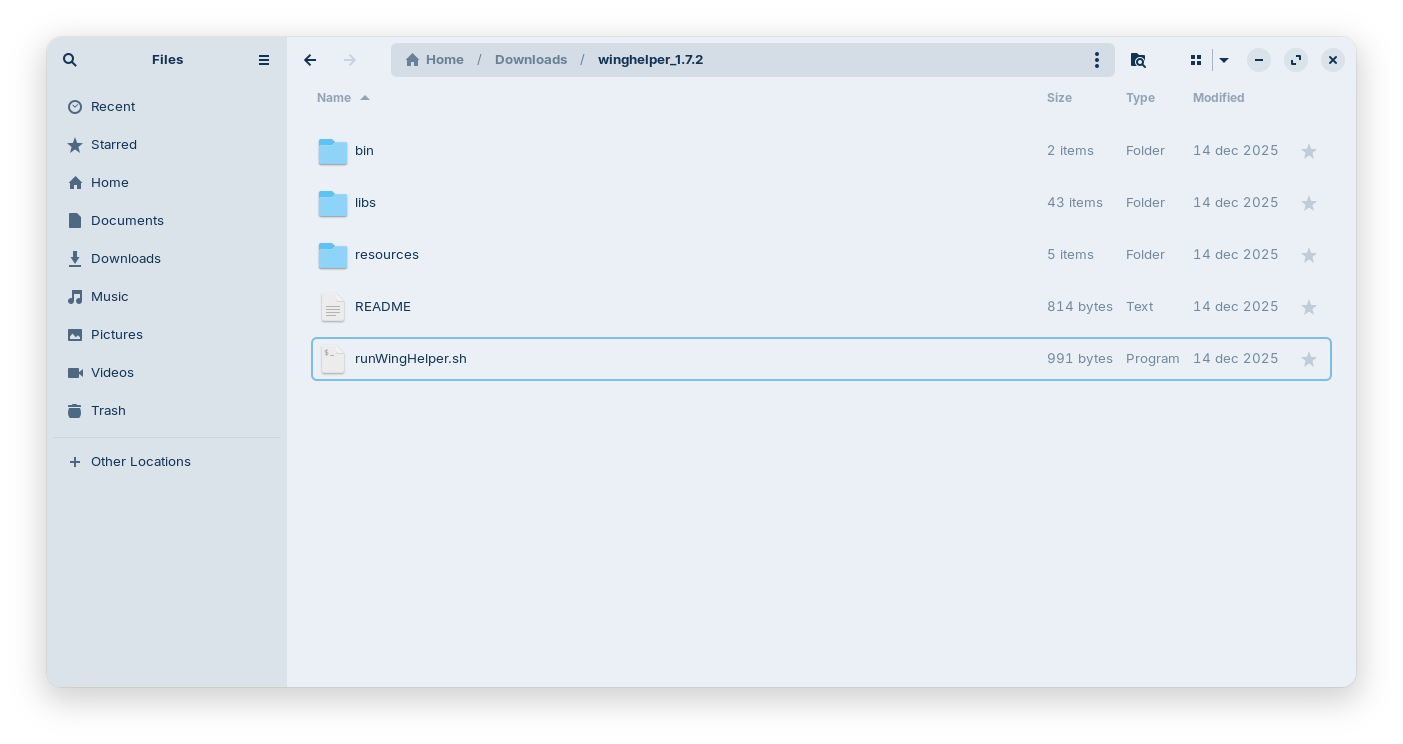
I’ve downloaded the linux-version of CAD program Winghelper:Wing Helper Download
I’m running Zorin OS 18 and updated all software just prior to installing the CAD program.
The readme file of Winghelper instructs:
Please launch WingHelper via export PATH=[path to where this README is located]:$PATH; runWingHelper.sh
Typed the following variants of this command into the terminal:
variant 1:
export PATH=[/home/bluedot/Downloads/winghelper_1.7.2]:$PATH; runWingHelper.sh
produces errormessage: runWingHelper.sh: command not found
variant 2:
export PATH=[/home/bluedot/Downloads/winghelper_1.7.2]:$PATH; run WingHelper.sh
produces errormessage:
Command 'run' not found, did you mean:
command 'rue' from snap darkdimension-rue (1.0.7)
command 'bun' from snap bun-js (1.3.8)
command 'grun' from deb grun (0.9.3+git20200303-3)
command 'runc' from deb runc (1.3.3-0ubuntu1~24.04.3)
command 'zrun' from deb moreutils (0.67-1)
command 'rn' from deb trn4 (4.0-test77-16)
command 'srun' from deb slurm-client (23.02.6-1ubuntu2)
command 'rup' from deb rstat-client (4.0.1-11)
command 'zun' from deb python3-zunclient (4.7.0-0ubuntu1)
command 'crun' from deb crun (1.12-1)
command 'runq' from deb exim4-daemon-heavy (4.97-4ubuntu4.3)
command 'runq' from deb exim4-daemon-light (4.97-4ubuntu4.3)
command 'runq' from deb sendmail-bin (8.17.2-1)
I think I’ve spelled the given installation instruction incorrectly.
I typed your command in the terminal and it replies with a lot of unknowns.
I'm new to Linus & terminal, so probably misinterpret your solution.
Could you elaborate how to use your solution?
The errormessages the terminal prompts are:
bash: cd: /into/the/directory: No such file or directory
chmod: cannot access 'WingHelper.sh': No such file or directory
bash: ./WingHelper.sh: No such file or directory
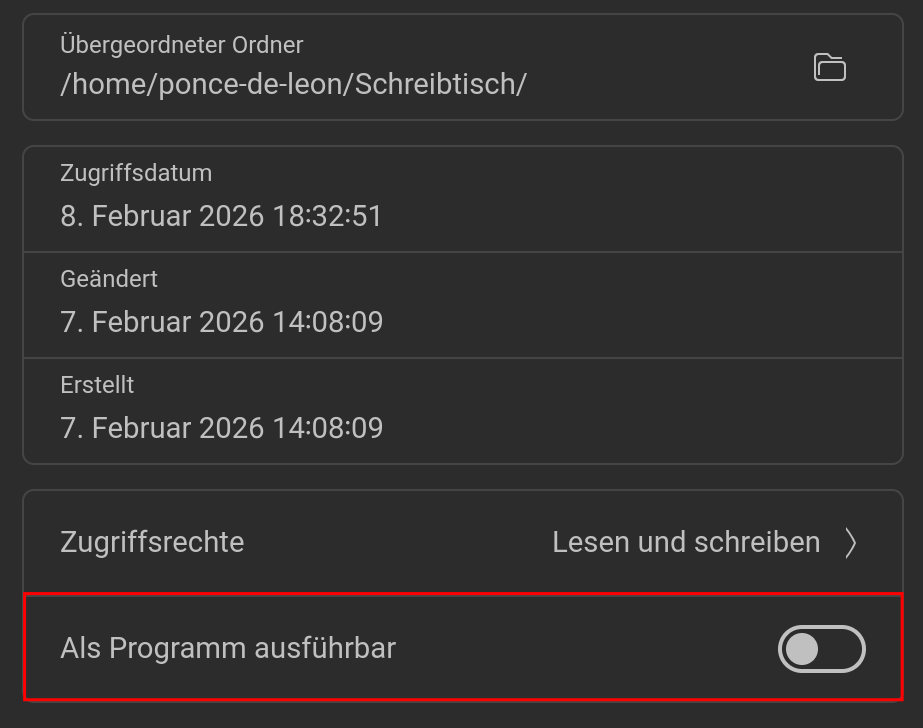
Yeah, did that, screen flickers, after that no further actions noticable. The program does not appear in the installed software list.
I opened the .sh-file with the text editor, this is its contents:
#!/bin/sh
printf "\n\nWARNING\n\nIf you experience any problems with starting or running WingHelper on your\ndistribution, here is what you can try:\n\n1. PDF Preview not working\nError message you might be experiencing looks like this:\n\n evince: error while loading shared libraries: libz.so.1: failed to map\n segment from shared object\n\nIn order to get rid of that, try removing libz.so.1 and libstdc++.so.6 from\nthe WingHelper libs directory. This will force Wing Helper to use the libz and\nlibstdc++ as installed on your system\n\n2. Further candidate(s) for deletion:\n - libbsd (can cause issues with libc)\n\n - libxkbcommon.so.0
libOpenGL.so.0
libstdc++.so.6
In case this still does not solve your problem(s), please contact me under\nsupport@winghelper.com\n\n"
fullpath=$(readlink -f "$0")
script_dir=$(dirname "$fullpath")
export LD_LIBRARY_PATH="$script_dir/libs"
export QT_PLUGIN_PATH="$script_dir/bin/plugins"
"$script_dir/bin/WingHelper" "$1"
I typed the commands in the script indivually in the terminal, and that displays the warning as expected.
The last command however gives an error message;
bluedot@bluedot-HP-ProBook-6570b:~$ "$script_dir/bin/WingHelper" "$1"
bash: /home/bluedot/bin/WingHelper: No such file or directory
bluedot@bluedot-HP-ProBook-6570b:~$
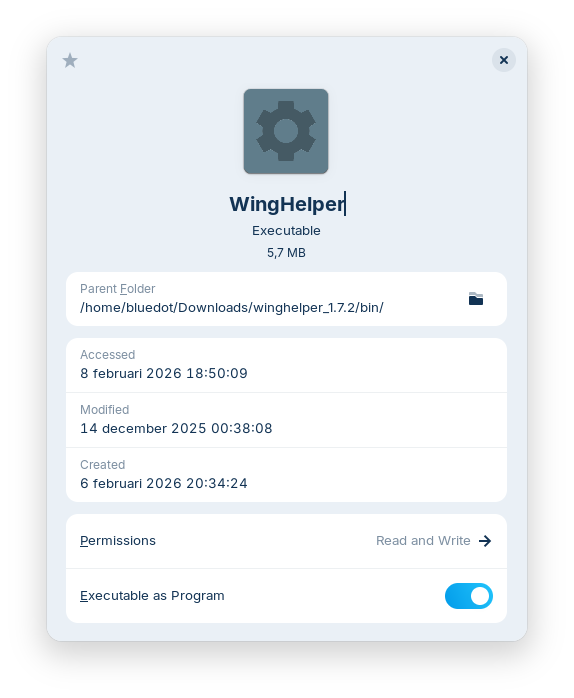
In the /home/bluedot/bin/WingHelper-folder there is an executable file, see screenshot.
found the mistake in trying to run the winghelper.sh through the terminal: the script's name is a bit longer: runWingHelper.sh.
That produced the expected warning-text AND some new diagnostics:
qt.qpa.plugin: Could not find the Qt platform plugin "wayland" in ""
qt.qpa.plugin: From 6.5.0, xcb-cursor0 or libxcb-cursor0 is needed to load the Qt xcb platform plugin.
qt.qpa.plugin: Could not load the Qt platform plugin "xcb" in "" even though it was found.
This application failed to start because no Qt platform plugin could be initialized. Reinstalling the application may fix this problem.
Available platform plugins are: xcb.
Aborted
I downloaded the tar.gz again, unpacked, started as a program from the right-click-menu > same result, program not listed in installed software.
Then I repeated the last successful commands again, resulting in the same diagnostics of missing plugins.
Sorry, I had not checked the name of the script file.
Hm, I don't know that. If you are on Wayland you could try if it works with Xorg. Logout and at login click on your username then a cog wheal appears at the bottom right corner. There you can switch. I read that it is the first version which should support Wayland, but maybe it is not working correctly with Wayland.
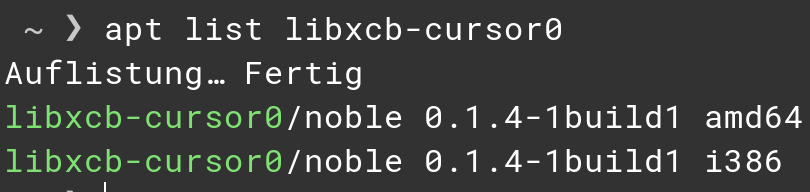
Unfortunately, it seems missing:
bluedot@bluedot-HP-ProBook-6570b:~$ apt list libxcd-cursor0
Bezig met oplijsten... Klaar
bluedot@bluedot-HP-ProBook-6570b:~$ libxcd-cursor0/noble 0.1.4-1build1 i386
bash: libxcd-cursor0/noble: No such file or directory
bluedot@bluedot-HP-ProBook-6570b:~$ libxcd-cursor0/noble 0.1.4-1build1 amd64
bash: libxcd-cursor0/noble: No such file or directory
I tried again with correct spelling, same error message:
bluedot@bluedot-HP-ProBook-6570b:/home$ apt list libxcb-cursosr0
Bezig met oplijsten... Klaar
bluedot@bluedot-HP-ProBook-6570b:/home$ libxcb-cursor0/noble 0.1.4-1build1 i386
bash: libxcb-cursor0/noble: No such file or directory
bluedot@bluedot-HP-ProBook-6570b:/home$ libxcb-cursor0/noble 0.1.4-1build1 amd64
bash: libxcb-cursor0/noble: No such file or directory
bluedot@bluedot-HP-ProBook-6570b:/home$