Can I install the software store used by Linux Mint on Peppermint OS or any other distribution based on Debian or Ubuntu?
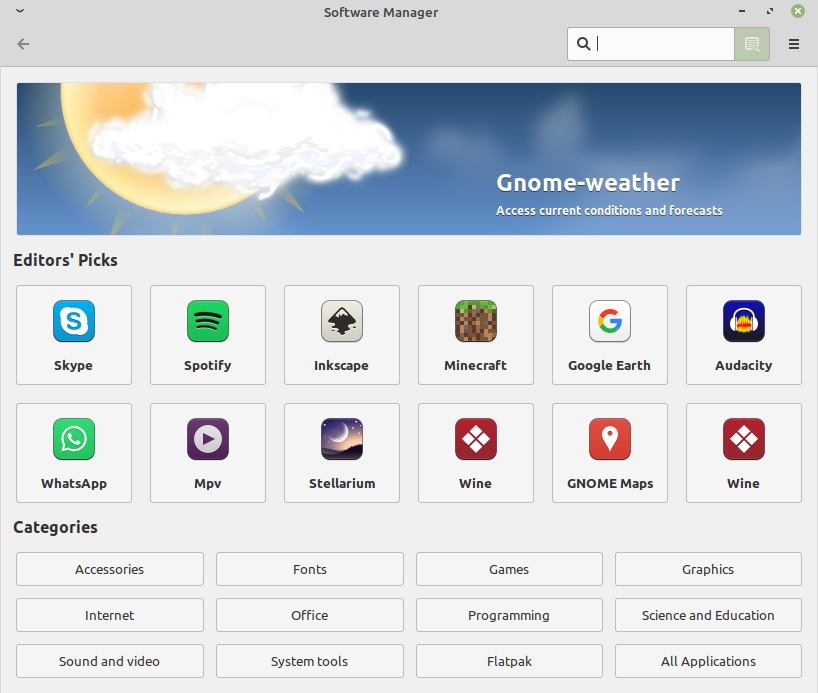
"The Linux Mint Software Manager is specifically designed for Linux Mint and is not intended to be installed on other distributions. While it is technically possible to attempt to add Linux Mint's repositories to another Ubuntu-based distribution like Lubuntu, this approach is not officially supported and can lead to system instability or conflicts.
The Software Manager relies on Linux Mint's specific package repositories and configuration, which are tightly integrated with the distribution's ecosystem.
Although some users have explored adding Mint's repository sources to other distros, this method is not recommended for general use due to potential dependency issues and lack of support.
Therefore, the Software Manager cannot be reliably installed or used on other distributions.
AI-generated answer. Please verify critical facts."
I’m using the XFCE desktop environment, and I’m looking for a lightweight software manager that can handle packages from the distribution’s repositories as well as Flatpak and Snap, without using GNOME Software since it’s quite slow and has some issues.
Hi, I avoid snap and flatpak like the plague. (Snap or Flatpak on Linux: Why You Might Want to Avoid Them)
I have used Apper in the past to install and update applications, but don't rely on it to update system files. For system updates you can use the terminal command:
sudo apt-get update
1 Like
Can I install the software store included in Peppermint OS Fully Loaded on Peppermint OS Flagship?
That would also not be possible:
"Peppermint OS is not a software repository or store that can be used directly on Ubuntu. However, Peppermint OS is based on Ubuntu and uses the same Ubuntu software repositories, which means that software available through Ubuntu's package management system (like the Software Center or apt) can be installed on both systems.
This allows users to install a wide range of applications on Peppermint OS, including those from the Ubuntu repositories.
While Peppermint OS has its own unique features, such as a cloud-first approach and site-specific browsers (SSBs), it does not provide a separate "Peppermint Store" that is incompatible with Ubuntu.
Therefore, the software ecosystem of Ubuntu is accessible to Peppermint OS, but Peppermint OS itself does not offer a distinct software store that functions independently on Ubuntu.
AI-generated answer. Please verify critical facts."
Peppermint OS is based on Debian, not Ubuntu. The Peppermint OS Fully Loaded edition includes an app store that looks similar to the one used in Linux Mint.
So far, the Debian 13–based Peppermint OS Fully Loaded edition hasn’t been released. At the moment, only the Peppermint OS Flagship version is available.
This topic was automatically closed 90 days after the last reply. New replies are no longer allowed.