Would like to install Zorin on an older MacBookPro A1297, the last 17" Apple produced. Has anyone succeeded to get any Zorin version to run on it?
Would of course like to get 18,1 to run on it though
Have a newish Samsung in it, with 64GB Ram. Zorin 18.1 installs, but seems to hang when a graphic driver is loaded. Am fit with Linux, but it was ages ago i worked with Linux boot loaders. What is Zorin using now?
Need to get it working, as my last working Mac died last week. Will not pay for another MacBook Pro Max Mx 16"; the last one was almost 4k$$! Not doing it again. Has a non-functional MB.
Loved the old 17". Now slow, but maybe OK with Zorin (18.1)?
Im not real versed in Macs. but Im sure someone here is maybe @Ponce-De-Leon or @Aravisian or possibly @Nourpon someone should log in soon and help ya...hang in there I would assume your totaly replacing the Mac OS?
2 Likes
For the Mac
The first think you can try is to boot with live USB and just test what it work and what not, and from that we will see if we can fix all the problems if you install it.
For the Samsung
It's maybe a kernel problem and/or graphic problem, the first thing you can try is to boot to recovery, for that
- Restart the PC and press Escape during boot to access the GRUB menu (may also be accessed with Shift)
- Select "Advanced options for Zorin OS"
- Here, you can see the available kernels to boot into. Choose the first with recovery option.
If it boot we will se how to fix the problem.
And for your Samsung give us also what GPU is in.
2 Likes
Oh, i'd like to do all that. As it stands now, my purchased 16 is not supported any more. Have to buy 17.x, or straight to 18.1? Then in 18 months, new purchase of 19.n? Does each user need an own Zorin OS Support Code, or could multiple copies be installed with the same Support Code; Only €47.99. Already purchased 16.3, missed 17.
Thought we left this behind with MacOS; Apple stopped all that 10 years or so ago.
:-(( will look at open source then. Thanx for the help anyway. CU.
1 Like
You don't have to buy, you can simply use Core version and not Pro
2 Likes
Core = Pro?
Can try that ...
1 Like
Pro have just few more apps and pro support, but drivers are the same
3 Likes
OK, Zorin 18.1 Core live running.
Tool for Bootstick: BalenaEtcher
ISO checks - No
Alles OK at boot for file system checks
System:
OS: Zorin OS 18.1 Core
Apple MacBookPro8,3
Disks: Samsung SSD 850 EVO 250GB (EMT02B6Q) (Not used in Live Mode)
Secure Boot and Fast Boot - default
Graphic Card:
has +-32 vertical bands, on most Wallpapers and App backgrounds.
Memory: 16GiB
Processor: Intel Core i7-2760Qm x 8
Graphics: Software Rendering
Disk capacity: 250GiB
Firmware Version: 87.0.0.0.0
OS: Zorin OS 18.1 Core
OS Type: 64-bit
Windowing System: X11
Linux Kernel Version: Linux 6.17.0-20-generic
BUT: further install on SSD does not start from Desktop
1 Like
Hi, I see it has an Intel Processor, is there an RST setting in the BIOS? (Intel Rapid Storage Technology), this has to be turned off. Is there any setting in the Mac's BIOS in respect of Hard Drive set to RAID? It needs to be AHCI.
1 Like
His Samsung is the nvme drive. 
1 Like
Brave A.I. search result via Mojeek (Zorin 18 is a fork of Ubuntu 24.04 so used that in search criteria:
" Installing Ubuntu 24.04 on a MacBook Pro 7,1 (A1297, Mid-2010) often fails due to graphics driver incompatibilities with the Nvidia GT330M or Intel HD graphics, resulting in black screens or installer crashes.
To resolve these installation issues, you must modify the boot parameters or use alternative installation methods:
-
Add nomodeset : Press e on the GRUB boot menu, find the line starting with linux , append nomodeset to the end, and press Ctrl+X to boot. This disables kernel mode-setting and often allows the graphical installer to load.
-
Use intel_iommu=off : If the issue involves IOMMU conflicts (common on Intel-based Macs), add intel_iommu=off to the kernel command line during boot.
-
Try Older Kernels or Distros : Users report success with Ubuntu 22.04 or using the Lubuntu installer, which is lighter on resources. If you have an older Ubuntu installed, booting into a 6.1 kernel may resolve boot failures.
-
Post-Install Fixes : After installation, you may need to blacklist the radeon driver (if using AMD graphics in dual-GPU models) or install rEFInd to manage booting if GRUB fails to display.
If the internal SSD is not detected during installation, try formatting the drive in macOS Disk Utility first or use an external USB drive for the installation.
AI-generated answer. Please verify critical facts."
2 Likes
nope it's a newish computer...
1 Like
i.e. Apple Mac with Samsung SSD.
1 Like
yeah sorry, and sorry @swarfendor437, I'm tired this days 
3 Likes
Know that feeling - was cleaning up my corrupted unofficial manual and cleaning up my highlights with curved rectangles to fit nicely and found I needed an additional page after starting from the end upwards, now means shuffling everything down.
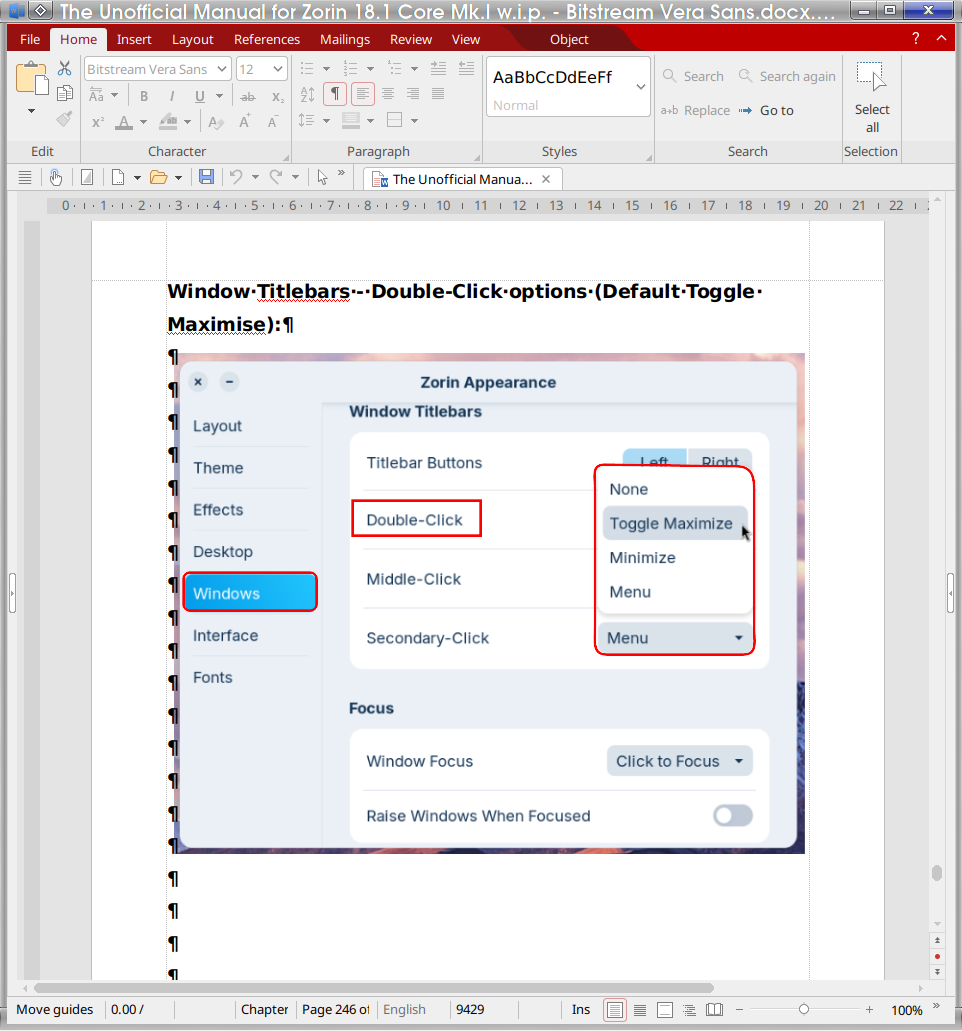
Here is a screenshot of my tidy up pages:
Instead of drawing rough and ready rectangles I decided I would replace them with curved ones where there is a clear indication of curved boxes instead of slap-dash rectangles to keep in line with the style of the interface - the only exception where key phrases as in the example shown, "Double-Click" is in a square rectangle whereas the highlighted material matches the borders - this is from a backup file as it is all over the place again!
1 Like
Should those red boxes just have curves at the top and squared at the bottom to be gnome compliant 
1 Like
Well I thought I would be xonsistent with Zorin.