Hi i am new in the linux world and i have a problem with the internal mic. No matter what i do i cant get it to work. Any tips?
Welcome to the Forum!
- Is the Mic detected from the System?
- Are Secure Boot and Fast Boot in BIOS disabled?
- Does Your System run in Wayland or X11? You can check that with the Terminal Command
echo $XDG_SESSION_TYPE - Did You tried Pulse Audio Volume Control? It is a Tool for set up Audio Input and Output. You can instal it with
sudo apt install pavucontrolvia Terminal. When installed, check the Input and configuration Tab for Audio Profiles and Options. You might need to play a bit with these Settings.
2 Likes
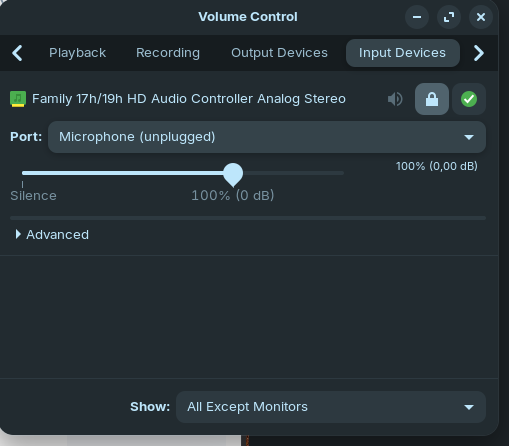
Hi and Welcome!
Where it says "Microphone (unplugged)" there is a down arrow to the right. When you click on it does it offer any more options?
No other options show up. 
Then, I would suggest if it gets detected when switing to Xorg. To do that, go to the Login Screen. Click there on Your Profile so that the Password Field appears. When it is appeared, You should see in the bottom right Corner a Gear Icon. Click on it and choose the Option ''Zorin Desktop on Xorg'' and then log in and check if the Mic is detected.
Also: How exactly is Your Mic connected? If Windows is still installed, disabled Fast Start-Up there.
1 Like
The microphone is the built-in internal laptop mic. Switched to to Xorg, unfortunately the mic still shows unplugged and it doesn't work. Also i completely wiped windows.
What is the brand/model of your computer?
1 Like
Okay, please post the Output of the Command sudo lshw -C multimedia here.
1 Like
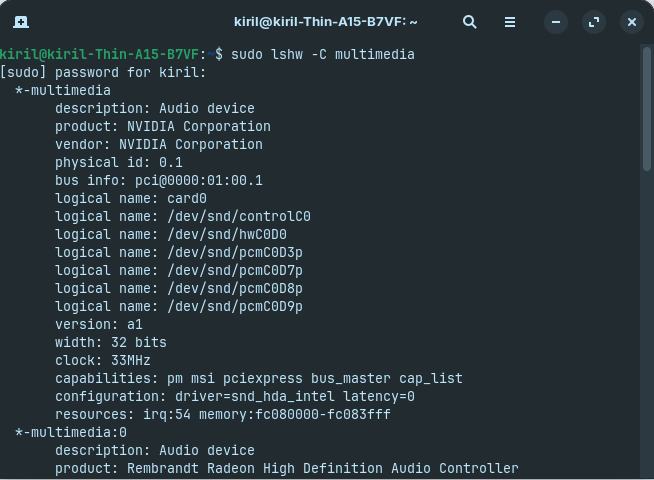
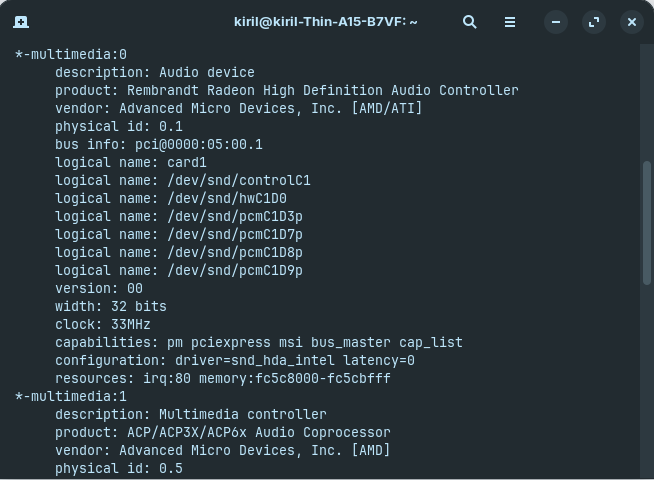
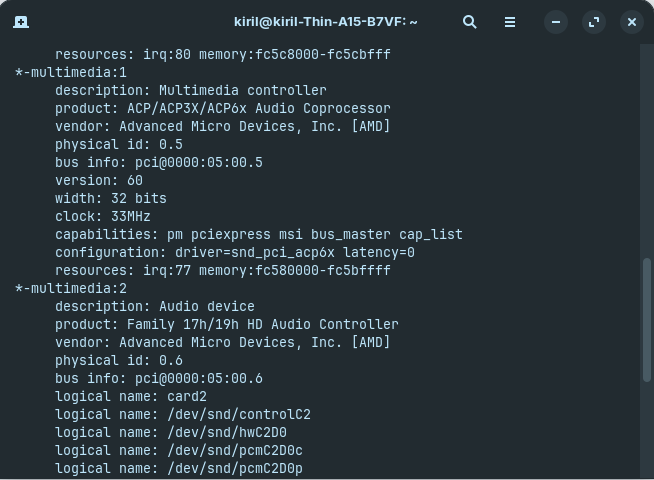
FYI. I have tried searching the web using searchterm: "Family 17h/19h HD Audio Controller no internal mic Ubuntu 24.04" I did find a Ubuntu bug report relating to that device and driver, but nothing in a way of a fix or solution yet.
I am particularly concerned by an internal mic being shown as unplugged. That makes no sense, hence others asking how it is plugged-in.
See what Alsamixer shows for sound input devices.
Open a terminal session (using Ctrl+Alt+T)
then type: alsamixer
Hit F6 to show sound cards and choose "HD Audio" or similar.
Hit F5 to display "All" sound channels.
If any "mic" channels show as [MM] select with arrow keys and hit "M" to unmute.
Post a screenshot of your alsamixer, so we can maybe see something to do there.
1 Like
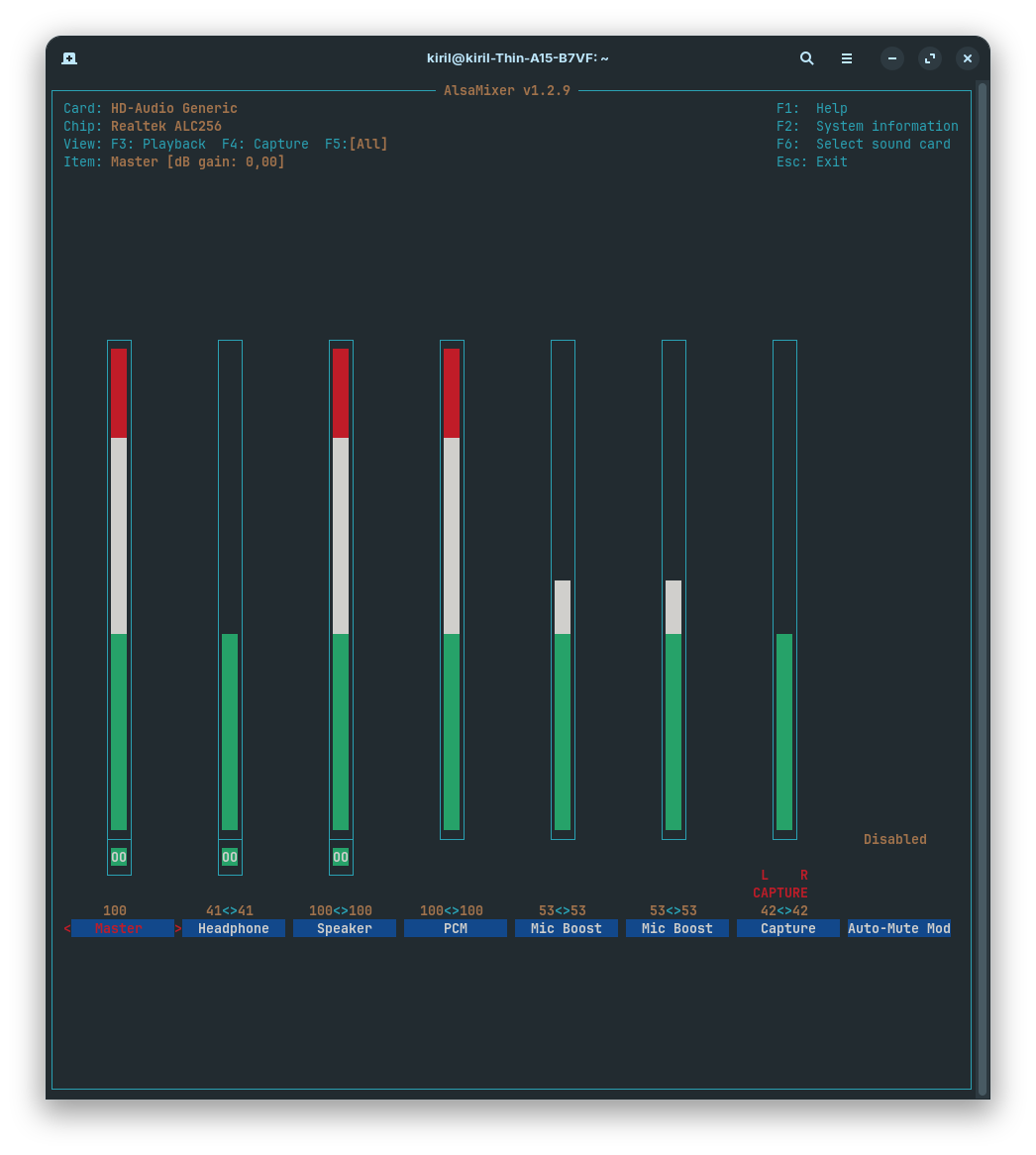
I found this suggested kernel patch
In the changelog for kernel 7.0 it is shown that it has been added
but I'm not sure if the Zorin hwe kernel has it already and if you would need to setup something to select that quirks table or if it is applied automatically.
Unfortunately, I'm not very familiar with this topic, so I can't help you.
Are you running Zorin 17 or 18?
2 Likes
Alsamixer does not show a mic, only Mic Boost.
Can you look at Zorin>Settings>Sound. Is it set to Analogue Duplex or something else?
Post a screenshot of that screen please.
Based on the screenshot showing Realtek ALC256 I did a Brave search via Mojeek which gives a different pitential solution (no guarantees):
" For Realtek ALC256 internal microphone issues on Linux, the most effective solution is to add the kernel module option model=laptop-dmic to /etc/modprobe.d/alsa-base.conf or /etc/modprobe.d/alsa.conf . This forces the driver to recognize the DMIC (digital microphone) pins correctly, which are often misconfigured by default.
If the standard model option fails, manual Pin Remapping using hdajackretask is required:
-
Identify the Pin : Use
hdajackretaskto scan pins and look for one labeled DMIC or Internal Mic that is currently marked N/A (default 0x411111f0). Common pins for this codec are 0x12 , 0x13 , or 0x19 . -
Override the Pin : Select the identified pin and change its configuration to Internal Microphone (or DMIC if available).
-
Apply and Install : Click Apply now to test, then Install boot override to persist the change across reboots.
For some systems (e.g., ASUS Vivobook , Acer Swift ), you may need to combine model options like model=laptop-dmic,headset-mic or use the SOF driver with dsp_driver=3 if the HDA classic mode fails to capture the digital mic signal.
AI-generated answer. Please verify critical facts."
Thank you guys for all the support. I just needed to update the Kernel, cuz the new version has the library for my device. I am new and its so confusing but fun.
2 Likes