One day I turned my laptop on and it came up on a black screen saying command quiet then it loads the log in screen like normal and then as soon as I get in there is no internet. I go to the bottom right it shows the Bluetooth icon but no option to chose my internet and same thing happened when I looked in settings. I tried done terminal commands abs it says the internet is working. Not sure what happened please help
You can try to boot into an older kernel to see if that solves your problem. Recently there were kernel updates for kernel 7.0 which cause many problems.
To boot with a previous kernel, select in grub menu "Advanced options for Zorin" and then select an older kernel to boot from (not a recovery kernel).
If the grub menu isn't displayed at boot, press continuosly esc, tab or left shift key. You can also take a look at the first pinned thread, there you find more informations.
Your upload hasn't worked, probably it was not ready yet. Would you please upload it again?
1 Like
Your Picture Upload didn' work right. Maybe try it again please.
Was the Laptop powered off or only in Sleep Mode?
So when I load up the computer it brings me to that black screen with the command quiet not the actually start up where it’s like go into Zorin, try Zorin is, … so how can I get into the older kernels or check the kernel parameters
You can display the grub menu during boot by pressing continuosly keys as esc, tab or left shift key, but which of them works, depends on the hardware. It is easier to edit the grub file to always show the grub menu at boot so that you have easier access to it in case of problems.
Open the grub file with the text editor as administrator
gnome-text-editor admin:///etc/default/grub
Move with the arrow keys down to the following lines and change them so that they look like this. Keep all other lines untouched:
GRUB_TIMEOUT_STYLE=menu
GRUB_TIMEOUT=10
Then save the file.
Now update grub
sudo update-grub
to apply the changes. Don't forget that. Then reboot.
Now you should see the grub menu at boot with one line "Advanced options for Zorin". Select that.
1 Like
Your image probably did not load becaude it exceeded 1 Mb in size. If you used Androulid phone, use Photo Editor to resize it:

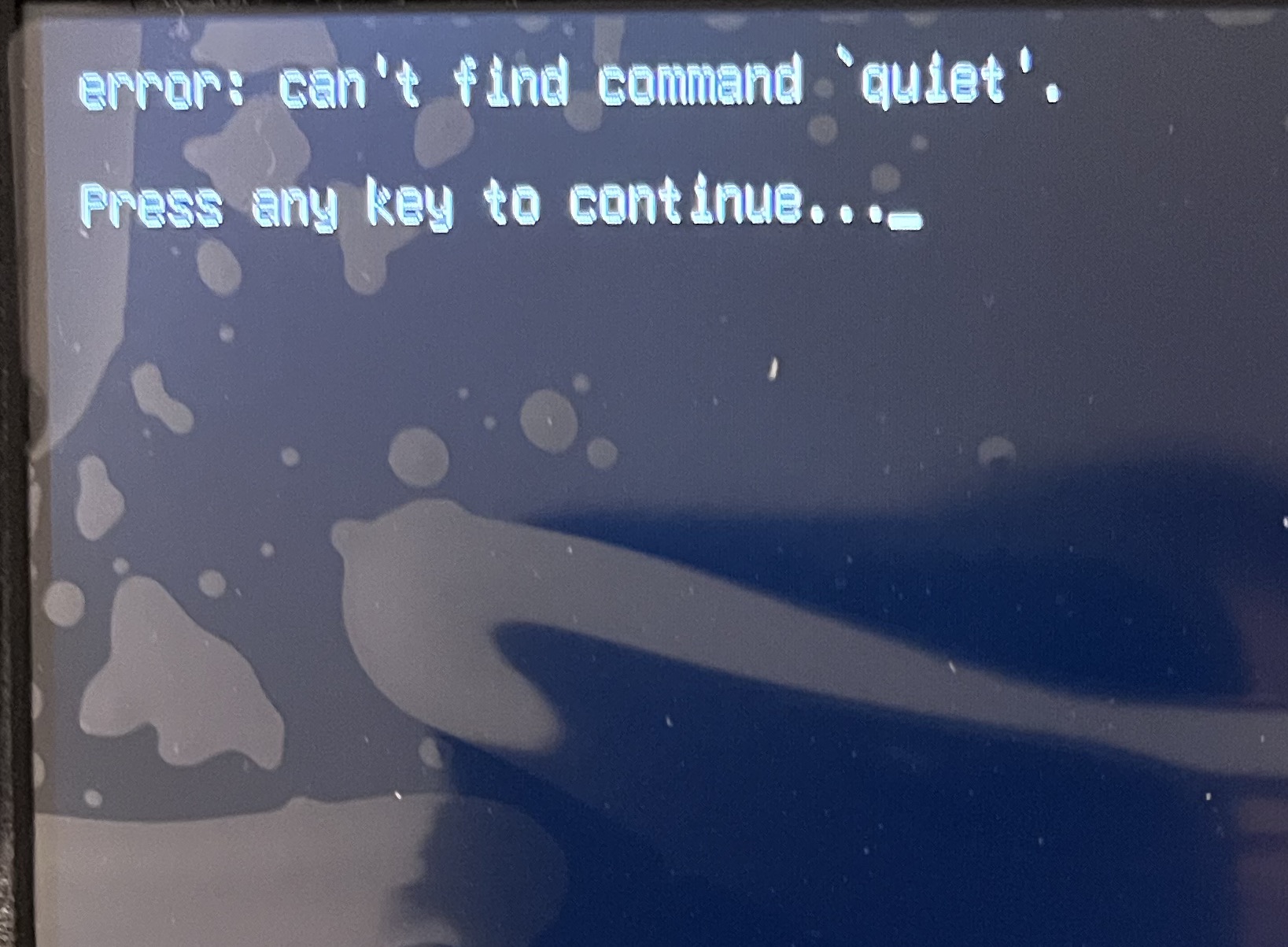
Just uploaded photo
That is bizarre. I am suspecting a corrupt vmlinuz line in GRUB which should read 'quietsplash'.
Await others to chip in.
This shows that a command was issued - but it is true, there is no command that starts with 'quiet'.
What command had you input?
This happens when I start the computer this just pops up so I’m not typing in anything
Sounds like there may be an errant entry in your grub file then.
Can you boot up, open a terminal and run:
cat /etc/default/grub
and paste the output here?
Assuming this is not a second hand computer from a Library telling you to hush. 
Just reminded me of a joke from a standup comedian.
"My friend got run over by a mobile library that broke his leg. He lay on the floor screaming. The Librarian stepped out of the mobile library and said to my friend "Shhhhh!" "