I am new to Linux and I have a question about controlling Internet access for applications.
On Android, there is an app called AFWall+ that allows you to control which apps can access the Internet. It can also separate different types of network access, for example allowing an app to communicate on the local network while blocking its Internet access.
Is there something similar for Zorin OS/Linux?
I would like to be able to allow or block Internet access for individual applications, rather than blocking specific ports.
For example, I would like to control whether an application can:
access the Internet
access only my local network
have both allowed
I am also wondering if something similar is possible for GNOME extensions.
For example, I installed the "All-in-One Clipboard" GNOME extension and I would like to know if there is any way to control its Internet access.
It does not have to be a firewall specifically. I would just like to know if Linux has a tool or method that allows this kind of per-application control.
I ran a test out of curiosity on my Gnome Machine VM. @Forpli’s command installs version 1.5.8.1-1ubuntu0.24.04.3
If you want the latest .deb version (1.8) available:
Download the packages:
cd ~/Downloads
wget https://github.com/evilsocket/opensnitch/releases/download/v1.8.0/opensnitch_1.8.0-1_amd64.deb
wget https://github.com/evilsocket/opensnitch/releases/download/v1.8.0/python3-opensnitch-ui_1.8.0-1_all.deb
Launch the graphical user interface via the Applications menu
How it works
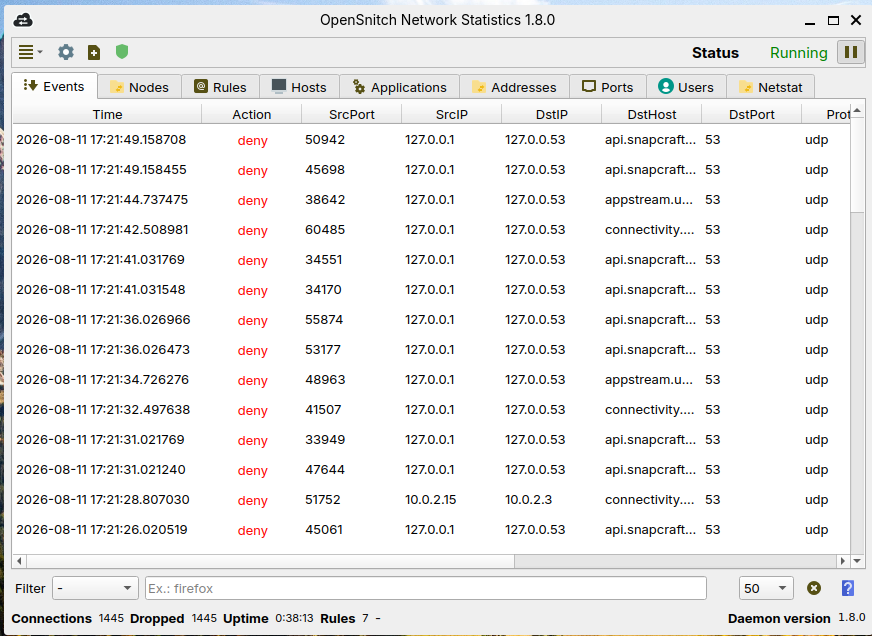
Interactive monitoring: The opensnitchd daemon intercepts every attempt by a programme to connect to the internet and displays a pop-up window alerting the user.
Granular control: The user can choose to allow or block the connection for that specific application to the specified destination IP address or domain.
Persistent rules: The choices made are saved as rules (temporary or permanent), usually stored in /etc/opensnitchd/rules/, thereby avoiding the need to repeat the process for trusted applications.
My personal recommendation:
Before installation, make a backup (e.g. TimeShift) or test it in a virtual machine environment.
Check out my documentation, if you're looking for a firewall that offers complete traffic control, tracker blocking, and secure DNS, Portmaster (open-source for GNU/Linux) might be a good solution.
Thank you all for the suggestions. I really appreciate everyone taking the time to look into this and recommend different solutions.
I think I may not have explained exactly what I was looking for. Most of the solutions mentioned (UFW/GUFW, Firejail, OpenSnitch, Portmaster, etc.) seem useful, but they work a bit differently from what I had in mind.
What I am looking for is something closer to how AFWall+ on Android works:
a GUI that automatically shows installed applications
a simple list where I can enable/disable network access per application
the ability to choose different network types, for example:
allow Internet
allow only local network (LAN)
allow both
block completely
Basically, I am looking for an application-level firewall with a simple permission-style interface, rather than having to create firewall rules manually or wait until an application tries to connect.
I was also wondering about GNOME extensions. Since extensions run inside GNOME Shell, I assume a firewall probably cannot distinguish one extension from another, but I was hoping there might be some way to control this.
Again, thank you for all the suggestions. They are definitely useful tools and I appreciate the help.
However, I am specifically looking for something closer to the Android AFWall+ approach. A simple GUI where applications are listed and network permissions can be managed per application.
If anyone knows of a Linux application that works in this way, I would really appreciate the recommendation.
Thank you for the suggestion. I did try Portmaster, and I agree that it is a powerful tool with many useful features.
However, it is still not exactly what I am looking for. The main difference is that AFWall+ starts with a list of all installed applications on the device and lets me manage their network permissions from there.
This is the kind of workflow I am looking for on Linux as well. A GUI that detects installed applications and allows me to set their network permissions before they ever try to connect.
With Portmaster, the approach is different. It focuses more on monitoring network activity and managing applications that Portmaster has already seen making network connections. It does provide per-application rules, but it is not the same "permission manager" approach that I was looking for.
I was also looking for something simpler and lighter, with a straightforward GUI where I can manage network permissions per application. Portmaster is a very capable tool, but it is a bit more resource-intensive than what I was looking for.
So I was wondering if there is any Linux application that works more like AFWall+, where all applications are listed and network permissions can be managed from one simple interface.