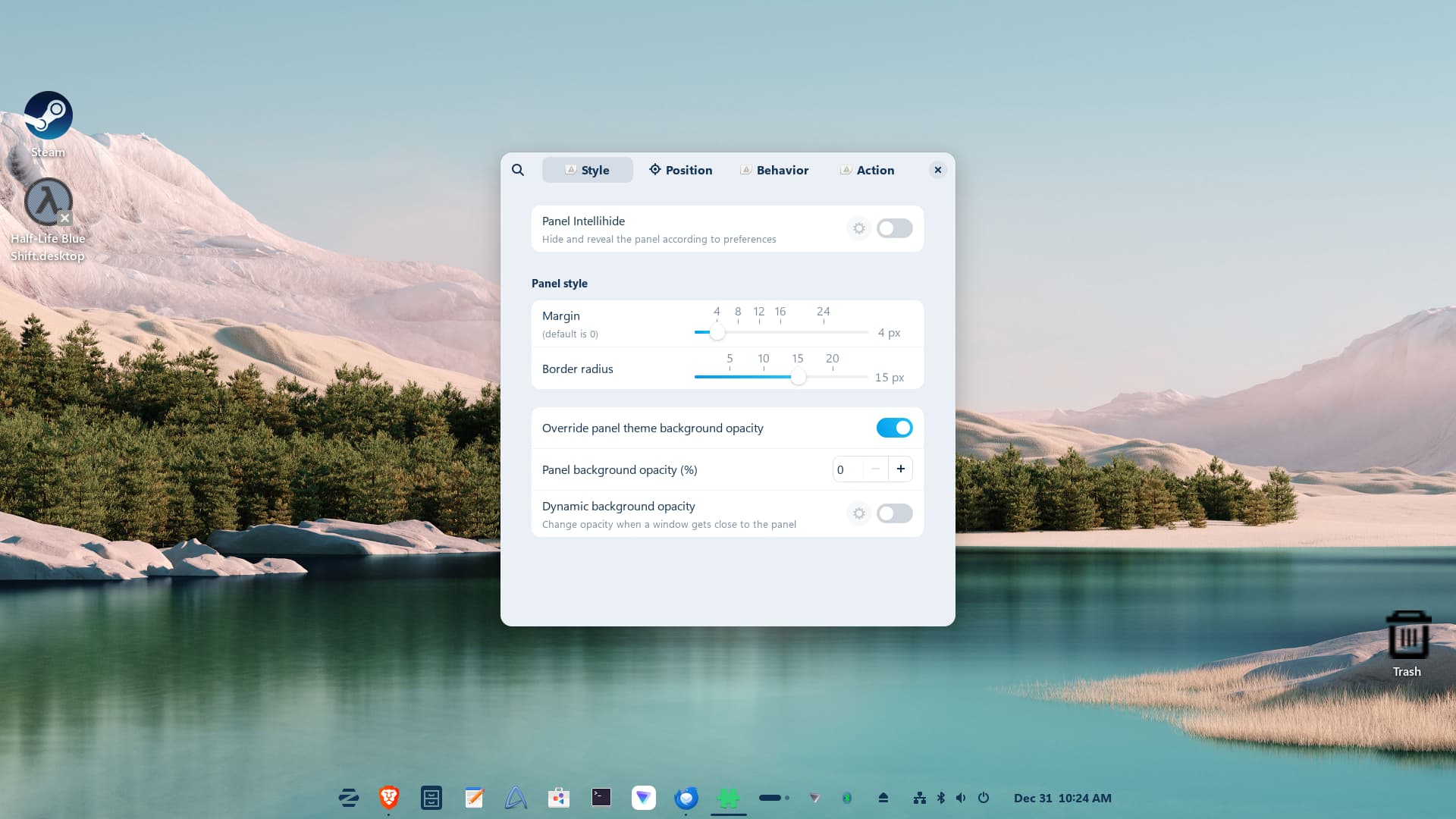
I love the Dock but hate the menu. Too hard to find things unless you remember its name. Besides, I just like the other menu better and placed like the bottom right picture.
Okay, to explain: On the bottom right, this isn't a Dock - even when it might look like one. It is the Taskbar in Dynamic Mode.
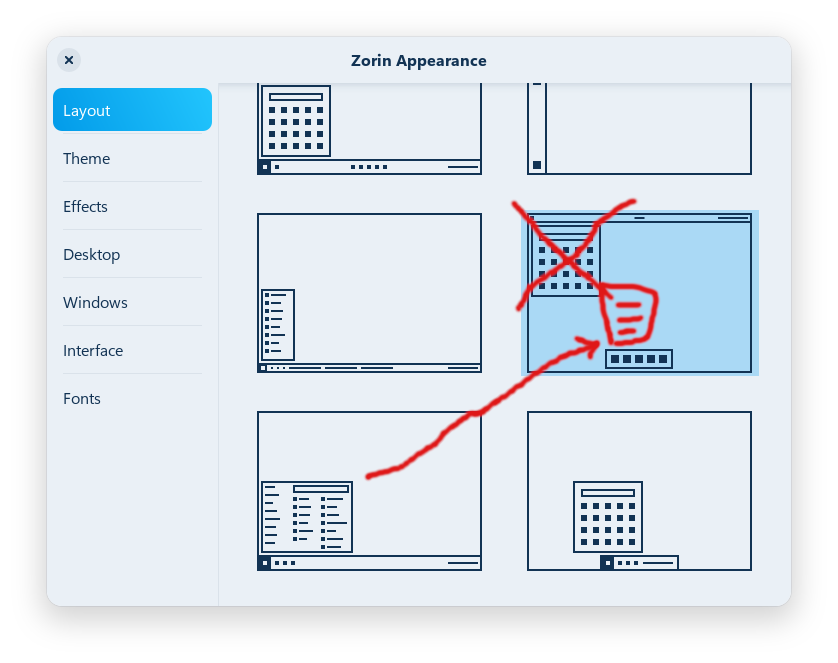
You could do some to get it. Unfortunately the Zorin Menu doesn't work on the Dock. You cold try: Choose the Layout with the Startmenu, You want. So, this one:

Then go in the Taskbar Settings and there to the ''Position'' Tab and click there on the Dynamic Mark to activate it:
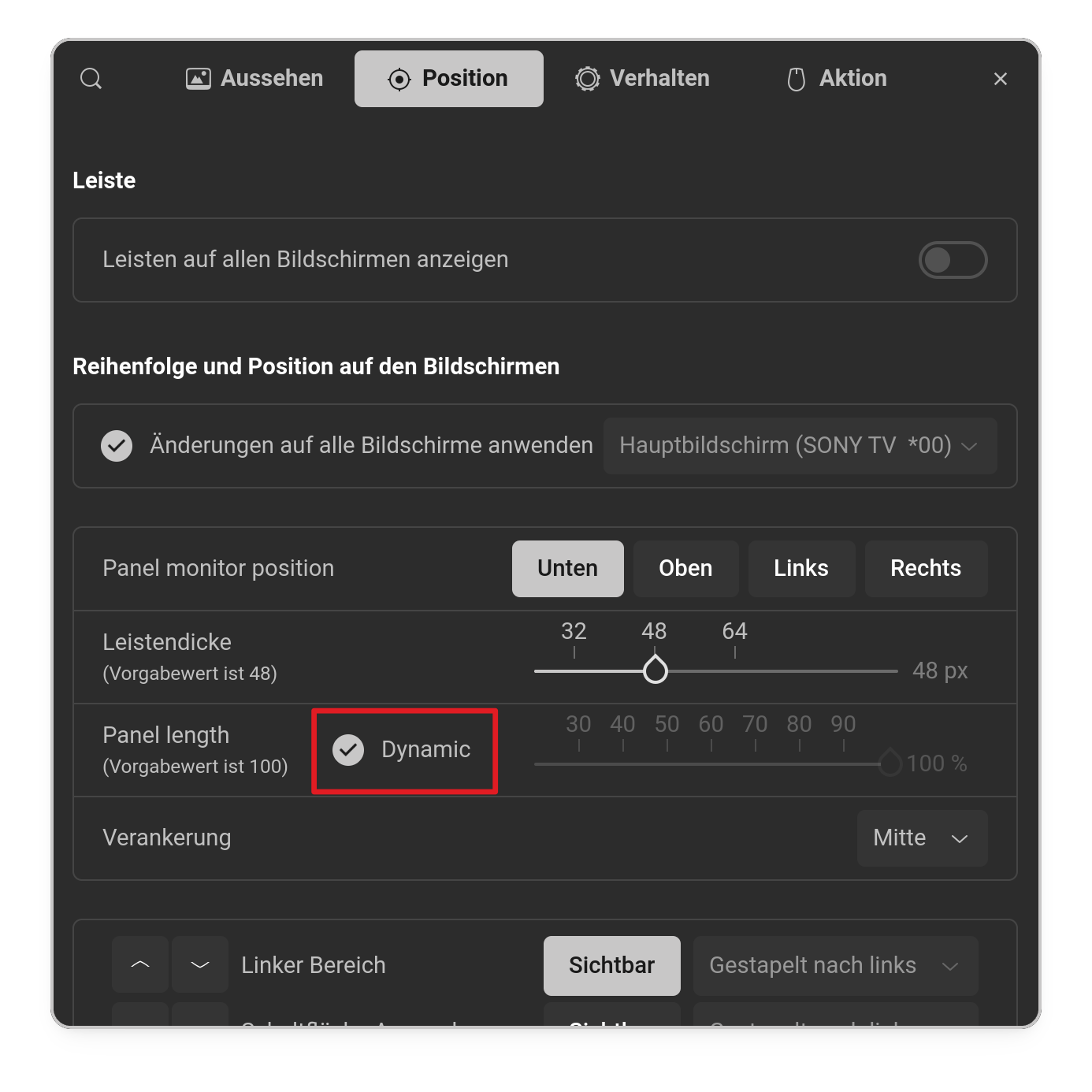
Another Option would be to set up the Taskbar like shown and use instead of the default Zorin Startmenu the Gnome Extension ArcMenu where You have a lot of StartMenu Layouts what You can set up and customize.
But when You want to keep it simple, I would suggest to try the first Thing.
1 Like
Thank you for your help! I am really impressed with Zorin. When it comes to dock and menu choice, I guess I want my cake and eat it too, lol. It's too late at night for me to play with ArcMenu but I will tomorrow. I really love the dock and hate to loose it but I have to have a menu that I can feel comfortable with. The other menu is more like an app drawer instead of what one would expect it to be. I'm assuming that for ArcMenu I should choose the Shell option instead of one of the version numbers?
1 Like
The Link was only for shwoing the Extension. I prefer another Way to install Gnome Extenions. The Extension Manager. You can find it in Gnome Software:

It is available as Flatpak and APT Package. What You choose it up to You. It is a Program to install and manage Gnome Extensions. So, You install it, then open it and then go to the ''Browse'' Tab and look for ArcMenu and click on the Install Button. And that's it. Then go to the ''Installed'' Tab and there You can enable/disable Extensions and go in the Extensions Settings.
1 Like
Thank you for your help. I installed Extension Manager and will have fun playing with it. Happy New Year !
2 Likes