Hi everyone, I’m having an issue with a dual-monitor setup on Zorin OS using an NVIDIA GPU (newer driver selected during installation). This is happening in the tryout/live mode, so the OS is not fully installed yet. My smaller monitor works perfectly, but the larger monitor has noticeably low image quality, looks less sharp than it should, and the colors appear washed out or distorted. In Display Settings, the maximum resolution available for the large monitor is exactly the same as the smaller one, even though the large display supports a higher native resolution, so I can’t select the correct one. When this same laptop previously ran Windows, the larger monitor worked at higher resolution and the colors looked completely normal. I’ve checked resolution and scaling settings, confirmed the NVIDIA drivers were selected during setup, looked through the monitor’s built-in menu (nothing helpful there), and replugged the cable, but the issue remains. What could cause Zorin/NVIDIA (especially in live mode) to only expose a lower max resolution for this monitor — driver problem, cable bandwidth limitation, or an EDID detection issue? How can I force the system to detect and use the monitor’s proper native resolution? I can provide command outputs (like xrandr or NVIDIA settings) if needed.
Welcome to the forum!
What model graphics card is your laptop running? A quick look online tells me it might be a 1660ti, but we should make sure so we know what we're looking at. I do believe there's been some issues with running the Live Session when you select the Nvidia drives, so you could just try running in standard without them and seeing what comes up.
The other thing I think has happened (and I'm running off memory) is that if it's a 1xxx series card, I believe Nvidia has recently dropped support for them in their newer GPU drivers? Someone who has more experience in Nvidia land will have to chime in on that part, but that could possibly be a bit of the reason as well.
This affects 10XX Cards with the 590 Driver. So, with 16XX Cards it should run.
Welcome to the Forum!
Could You tell us what Graphics Card You have and what Graphics Driver is in Use? Also: How are Your Monitors connected? HDMI, DP, an Adapter, Hub? And please check if the System runs in Wayland or X11 with the Command echo $XDG_SESSION_TYPE
In Zorin live session Xorg is used by default.
As far as I know only the nouveau driver is used in the live session, but I'm not sure. I also don't know if it is possible in the live session to reach what you want.
Did you try to setup the resolution of the monitors with xrandr?
Adapt the name of the monitors and the resolution to your monitor setup.
Hi!
I’m running Zorin in a live session with a GTX 1650 using the default NVIDIA driver. My setup includes the laptop screen (built-in) and an external monitor connected via HDMI. The session is using X11 (echo $XDG_SESSION_TYPE shows x11) and I selected boot option 1.
I initially thought the external monitor had a higher resolution than the laptop screen, but it turns out the maximum resolution is the same — I made a mistake. I tried using xrandr to adjust the scaling on the external monitor, but I ran into some issues where the UI either became larger than intended or the main screen (laptop) turned completely black. My goal is to make the UI on the external monitor smaller so I have more workspace, and I would like the transition between the external and laptop screens to feel smoother, with the mouse behaving consistently across both displays. I would like this to work properly before I install the OS fully.
Separately, once everything works, would the newer NVIDIA graphics driver option in the live session be a better choice, and is boot option 1 ideal for installing the OS on this system?
Sorry for the long wait, I am fixing this issue for a friend so it took some time to get this info.
Thanks in advance for any advice.
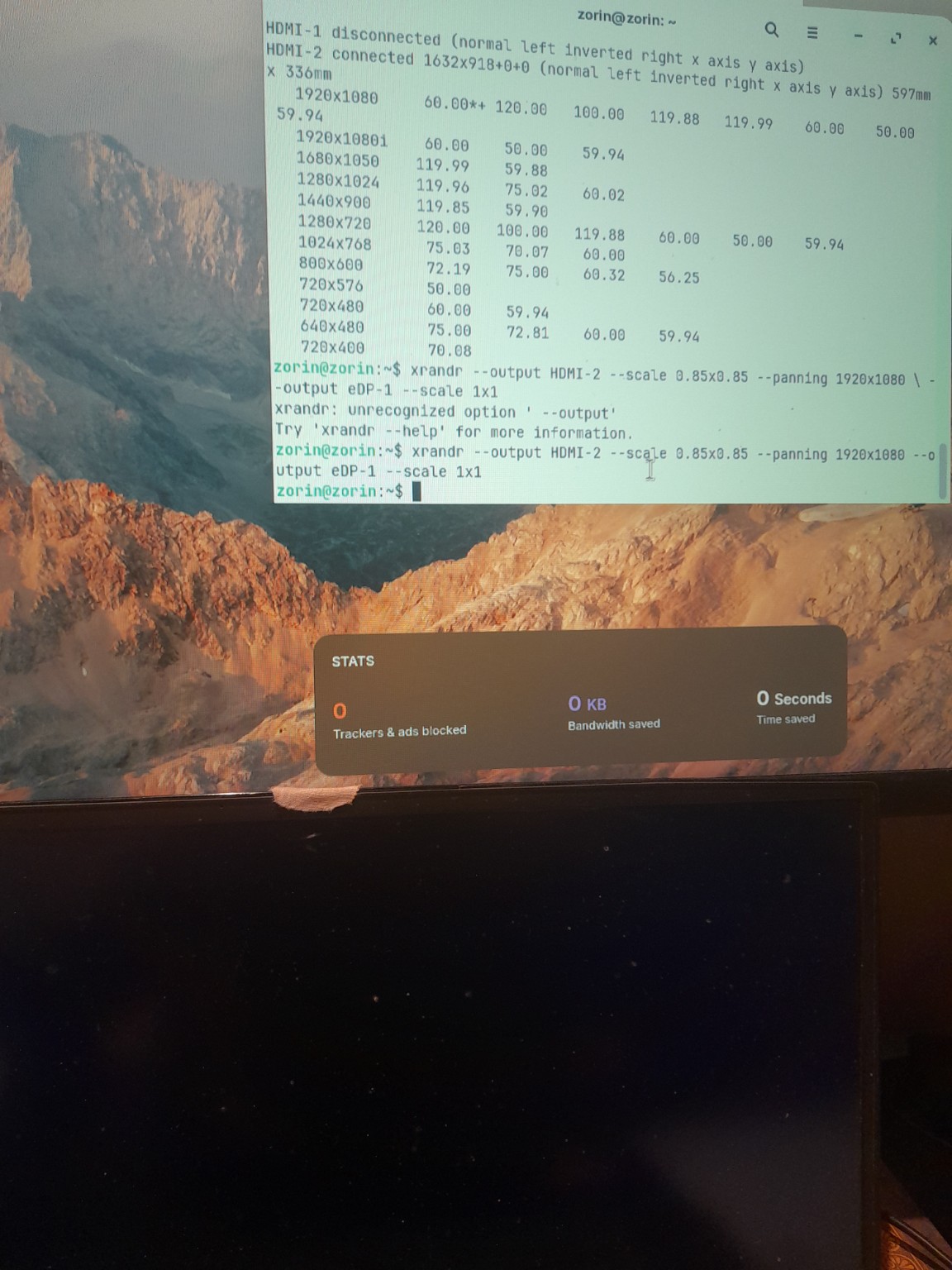
Hello! I sent a reply to Ponce-De-Leon, if you can help me find a solution then please let me know.
It would be worth a Try to test it. Because You running in Live Session, it would be easy to start in it.
Ideal ... well that is a Point of View. You can install the System with Nvidia Drivers (modern or not). I personally would go the Way to choose the non-Driver Option and install the System offline without installing any Drivers or Updates. And after the Installation, I would switch to Xorg and then install the Drivers. But as I wrote: This is only my Opinion of that. You can choose different Ways to handle that.
For xrandr, maybe this Video can help You to set it up properly:
This topic was automatically closed 90 days after the last reply. New replies are no longer allowed.