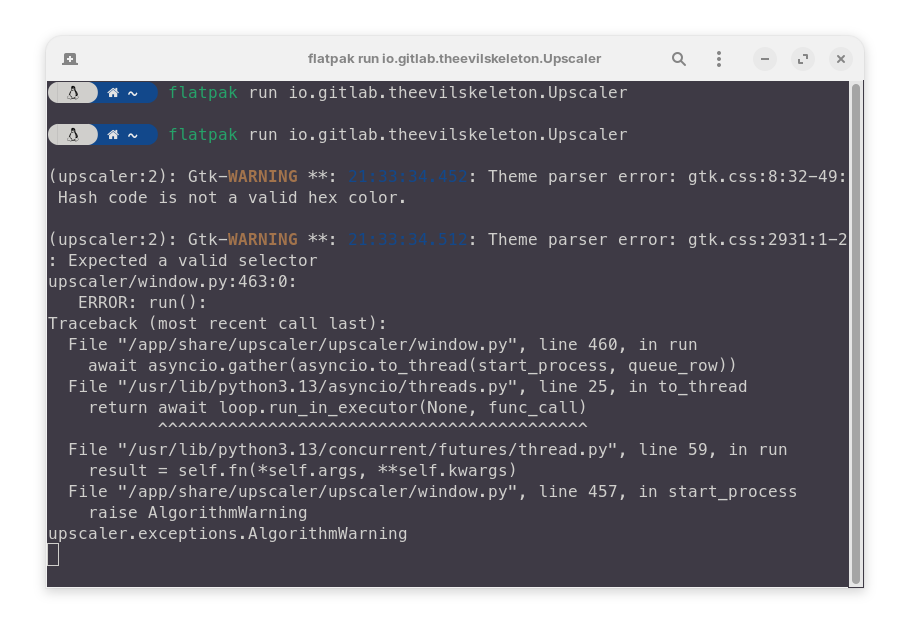
I installed the deb package
It doesn't work either.
Knowing that it runs on CachyOS on the same device
/opt/Upscayl/upscayl %U  at 07:52:57
Checking for beta autoupdate feature for deb/rpm distributions
Found package-type: deb
 DIRNAME /opt/Upscayl/resources/app.asar/export/electron
 App Path: /opt/Upscayl/resources/app.asar
 Checking for updates
07:53:05.516 ›  Upscayl version: 2.15.0 FOSS
07:53:05.521 › UPSCAYL EXEC PATH: /opt/Upscayl/resources/bin/upscayl-bin
07:53:05.521 › MODELS PATH: /opt/Upscayl/resources/models
07:53:05.530 › App Path: /opt/Upscayl/resources/app.asar
[8731:0123/075305.924121:ERROR:nss_util.cc(357)] After loading Root Certs, loaded==false: NSS error code: -8018
MESA-INTEL: warning: Haswell Vulkan support is incomplete
libva error: /usr/lib/x86_64-linux-gnu/dri/iHD_drv_video.so init failed
07:53:12.632 ›  System Info: {"platform":"linux","release":"6.14.0-37-generic","arch":"x64","model":"Intel(R) Core(TM) i5-4210U CPU @ 1.70GHz","cpuCount":4,"gpu":{"active":true,"cudaComputeCapabilityMajor":0,"deviceId":26208,"gpuPreference":0,"vendorId":4098}}
Checking for update
Update for version 2.15.0 is not available (latest version: 2.15.0, downgrade is disallowed).
07:53:17.273 ›  Resetting image paths
07:53:21.755 ›  Updating Image Path: /home/aaoaa/Desktop/1738394368681.jpg
07:53:21.757 ›  Selected File Path: /home/aaoaa/Desktop/1738394368681.jpg
07:53:21.761 ›  BACKEND REPORTED: Updating Image Path: /home/aaoaa/Desktop/1738394368681.jpg
07:53:21.763 › Selected Image Path: /home/aaoaa/Desktop/1738394368681.jpg
07:53:21.766 ›  Selected Image Directory: /home/aaoaa/Desktop
07:53:21.767 › imagePath: /home/aaoaa/Desktop/1738394368681.jpg
07:53:21.768 ›  Extension: jpg
07:53:21.773 › BACKEND REPORTED: Selected File Path: /home/aaoaa/Desktop/1738394368681.jpg
07:54:10.756 › Updating Folder Path: /home/aaoaa/Documents
07:54:10.758 › Selected Folder Path: /home/aaoaa/Documents
07:54:10.774 › BACKEND REPORTED: Updating Folder Path: /home/aaoaa/Documents
07:54:10.790 ›  Setting Output Path: /home/aaoaa/Documents
07:54:10.796 › BACKEND REPORTED: Selected Folder Path: /home/aaoaa/Documents
07:54:15.391 › Resetting Upscaled Image Path
07:54:15.394 ›  Upscayl Variables: {"model":"upscayl-standard-4x","gpuId":null,"saveImageAs":"png","inputDir":"/home/aaoaa/Desktop","fileNameWithExt":"1738394368681.jpg","outputDir":"/home/aaoaa/Documents","outFile":"/home/aaoaa/Documents/1738394368681_upscayl_4x_upscayl-standard-4x.png","fileName":"1738394368681","scale":"4","compression":"0","customWidth":"","useCustomWidth":false,"tileSize":null}
07:54:15.396 ›  Upscayl Command: [
'-i',
'/home/aaoaa/Desktop/1738394368681.jpg',
'-o',
'/home/aaoaa/Documents/1738394368681_upscayl_4x_upscayl-standard-4x.png',
'-m',
'/opt/Upscayl/resources/models',
'-n',
'upscayl-standard-4x',
'-f',
'png',
'-c',
'0'
]
07:54:15.420 ›  Updating Child Processes: {"binary":"/opt/Upscayl/resources/bin/upscayl-bin","args":["/opt/Upscayl/resources/bin/upscayl-bin","-i","/home/aaoaa/Desktop/1738394368681.jpg","-o","/home/aaoaa/Documents/1738394368681_upscayl_4x_upscayl-standard-4x.png","-m","/opt/Upscayl/resources/models","-n","upscayl-standard-4x","-f","png","-c","0"]}
07:54:15.422 ›  Updating Stopped: false
07:54:15.425 › Starting Upscayl - Copyright © 2024
 Detected scale x4
Using the default scale x4
07:54:15.428 ›  UPSCAYL
07:54:15.433 › BACKEND REPORTED: Upscayl Variables: {"model":"upscayl-standard-4x","gpuId":null,"saveImageAs":"png","inputDir":"/home/aaoaa/Desktop","fileNameWithExt":"1738394368681.jpg","outputDir":"/home/aaoaa/Documents","outFile":"/home/aaoaa/Documents/1738394368681_upscayl_4x_upscayl-standard-4x.png","fileName":"1738394368681","scale":"4","compression":"0","customWidth":"","useCustomWidth":false,"tileSize":null}
07:54:15.448 › BACKEND REPORTED: Upscayl Command: -i,/home/aaoaa/Desktop/1738394368681.jpg,-o,/home/aaoaa/Documents/1738394368681_upscayl_4x_upscayl-standard-4x.png,-m,/opt/Upscayl/resources/models,-n,upscayl-standard-4x,-f,png,-c,0
07:54:15.458 › BACKEND REPORTED: Updating Child Processes: {"binary":"/opt/Upscayl/resources/bin/upscayl-bin","args":["/opt/Upscayl/resources/bin/upscayl-bin","-i","/home/aaoaa/Desktop/1738394368681.jpg","-o","/home/aaoaa/Documents/1738394368681_upscayl_4x_upscayl-standard-4x.png","-m","/opt/Upscayl/resources/models","-n","upscayl-standard-4x","-f","png","-c","0"]}
07:54:15.460 › BACKEND REPORTED: Updating Stopped: false
07:54:15.462 › BACKEND REPORTED: Starting Upscayl - Copyright © 2024
Detected scale x4
Using the default scale x4
07:54:15.463 ›  UPSCAYL_PROGRESS: Starting Upscayl - Copyright © 2024
Detected scale x4
Using the default scale x4
07:54:15.477 › MESA-INTEL: warning: Haswell Vulkan support is incomplete
07:54:15.479 › BACKEND REPORTED: MESA-INTEL: warning: Haswell Vulkan support is incomplete
07:54:15.483 › UPSCAYL_PROGRESS: MESA-INTEL: warning: Haswell Vulkan support is incomplete
07:54:21.990 › [0 Intel(R) HD Graphics 4400 (HSW GT2)] queueC=0[1] queueG=0[1] queueT=0[1]
[0 Intel(R) HD Graphics 4400 (HSW GT2)] bugsbn1=0 bugbilz=0 bugcopc=0 bugihfa=0
[0 Intel(R) HD Graphics 4400 (HSW GT2)] fp16-p/s/a=1/0/0 int8-p/s/a=1/0/0
[0 Intel(R) HD Graphics 4400 (HSW GT2)] subgroup=32 basic=1 vote=1 ballot=1 shuffle=1
[1 llvmpipe (LLVM 20.1.2, 256 bits)] queueC=0[1] queueG=0[1] queueT=0[1]
[1 llvmpipe (LLVM 20.1.2, 256 bits)] bugsbn1=0 bugbilz=0 bugcopc=0 bugihfa=0
[1 llvmpipe (LLVM 20.1.2, 256 bits)] fp16-p/s/a=1/1/1 int8-p/s/a=1/1/1
[1 llvmpipe (LLVM 20.1.2, 256 bits)] subgroup=8 basic=1 vote=1 ballot=1 shuffle=1
07:54:21.992 ›
07:54:21.994 › BACKEND REPORTED: [0 Intel(R) HD Graphics 4400 (HSW GT2)] queueC=0[1] queueG=0[1] queueT=0[1]
[0 Intel(R) HD Graphics 4400 (HSW GT2)] bugsbn1=0 bugbilz=0 bugcopc=0 bugihfa=0
[0 Intel(R) HD Graphics 4400 (HSW GT2)] fp16-p/s/a=1/0/0 int8-p/s/a=1/0/0
[0 Intel(R) HD Graphics 4400 (HSW GT2)] subgroup=32 basic=1 vote=1 ballot=1 shuffle=1
[1 llvmpipe (LLVM 20.1.2, 256 bits)] queueC=0[1] queueG=0[1] queueT=0[1]
[1 llvmpipe (LLVM 20.1.2, 256 bits)] bugsbn1=0 bugbilz=0 bugcopc=0 bugihfa=0
[1 llvmpipe (LLVM 20.1.2, 256 bits)] fp16-p/s/a=1/1/1 int8-p/s/a=1/1/1
[1 llvmpipe (LLVM 20.1.2, 256 bits)] subgroup=8 basic=1 vote=1 ballot=1 shuffle=1
07:54:22.003 › UPSCAYL_PROGRESS: [0 Intel(R) HD Graphics 4400 (HSW GT2)] queueC=0[1] queueG=0[1] queueT=0[1]
[0 Intel(R) HD Graphics 4400 (HSW GT2)] bugsbn1=0 bugbilz=0 bugcopc=0 bugihfa=0
[0 Intel(R) HD Graphics 4400 (HSW GT2)] fp16-p/s/a=1/0/0 int8-p/s/a=1/0/0
[0 Intel(R) HD Graphics 4400 (HSW GT2)] subgroup=32 basic=1 vote=1 ballot=1 shuffle=1
[1 llvmpipe (LLVM 20.1.2, 256 bits)] queueC=0[1] queueG=0[1] queueT=0[1]
[1 llvmpipe (LLVM 20.1.2, 256 bits)] bugsbn1=0 bugbilz=0 bugcopc=0 bugihfa=0
[1 llvmpipe (LLVM 20.1.2, 256 bits)] fp16-p/s/a=1/1/1 int8-p/s/a=1/1/1
[1 llvmpipe (LLVM 20.1.2, 256 bits)] subgroup=8 basic=1 vote=1 ballot=1 shuffle=1
07:54:22.009 › BACKEND REPORTED:
07:54:22.011 › UPSCAYL_PROGRESS:
07:54:29.732 › vkWaitForFences failed -4
0.00%
07:54:29.737 › BACKEND REPORTED: vkWaitForFences failed -4
0.00%
07:54:29.745 › UPSCAYL_PROGRESS: vkWaitForFences failed -4
0.00%
07:54:29.750 › Resetting image paths
MESA-INTEL: warning: Haswell Vulkan support is incomplete
Warning: ../src/amd/vulkan/radv_physical_device.c:2011: Device '/dev/dri/renderD129' is not using the AMDGPU kernel driver: Invalid argument (VK_ERROR_INCOMPATIBLE_DRIVER)