As a caveat I am no linux or technology expert. I've been using Zorin for a little over a year now but I don't dive into technicalities unless I absolutely have to. So please forgive me if this post is lacking.
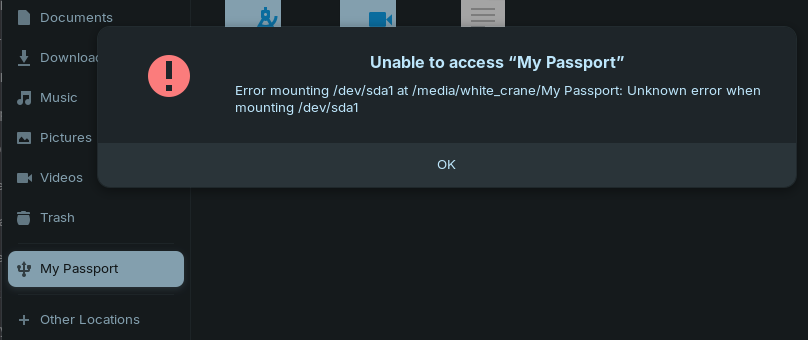
When I first purchased this external hard drive in June of this past year I had no issues with it automatically mounting and me being able to access its contents. In December it stopped. Ever since then I have tried on and off to get this hard drive to mount again but I have had no success. WD states that Drivers are installed by Windows or macOS when the drive is attached for the first time. I do not have any devices with Windows or macOS. When I first purchased this hard drive I plugged it into my laptop running Zorin OS and had no problem for 6 months.... until December. Every time I try and mount the harddrive I get a pop up (see screenshot attached). This pop up first appeared when I accidentally disconnected the hard drive without properly unmounting it first, and tried plugging it back in immediately after it was unmounted.
Does anyone have any insight into how I can get this hard drive mounted again?
I am using a Dell Inc. Latitude 5520, 32.0 GiB, 11th Gen Intel® Core™ i7-1185G7 @ 3.00GHz × 8, running Zorin OS 17.3 Core.