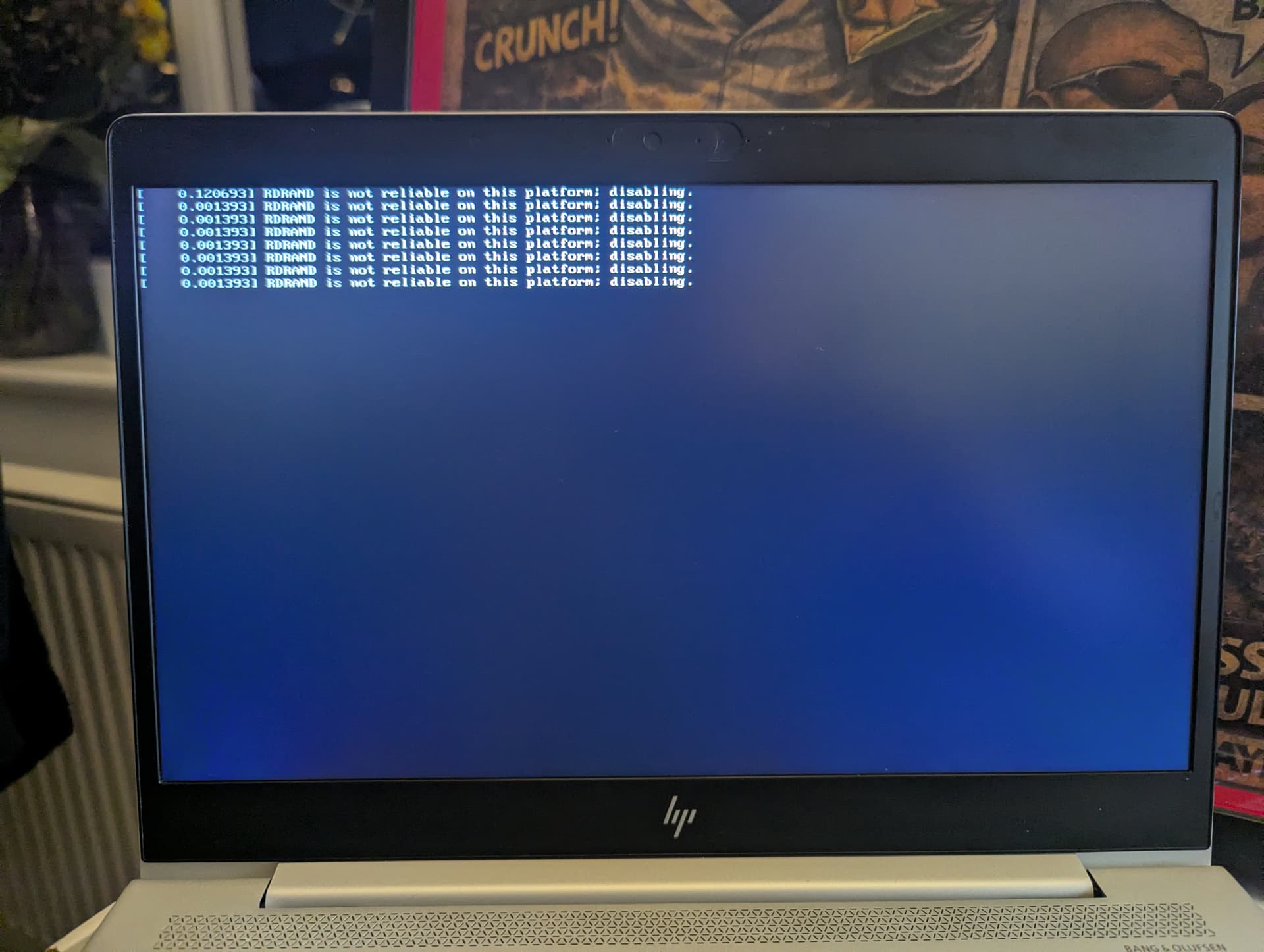
so seems i made a boo boo somewhere and managed to experiment and seem to have found a solution
so went into bios and disabled legacy/secure boot saved changes and exited
reinstalled from the usb stick and all went well until it had an issue with the storage drive...so...went onto my main PC disabled win defender and auto play used rufus to create the Zorin iso again after formatting the usb stick, next started a fresh install of zorin and bingo all is well it is booting with no issues,rebooting with no issues
the only thing which seems odd is an odd set of disabled messages before each boot but all seems well so far,(i will post a pick of said messages)
i must say a big thank you to all the users who helped me in the thread without your help and knowledge i surely would have had to resort to going back to microslop
Regarding RRAND. Does your laptop have an AMD CPU?
From websearches I have done, seems more common on AMD devices. But have not seen a fix, or whether it is important or not to fix. @Aravisian may know more.
Those are harmless. Maybe annoying.
Adding a grub parameter nordrand can put a stop to it.
sudo nano /etc/default/grub
Arrow key down to GRUB_CMDLINE_LINUX_DEFAULT="quiet splash"
Add the parameter: GRUB_CMDLINE_LINUX_DEFAULT="quiet splash nordrand"
Tap ctl+o to overwrite, then enter key to save as current configuration.
Tap ctl+x to exit the editor, the terminal will go back to looking normal...
Run
sudo update-grub
What RDRAND is - some AMD processing makes use of random number generation. The kernel may try to query it, but if it is not supported, that alert will show.